

How to choose a video conference camera?
Leave a message

In today's digital age, video conferencing has become an integral part of our personal and professional lives. Whether you're a small business owner conducting remote meetings, a student participating in online classes, or a large corporation facilitating global collaborations, having a high - quality video conference camera is crucial. As a video conference camera supplier, I'm here to guide you through the process of choosing the right camera for your specific needs.
1. Resolution
One of the most important factors to consider when choosing a video conference camera is the resolution. The resolution determines the clarity and sharpness of the video. Higher resolutions provide more detailed and lifelike images.
- 720p (HD): This is the basic resolution for video conferencing. It's suitable for small - scale meetings or personal use where the focus is more on communication than on high - quality visuals. However, in today's market, 720p may seem a bit outdated as most users expect better image quality.
- 1080p (Full HD): This is the standard resolution for most video conferencing applications. It offers a good balance between image quality and bandwidth usage. 1080p cameras are widely available and can provide clear and sharp images, making them suitable for most business meetings and online classes.
- 4K: For those who demand the highest level of image quality, 4K cameras are the way to go. They offer four times the resolution of 1080p, resulting in incredibly detailed and sharp videos. However, 4K cameras require more bandwidth and powerful hardware to support, so make sure your network and devices can handle it. For example, our NDI Poe Ptz Video Conference Camera supports high - resolution video capture, including 4K in some models, providing you with crystal - clear visuals.
2. Field of View (FOV)
The field of view refers to the area that the camera can capture. A wider field of view allows you to capture more people or a larger space in the frame.
- Narrow FOV: Cameras with a narrow field of view are suitable for individual use or when you want to focus on a specific subject. For example, if you're using the camera for a one - on - one video call, a narrow FOV can ensure that your face is centered and well - framed.
- Wide FOV: A wide field of view is ideal for group meetings or large conference rooms. It can capture multiple people sitting around a table or a large area of a room. Some cameras offer a field of view of up to 180 degrees, which can be very useful in large spaces. When choosing a camera with a wide FOV, make sure that the image quality remains consistent across the entire frame. Our All in One Audio Video Conference Room System often comes with cameras that have a wide field of view to accommodate different room sizes and meeting setups.
3. Pan, Tilt, and Zoom (PTZ)
Pan, tilt, and zoom capabilities allow you to adjust the camera's position and focus.

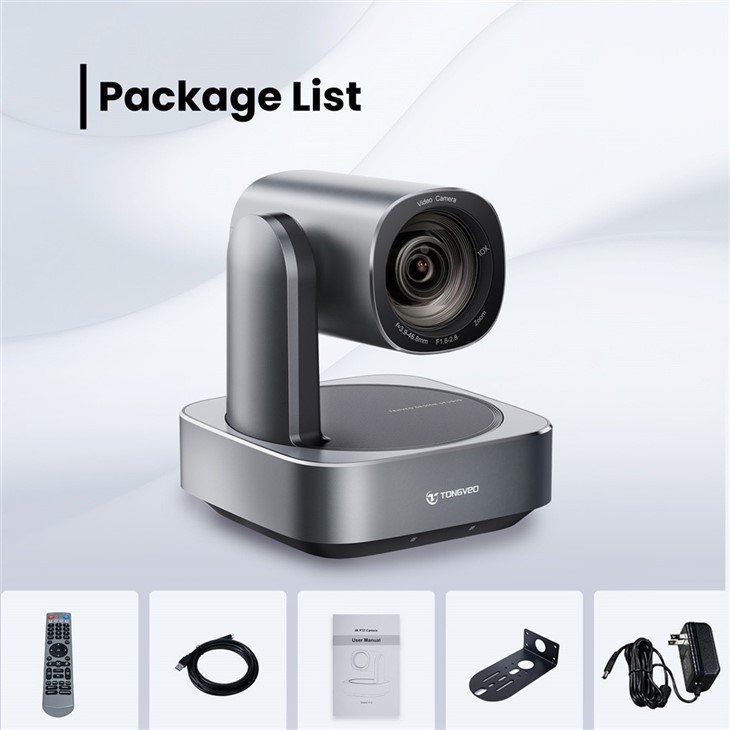
- Pan: This refers to the horizontal movement of the camera. You can pan the camera left or right to follow the action or to capture different areas of the room.
- Tilt: Tilt is the vertical movement of the camera. You can tilt the camera up or down to adjust the angle of view.
- Zoom: Zoom allows you to get closer to the subject without physically moving the camera. Optical zoom is preferred over digital zoom as it provides better image quality. A camera with PTZ capabilities gives you more flexibility during a video conference. For instance, if someone at the far end of the table starts speaking, you can easily pan and tilt the camera to focus on them. Our NDI Poe Ptz Video Conference Camera mentioned earlier has excellent PTZ functionality, allowing you to control the camera remotely and adjust the view as needed.
4. Low - Light Performance
Not all meeting rooms are well - lit, and you may encounter situations where the lighting is poor. A camera with good low - light performance can still produce clear and sharp images in dimly lit environments.
- Sensor Quality: The quality of the camera's sensor plays a crucial role in low - light performance. Cameras with larger sensors can capture more light, resulting in better image quality in low - light conditions.
- Image Processing: Advanced image processing algorithms can also improve low - light performance. These algorithms can reduce noise and enhance the colors and contrast of the image. When choosing a camera, look for models that are specifically designed for low - light environments. Our USB 3.0 Video Conference Camera is equipped with sensors and image processing technology that can handle low - light situations effectively, ensuring that your video conferences are clear even in less - than - ideal lighting.
5. Connectivity
The camera should be easy to connect to your existing devices and systems.
- USB: USB is the most common connection type for video conference cameras. It's easy to use and compatible with most computers and laptops. USB 3.0 offers faster data transfer speeds, which can be beneficial for high - resolution video streaming. Our USB 3.0 Video Conference Camera provides a simple and reliable connection to your device, allowing you to start your video conference quickly.
- HDMI: HDMI is another popular connection type, especially for connecting the camera to TVs, monitors, or other HDMI - enabled devices. It can support high - resolution video and audio transmission.
- Ethernet: Ethernet connection is suitable for larger conference rooms or when you need a more stable and high - speed connection. It can also support Power over Ethernet (PoE), which means the camera can receive power and data through a single Ethernet cable.
6. Audio Quality
Good audio is just as important as good video in a video conference. Some cameras come with built - in microphones, while others can be connected to external audio devices.
- Built - in Microphones: Cameras with built - in microphones are convenient as they eliminate the need for additional audio equipment. Look for cameras with omnidirectional microphones that can pick up sound from all directions.
- External Audio: If you need better audio quality or if you're in a large room, you may want to consider using external microphones or audio systems. Some cameras support external audio input, allowing you to connect high - quality microphones or audio mixers. Our All in One Audio Video Conference Room System often includes high - quality audio components to ensure clear and crisp sound during your video conferences.
7. Software Compatibility
The camera should be compatible with the video conferencing software you use.
- Popular Software: Most cameras are compatible with popular video conferencing software such as Zoom, Microsoft Teams, Google Meet, and Skype. Make sure to check the camera's compatibility list before making a purchase.
- Custom Software: If you're using custom - developed video conferencing software, you may need to ensure that the camera can be integrated with it. Some camera manufacturers provide SDKs (Software Development Kits) that allow developers to integrate the camera with custom software.
8. Budget
Your budget will also play a significant role in your decision - making process.
- Entry - Level Cameras: There are many affordable entry - level cameras available on the market. These cameras usually offer basic features such as 1080p resolution and a fixed field of view. They are suitable for personal use or small businesses with limited budgets.
- Mid - Range Cameras: Mid - range cameras offer a good balance between features and price. They may include PTZ capabilities, better low - light performance, and higher resolutions.
- High - End Cameras: High - end cameras are designed for large corporations, professional studios, or those who demand the highest level of quality. They often come with advanced features such as 4K resolution, excellent low - light performance, and sophisticated PTZ controls.
In conclusion, choosing the right video conference camera requires careful consideration of your specific needs, including resolution, field of view, PTZ capabilities, low - light performance, connectivity, audio quality, software compatibility, and budget. As a video conference camera supplier, we offer a wide range of cameras to meet different requirements. If you're interested in learning more about our products or have any questions about choosing the right camera for your situation, we encourage you to contact us for procurement and further discussion. We're here to help you make the best decision for your video conferencing needs.
References
- "Video Conferencing Best Practices" - TechRadar
- "The Ultimate Guide to Video Conference Cameras" - PCMag





