

What is the zoom range of a 1080p conference camera with optical zoom?
Leave a message

Hey there! As a supplier of 1080p conference cameras, I often get asked about the zoom range of these cameras, especially the ones with optical zoom. So, I thought I'd break it down for you in this blog post.
First off, let's talk about what optical zoom is and why it matters. Optical zoom uses the camera's lens to physically magnify the image. This is different from digital zoom, which just enlarges the pixels in the image, often leading to a loss of quality. With optical zoom, you get a clear, sharp, and detailed image even when you're zoomed in.
Now, the zoom range of a 1080p conference camera with optical zoom can vary quite a bit. Generally, you'll find cameras with optical zoom ranges anywhere from 3x to 20x. A 3x optical zoom means the camera can magnify the image to three times its original size. This is great for smaller conference rooms where you don't need to zoom in too far. For example, if you're in a room with people sitting close to the camera, a 3x zoom will let you focus on individuals without losing too much detail.

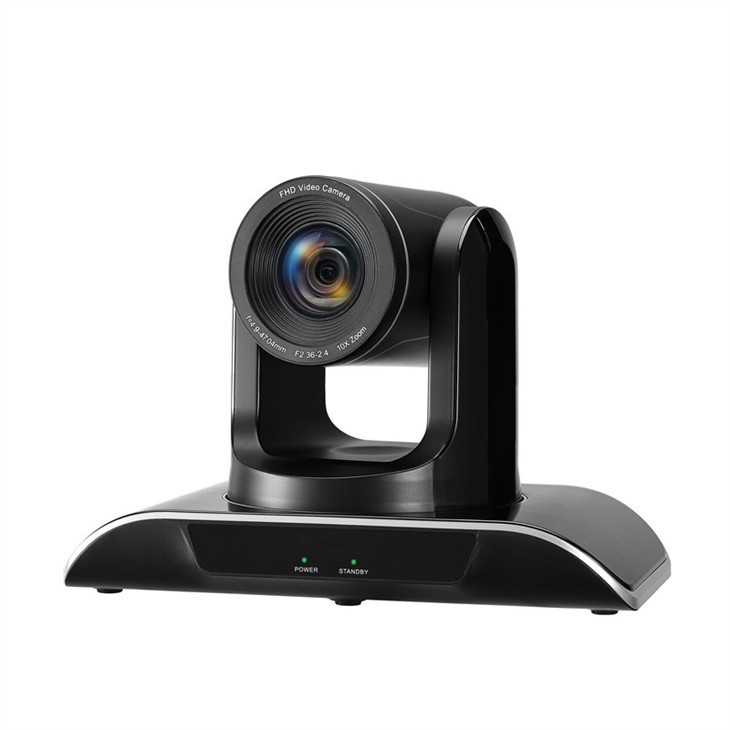
On the other hand, a 20x optical zoom is much more powerful. It's ideal for larger conference rooms or auditoriums where people might be sitting far away from the camera. With a 20x zoom, you can easily zoom in on someone at the back of the room and still get a clear view of their face and expressions. This is really important for video conferencing, as it helps to make the communication more personal and engaging.
But how do you decide which zoom range is right for your needs? Well, it all depends on the size of your conference room and the distance between the camera and the people you want to capture. If you have a small to medium-sized room, a camera with a 3x to 5x optical zoom should be sufficient. You can check out our High Quality Camera For Video Conferencing for some great options in this range.
For larger rooms, you'll probably want to go for a camera with a higher zoom range, like 10x to 20x. Our pan tilt zoom video camera for large conference room call is a great choice for these situations. It not only has a powerful zoom but also allows you to pan and tilt the camera remotely, so you can easily adjust the view as needed.
Another factor to consider is whether you need a camera with auto-tracking capabilities. Auto-tracking cameras can automatically follow the movement of people in the room, keeping them in the frame at all times. This is really useful in dynamic conference settings where people are moving around a lot. Our Auto Tracking Video Conference Camera is a great option if you're looking for this feature.
In addition to the zoom range, there are a few other things to keep in mind when choosing a 1080p conference camera. The field of view is important, as it determines how much of the room the camera can capture. A wider field of view is better for larger rooms, as it allows you to see more of the participants at once.
The frame rate is also crucial. A higher frame rate, such as 60 frames per second (fps), will result in smoother video, which is especially important for fast-paced discussions or presentations.
And of course, the image quality is a top priority. Look for a camera that offers clear, sharp, and color-accurate images. This will ensure that your video conferences look professional and engaging.
So, there you have it! That's a basic overview of the zoom range of 1080p conference cameras with optical zoom. If you're still not sure which camera is right for you, don't hesitate to reach out. We're here to help you find the perfect solution for your video conferencing needs. Whether you're a small business, a large corporation, or an educational institution, we have the expertise and the products to meet your requirements.
If you're interested in purchasing a 1080p conference camera, or if you have any questions or need more information, feel free to contact us. We'd love to have a chat with you and discuss how our cameras can enhance your video conferencing experience.
References
- General knowledge about video conferencing cameras and their features.
- Industry standards and best practices for choosing conference cameras.





