

What is the white balance adjustment of a video conference camera?
Leave a message

Hey there! As a supplier of Video Conference Cameras, I often get asked about different features and settings of these cameras. One of the most crucial yet sometimes overlooked aspects is the white balance adjustment. So, let's dive into what white balance adjustment of a video conference camera is all about.
What's White Balance Anyway?
In simple terms, white balance is all about getting the colors in your video to look natural. You know how when you take a photo or record a video in different lighting conditions, the colors can look off? Like, under fluorescent lights, everything might look a bit greenish, or in the evening sunlight, it could have a warm orange tint. That's where white balance comes in.
The goal of white balance adjustment is to make white objects appear white in your video, regardless of the lighting situation. It's like tricking your camera to "see" the light the way our eyes do. Our eyes are pretty amazing at adjusting to different lighting and perceiving colors accurately, but cameras need a little help.
Why is White Balance Important in Video Conferencing?
In a video conference, having accurate white balance is super important. First off, it makes the video look more professional. If the colors are off, it can be distracting for the people on the other end of the call. You don't want your colleagues or clients to be thinking about why your face looks like it's got a strange glow or why the background colors seem all wrong.
Secondly, it helps with communication. When the colors are accurate, it's easier to read facial expressions and body language. These non - verbal cues are a big part of how we communicate, and if the colors are distorted, it can be harder to pick up on them.
How Does White Balance Adjustment Work?
There are a few different ways that video conference cameras handle white balance adjustment.
Preset Modes
Most cameras come with preset white balance modes. These are like pre - set recipes for different lighting conditions. For example, there's usually a mode for daylight, which is great when you're in a room with lots of natural light coming in through the windows. There's also a mode for fluorescent light, which can counteract that greenish tint we mentioned earlier. And then there's an incandescent mode for when you're using regular light bulbs.
To use these preset modes, you just need to select the one that matches your lighting situation. It's usually as simple as pressing a button on the camera or adjusting a setting in the camera's menu.
Auto White Balance (AWB)
Auto white balance is a really convenient feature. The camera automatically tries to analyze the lighting in the scene and adjust the white balance accordingly. It's great for situations where the lighting might change or when you're not sure which preset mode to use.
However, AWB isn't perfect. Sometimes, it can get confused, especially if there are multiple sources of light with different color temperatures in the same scene. For example, if you have a window with sunlight coming in on one side and a fluorescent light on the other, the camera might struggle to find the right balance.
Manual White Balance
For more precise control, some advanced video conference cameras allow you to set the white balance manually. This involves taking a reference shot of a white or gray object in the same lighting as your subject. The camera then uses that reference to set the white balance for the rest of the video.
Manual white balance gives you the most accurate results, but it does take a bit more time and effort. You need to make sure the reference object is well - lit and represents the overall lighting conditions of the scene.
Our Video Conference Cameras and White Balance
At our company, we understand the importance of good white balance in video conferencing. That's why our cameras are equipped with advanced white balance adjustment features.
Our NDI Poe Ptz Video Conference Camera offers a wide range of preset white balance modes, so you can easily adapt to different lighting situations. Whether you're in a bright, sunny room or a dimly lit office, you can quickly select the right mode to get natural - looking colors.
The Conference Camera For Tv also has a very reliable auto white balance feature. It's designed to quickly and accurately adjust to changing lighting conditions, so you don't have to worry about constantly tweaking the settings during a long video conference.
And if you're looking for a camera for a more specialized use, like Ndi Ptz Camera For Church Live Streaming, our camera can handle the unique lighting challenges often found in churches. With manual white balance options, you can fine - tune the colors to make sure the live stream looks its best.
Tips for Getting the Best White Balance
Here are some tips to help you get the most out of the white balance adjustment on your video conference camera:
- Know your lighting: Before starting a video conference, take a moment to assess the lighting in the room. Is it natural light, fluorescent light, or a combination? This will help you choose the right preset mode or decide if you need to use manual white balance.
- Use a reference object: If you're using manual white balance, find a white or gray object that's well - lit and in the same area as you. A piece of white paper or a gray card works great.
- Test before the call: Don't wait until the video conference has started to adjust the white balance. Test the camera settings beforehand and make any necessary adjustments.
Conclusion
White balance adjustment is a crucial feature of video conference cameras. It can make a big difference in the quality of your video and how effectively you communicate during a video conference. Whether you're using preset modes, auto white balance, or manual adjustment, taking the time to get the white balance right is definitely worth it.
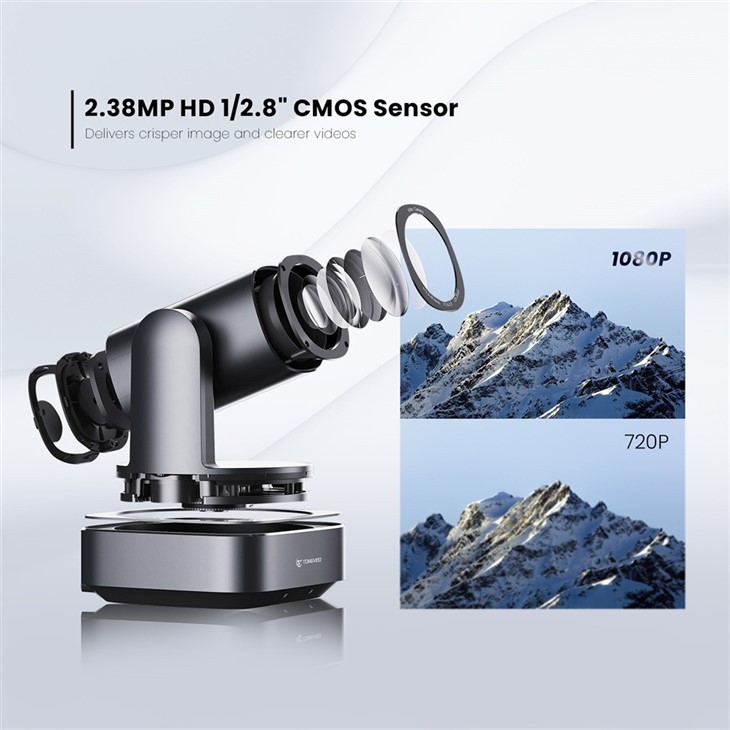

If you're in the market for a high - quality video conference camera with excellent white balance features, we'd love to talk to you. Our team of experts can help you find the perfect camera for your needs. Just reach out to us and let's start the conversation.
References
- "Digital Photography: Understanding White Balance" by Digital Photography School
- "Video Conferencing Best Practices" by TechRadar





