

What is the best position to place a 4K UHD Video Bar?
Leave a message

Hey there! As a supplier of 4K UHD Video Bars, I've gotten tons of questions about the best position to place these nifty devices. Let's dive right in and figure out how to make the most of your 4K UHD Video Bar.
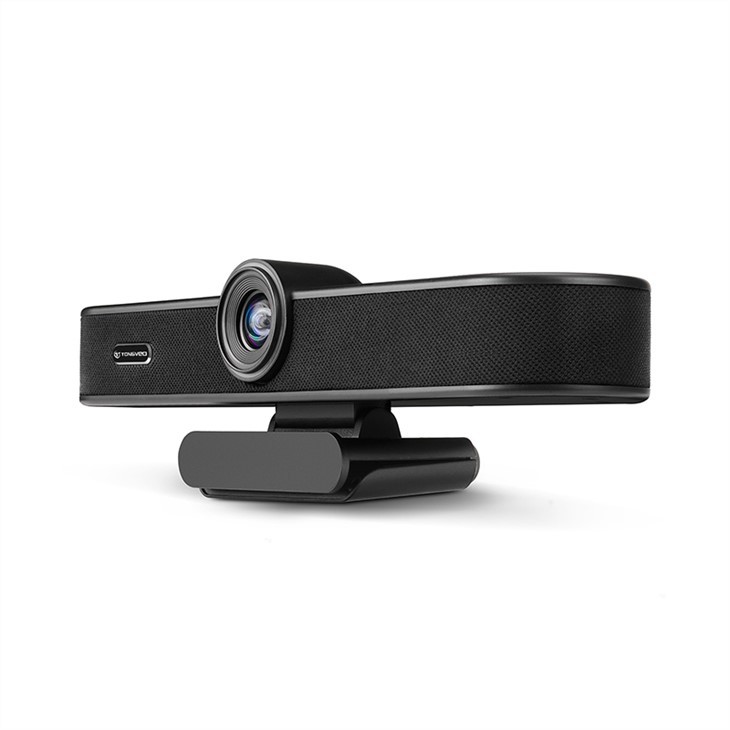
First off, let's talk about the basics. A 4K UHD Video Bar is an all - in - one device that combines a high - resolution camera, microphone, and sometimes speakers. It's designed to enhance your video conferencing experience, whether you're working from home, in a small office, or a large meeting room.
Desk - Mounted Position
One of the most common places to put a 4K UHD Video Bar is on your desk. This is super convenient, especially if you're using it for home office setups or small meeting spaces. When you place it on your desk, it should be at eye level or slightly below. This helps to create a natural line of sight during video calls.
If the Video Bar is too low, it can make you look down on the camera, and your chin might look bigger than it actually is. On the other hand, if it's too high, it can give a bird's - eye view of your head, which isn't very flattering either.
Another thing to consider when placing it on the desk is the distance from your face. You should keep about an arm's length between you and the Video Bar. This ensures that the camera can capture your upper body and face clearly.
Monitor - Mounted Position
Mounting the 4K UHD Video Bar on top of your monitor is also a popular choice. This position has a few advantages. For starters, it automatically places the camera at eye level, which is great for maintaining good eye contact during video calls.
Most Video Bars come with a mounting bracket that can easily attach to the top of your monitor. Make sure the bracket is securely fastened so that the Video Bar doesn't wobble during use.
When you mount it on the monitor, you also free up some desk space. This can be a big plus, especially if your desk is already cluttered with other stuff like keyboards, mice, and papers.
Wall - Mounted Position
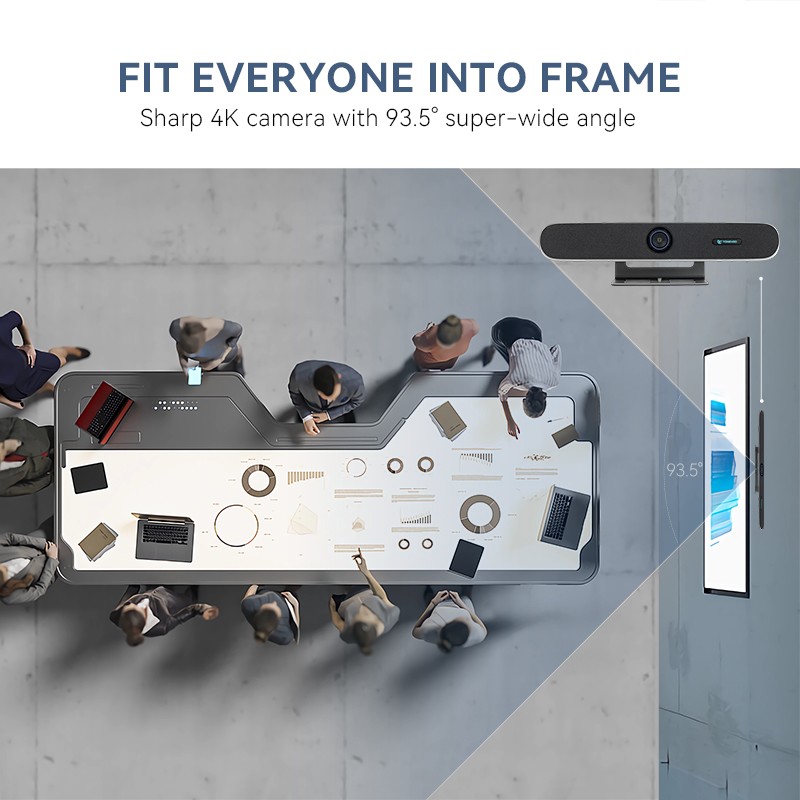
In larger meeting rooms or conference halls, wall - mounting the 4K UHD Video Bar might be the best option. Wall - mounting allows you to position the camera at the perfect height and angle to capture everyone in the room.
You'll want to mount it at a height where it can cover the entire seating area. Usually, mounting it about 6 to 7 feet above the ground works well. This gives a good overview of the room without being too high or too low.
However, wall - mounting requires a bit more planning and installation work. You'll need to make sure you have the right tools and that the wall can support the weight of the Video Bar.
Consider the Lighting
No matter where you place your 4K UHD Video Bar, lighting is crucial. Good lighting can make a huge difference in the quality of your video calls.
If possible, place the Video Bar near a window or a source of natural light. This will give you a soft, even light that makes your face look better. Avoid having a bright light source behind you, as this can create a silhouette effect and make it hard for the other people on the call to see your face.
If natural light isn't available, you can use artificial lighting. There are some great ring lights or softbox lights on the market that can provide good, diffused light.
Audio Considerations
The position of the 4K UHD Video Bar also affects the audio quality. Most Video Bars have built - in microphones, and you want to make sure they can pick up your voice clearly.
If you're using it in a small room, the microphone should work well from most positions. But in a larger room, you might need to be closer to the Video Bar to ensure that your voice is heard.
Some Video Bars come with advanced audio features like noise cancellation. However, the position can still impact how well these features work. Try to avoid placing the Video Bar near noisy appliances like fans or air conditioners.
Complementary Products
If you're looking to enhance your video conferencing setup even further, we also offer some great complementary products. Check out our Web Conference Camera With Microphone. It's a great addition if you need a more flexible camera option.
Our HD Webcam with Speakerphone and Mic for Video Conferencing and Online Meetings is also a popular choice. It offers high - quality video and audio in a compact package.
And for those who want to improve the audio experience in larger rooms, our Video Conferencing Soundbar is a must - have. It provides clear, crisp sound that can make your video calls even better.
Conclusion
So, there you have it! The best position to place a 4K UHD Video Bar depends on your specific needs and the environment you're using it in. Whether it's on your desk, monitor, or wall, make sure to consider factors like eye level, distance, lighting, and audio.
If you're interested in purchasing a 4K UHD Video Bar or any of our other products, we'd love to have a chat with you. Reach out to us to start a procurement discussion and let's find the perfect solution for your video conferencing needs.
References
- Video Conferencing Best Practices Guides
- User Manuals of 4K UHD Video Bars





