

How to handle audio imbalances in a daisy chain microphone system?
Leave a message

Hey there! As a supplier of Daisy Chain Microphones, I've seen my fair share of audio issues, and one of the most common ones is audio imbalances in a daisy chain microphone system. In this blog, I'll share some tips on how to handle these imbalances and get the best sound quality from your setup.
Understanding Daisy Chain Microphone Systems
First off, let's quickly go over what a daisy chain microphone system is. It's a setup where multiple microphones are connected in a series, kind of like a chain. This is a popular choice for conferences, large meetings, and events because it allows you to cover a wide area with just one cable run. However, it can also lead to audio imbalances if not set up correctly.
Common Causes of Audio Imbalances
Distance from the Sound Source
The farther a microphone is from the sound source, the weaker the audio signal it picks up. In a daisy chain system, if some mics are closer to the speaker than others, you'll end up with a noticeable difference in volume levels.
Cable Length and Quality
Longer cables can cause signal loss, which means the audio from microphones connected further down the chain might be quieter. Also, using low - quality cables can introduce interference and affect the audio quality.
Microphone Sensitivity Variations
Not all microphones have the same sensitivity. Even within the same brand and model, there can be slight variations. These differences can result in some mics picking up sound louder than others.
How to Fix Audio Imbalances
Adjusting Microphone Placement
One of the simplest ways to address audio imbalances is to adjust the placement of your microphones. Try to position them so that they are all at a similar distance from the sound source. If you're in a conference room, for example, place the microphones evenly around the table. This way, each mic will pick up the sound at a similar level.
Using Signal Boosters
If you're dealing with long cable runs, signal boosters can be a great solution. These devices amplify the audio signal as it travels through the cable, compensating for the signal loss. You can place a signal booster at regular intervals along the daisy chain to ensure that all microphones have a strong and consistent signal.
Calibrating Microphone Sensitivity
Most modern daisy chain microphones come with adjustable sensitivity settings. You can use these settings to fine - tune each microphone so that they all pick up sound at the same level. Start by setting all the microphones to their default sensitivity, then test the audio. If you notice any imbalances, adjust the sensitivity of the individual mics until the audio is balanced.
Checking and Replacing Cables
As I mentioned earlier, cable length and quality can have a big impact on audio quality. Check your cables for any signs of damage, such as fraying or bent connectors. If you find any damaged cables, replace them immediately. Also, consider using high - quality cables that are designed for audio applications. They are less likely to cause signal loss and interference.
The Benefits of Our USB Omnidirectional Conference Microphone
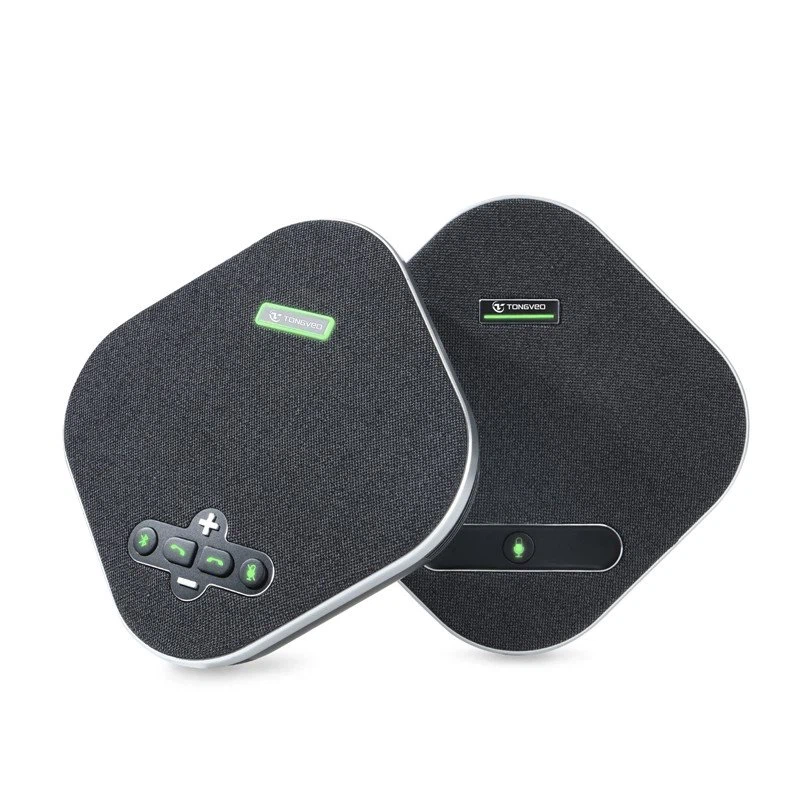
If you're looking for a reliable solution for your daisy chain microphone system, I'd like to introduce our USB Omnidirectional Conference Microphone. It's designed to provide high - quality audio in a daisy chain setup.
This microphone has a wide pickup pattern, which means it can capture sound from all directions. This is great for conferences and meetings where people are sitting around a table. It also has adjustable sensitivity settings, making it easy to calibrate and balance the audio.
The USB connection makes it easy to integrate with your existing audio system, and it's compatible with most operating systems. Whether you're using it for a small meeting or a large conference, our USB Omnidirectional Conference Microphone is a great choice.
Conclusion
Audio imbalances in a daisy chain microphone system can be a real headache, but with the right approach, they can be easily fixed. By adjusting microphone placement, using signal boosters, calibrating sensitivity, and checking your cables, you can ensure that your audio is clear and balanced.
If you're interested in upgrading your daisy chain microphone system or have any questions about our products, don't hesitate to reach out. We're here to help you get the best audio quality for your needs. Contact us today to start the procurement process and take your audio setup to the next level.
References
- Audio Engineering Society. (20XX). Best Practices for Microphone Systems.
- Manufacturer's Manuals for Daisy Chain Microphones.





