

How to choose a video conference camera based on the budget?
Leave a message

When it comes to choosing a video conference camera, budget is often a significant factor. As a video conference camera supplier, I understand that different customers have varying financial constraints and specific needs. In this blog, I'll guide you through the process of selecting the right video conference camera based on your budget, ensuring you get the best value for your money.
Low - Budget Options ($0 - $500)
For those on a tight budget, there are still some great options available. These cameras are usually basic but can still meet the essential requirements of small - scale video conferencing.

Webcams
Webcams are the most affordable choice in the video conferencing camera market. They are easy to set up and can be connected directly to your computer via USB. Many webcams in this price range offer at least 720p resolution, which is sufficient for clear communication in small meetings. Some popular models come with built - in microphones, which can save you the cost of an additional audio device.
However, keep in mind that the image quality may not be as sharp as more expensive cameras, and the field of view might be limited. But if you're just starting out or have a very limited budget, a webcam can be a good starting point. For example, the Logitech C270 is a well - known budget webcam that offers decent performance for basic video conferencing.
Mid - Budget Options ($500 - $1500)
If you can afford to spend a bit more, you'll have access to cameras with better features and higher quality.
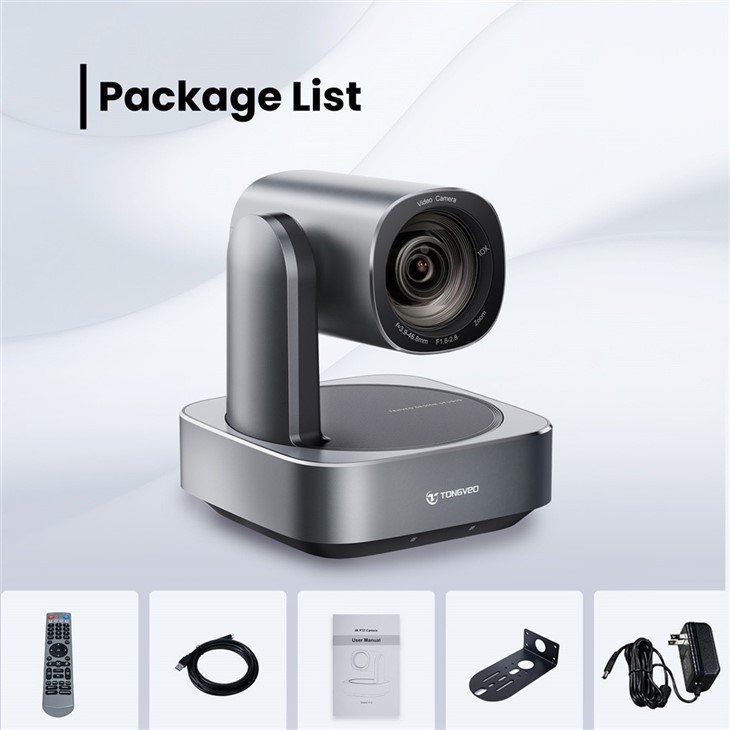
PTZ (Pan - Tilt - Zoom) Cameras
In the mid - budget range, PTZ cameras become a viable option. These cameras can pan, tilt, and zoom, allowing you to adjust the view during a video conference. This is especially useful in larger meeting rooms or when you need to focus on different participants or objects.
Some mid - budget PTZ cameras offer 1080p resolution, which provides a much clearer and more detailed image compared to lower - end options. They also often come with better low - light performance, meaning the video quality won't degrade significantly in dimly lit environments. For instance, the Ndi Ptz Camera For Church Live Streaming is a great example of a mid - budget PTZ camera that offers good features for various applications, including live streaming and video conferencing.
All - in - One Systems
Another option in the mid - budget category is an all - in - one audio - video conference room system. These systems combine a camera, microphone, and sometimes even speakers into a single unit. They are designed to be easy to install and use, making them ideal for small to medium - sized meeting rooms.
The All in One Audio Video Conference Room System is a comprehensive solution that can provide a seamless video conferencing experience. It eliminates the need to purchase separate components, which can save both money and time on setup.
High - Budget Options ($1500+)
If budget is not a major concern, you can invest in top - of - the - line video conference cameras that offer the highest level of performance.
Professional - Grade PTZ Cameras
High - end PTZ cameras in this price range offer features like 4K resolution, which provides incredibly sharp and detailed images. They often have advanced autofocus and image stabilization technology, ensuring that the video remains clear and steady even if there is movement in the room.
These cameras also typically have a wider field of view and better color accuracy, making the video look more natural and professional. The NDI Poe Ptz Video Conference Camera is a high - end option that combines the benefits of NDI technology and Power over Ethernet (PoE) for easy installation and high - quality video conferencing.
Multi - Camera Setups
For large conference rooms or complex video conferencing scenarios, multi - camera setups can be a great investment. These setups allow you to capture different angles and views simultaneously, providing a more immersive experience for the participants. High - budget multi - camera systems can be customized to meet the specific needs of your space and the type of conferences you hold.
Other Factors to Consider Besides Budget
Compatibility
Before making a purchase, make sure the camera is compatible with your existing video conferencing software and hardware. For example, if you use Zoom or Microsoft Teams for your meetings, check if the camera is certified to work with these platforms.
Lighting Conditions
Consider the lighting conditions in the room where the camera will be used. If the room is often dimly lit, look for a camera with good low - light performance. Some cameras come with features like backlight compensation, which can help adjust the exposure in challenging lighting situations.
Audio Quality
Don't forget about audio. A good video conference camera should either have a built - in high - quality microphone or be compatible with external audio devices. Clear audio is just as important as a clear video for effective communication.
Conclusion
Choosing the right video conference camera based on your budget is a balancing act between getting the features you need and staying within your financial limits. Whether you're on a tight budget and need a basic webcam or have the resources to invest in a high - end multi - camera setup, there are options available for you.
As a video conference camera supplier, I'm here to help you make the best decision for your specific situation. If you're interested in learning more about our products or have any questions about choosing the right camera, please feel free to contact us for a purchase negotiation. We can provide you with detailed product information and help you find the perfect solution for your video conferencing needs.
References
- Logitech product documentation
- General industry knowledge of video conferencing camera technology





