Can FHD IP Conference Camera be used for webinars?
Leave a message

Hey there! As a supplier of FHD IP Conference Cameras, I often get asked whether these cameras can be used for webinars. Well, the short answer is yes, and in this blog, I'll dive deep into why FHD IP Conference Cameras are a great choice for webinars and how they can elevate your online events.
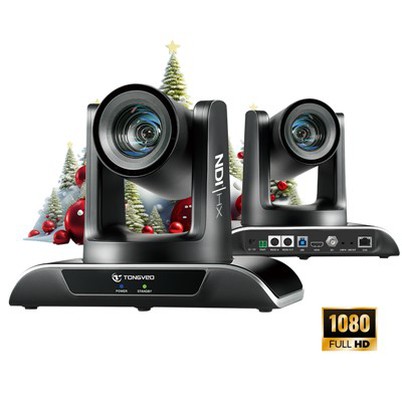
First off, let's talk about what FHD IP Conference Cameras are. FHD stands for Full High - Definition, which means they can capture video at a resolution of 1920x1080 pixels. This high - resolution output ensures that your webinar participants can see every detail clearly, whether it's the presenter's facial expressions, the content on a whiteboard, or a product demonstration. The "IP" in the name refers to Internet Protocol, which allows these cameras to connect to your network and stream video over the internet.
One of the biggest advantages of using FHD IP Conference Cameras for webinars is the quality of the video. In today's digital age, participants expect high - quality visuals. A blurry or pixelated video can quickly turn people off and make your webinar seem unprofessional. With an FHD IP Conference Camera, you can deliver sharp, clear, and vibrant video that will keep your audience engaged.
Another benefit is the flexibility they offer. These cameras can be easily integrated with various webinar platforms. Whether you're using Zoom, Microsoft Teams, Google Meet, or any other popular webinar software, FHD IP Conference Cameras can work seamlessly with them. You don't have to worry about compatibility issues, and you can focus on creating a great webinar experience.
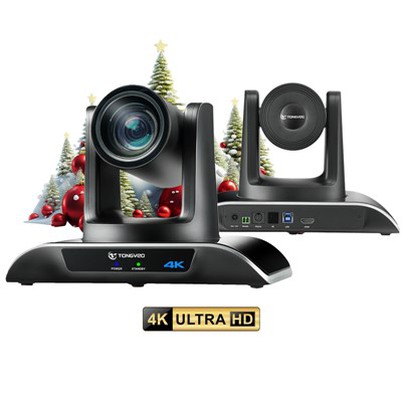
Let's take a look at some of the features of FHD IP Conference Cameras that make them suitable for webinars. Many of these cameras come with pan - tilt - zoom (PTZ) functionality. This means you can move the camera horizontally (pan), vertically (tilt), and zoom in or out on specific subjects. For example, during a webinar, you might want to zoom in on a presenter's slides or pan the camera to show a group discussion. The PTZ IP Conference Room Camera is a great option if you need this kind of flexibility.


Wide - angle lenses are also a common feature in FHD IP Conference Cameras. A wide - angle lens allows you to capture a larger area in the frame. This is especially useful if you have a large group of presenters or if you want to show the entire room during a webinar. The Wide Angle IP HDMI SDI USB PTZ Conference Room Camera offers a wide field of view, ensuring that nothing is left out of the shot.
For large conference rooms or webinars with a lot of action, a high - zoom camera can be a game - changer. The High - Definition 30x Zoom HDMI SDI IP Conference Camera for Large Conference Rooms provides a powerful zoom function, allowing you to get up - close and personal with the details, even from a distance.
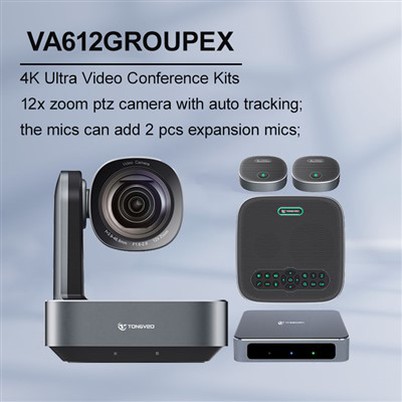
In addition to video quality and features, FHD IP Conference Cameras also offer good audio capabilities. Many models come with built - in microphones or support external microphones. Clear audio is just as important as clear video in a webinar. No one wants to struggle to hear what the presenters are saying. With a good audio system, your participants can fully engage with the content of your webinar.
Now, let's talk about the setup process. Setting up an FHD IP Conference Camera for a webinar is relatively straightforward. Most cameras can be connected to your computer or network via Ethernet or USB. Once connected, you can configure the camera settings through a user - friendly interface. You can adjust the video quality, focus, white balance, and other parameters to get the best results. And if you run into any issues, most camera manufacturers provide excellent customer support to help you out.
Another aspect to consider is the cost - effectiveness of FHD IP Conference Cameras. Compared to some high - end professional video production equipment, these cameras offer a great balance between quality and price. You can get a high - quality FHD IP Conference Camera at a reasonable cost, which is ideal for businesses and organizations of all sizes.
However, like any technology, FHD IP Conference Cameras also have some limitations. For example, the video quality can be affected by the quality of your internet connection. If your network is slow or unstable, you might experience buffering or dropped frames. But this is not a problem specific to the camera; it's more related to your overall network infrastructure. You can mitigate this issue by ensuring you have a reliable and high - speed internet connection.
In conclusion, FHD IP Conference Cameras are an excellent choice for webinars. They offer high - quality video, flexibility, useful features, good audio, and are relatively easy to set up. Whether you're hosting a small internal webinar or a large public event, these cameras can help you create a professional and engaging experience for your participants.
If you're interested in using FHD IP Conference Cameras for your webinars, I'd love to have a chat with you. We can discuss your specific needs, the best camera models for your situation, and work out a solution that fits your budget. Don't hesitate to reach out and start a conversation about how we can take your webinars to the next level.
References
- General knowledge about video conferencing and webinar technology
- Product specifications of FHD IP Conference Cameras