

Can a video conference camera be mounted on a wall?
Leave a message

As a provider of video conference cameras, I often encounter various questions from clients about the installation and usage of our products. One frequently asked question is whether a video conference camera can be mounted on a wall. In this blog post, I'll delve into this topic, exploring the feasibility, benefits, and considerations of wall - mounting a video conference camera.
Feasibility of Wall - Mounting a Video Conference Camera
The short answer is yes, a video conference camera can generally be mounted on a wall. Most modern video conference cameras are designed with flexibility in mind, and many come with mounting options that allow for wall installation. Our company offers a wide range of cameras, such as the Conference Camera For Tv, which can be easily adapted for wall mounting.
The camera's physical design usually includes standard mounting holes that can be aligned with wall - mounting brackets. These brackets are often included in the camera package or can be purchased separately. Additionally, the camera's cable management system is designed to handle different installation scenarios, including wall mounting. The cables can be neatly routed along the wall to ensure a clean and professional look.
Benefits of Wall - Mounting a Video Conference Camera
1. Optimal Viewing Angle
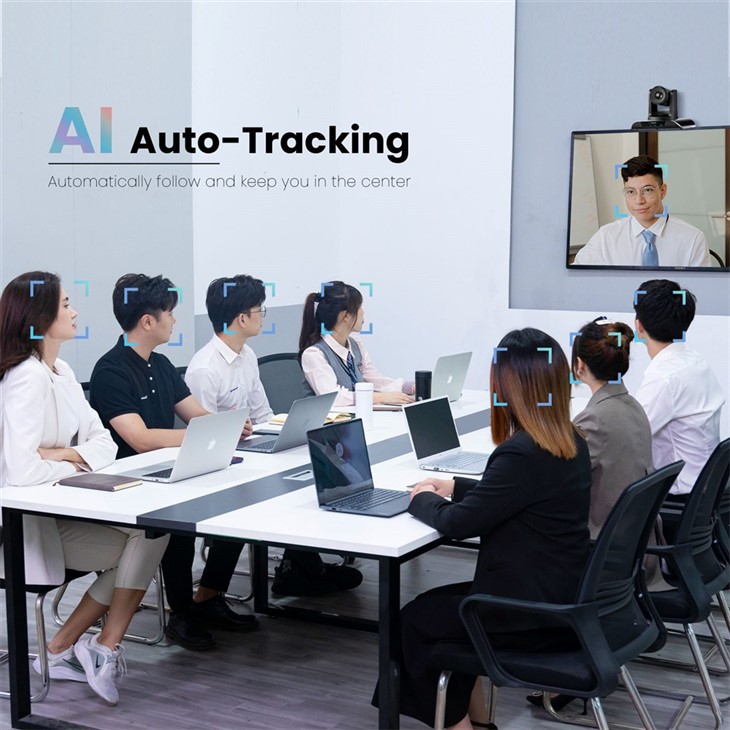
Wall - mounting a video conference camera allows you to achieve an optimal viewing angle. By positioning the camera at the right height and angle on the wall, you can capture the entire meeting area, ensuring that all participants are visible during the conference. This is particularly important in larger meeting rooms where a camera placed on a desk may not have a wide enough field of view. For example, in a large boardroom, a wall - mounted camera can be adjusted to cover the entire table, providing a comprehensive view for remote participants.
2. Space Saving
In a conference room, space is often at a premium. Wall - mounting the camera frees up valuable desk space, which can be used for other essential items such as laptops, documents, or presentation materials. This is especially beneficial in smaller meeting rooms where every inch of space counts. Our All in One Audio Video Conference Room System can be wall - mounted, allowing for a more streamlined and clutter - free conference room setup.
3. Reduced Risk of Damage
When a camera is placed on a desk, it is more susceptible to accidental knocks, spills, or being bumped into. Wall - mounting the camera elevates it out of harm's way, reducing the risk of physical damage. This not only protects your investment but also ensures that the camera remains in good working condition for a longer period.
4. Professional Appearance
A wall - mounted video conference camera gives the conference room a more professional and polished look. It creates a clean and organized environment, which can enhance the overall impression of your business during video conferences. This is especially important when conducting meetings with clients or partners, as it reflects positively on your company's attention to detail and professionalism.
Considerations for Wall - Mounting a Video Conference Camera
1. Location Selection
Choosing the right location on the wall is crucial. The camera should be mounted at a height that provides a natural eye - level view for the participants. Generally, a height of around 5 - 6 feet from the floor is recommended. Additionally, the camera should be placed in a position that avoids direct sunlight or other sources of glare, as this can affect the image quality. You also need to consider the distance from the participants. The camera should be far enough away to capture the entire meeting area but close enough to ensure clear facial recognition.
2. Wall Type
The type of wall you are mounting the camera on matters. Different walls require different mounting methods. For example, if you are mounting the camera on a drywall, you may need to use wall anchors to ensure a secure installation. On the other hand, if the wall is made of concrete or brick, you may need to use a drill and appropriate masonry anchors. It's important to follow the manufacturer's instructions for mounting on different wall types to ensure a safe and stable installation.
3. Cable Management
Proper cable management is essential when wall - mounting a video conference camera. You need to plan how the cables will be routed along the wall to avoid a messy appearance. You can use cable clips or raceways to keep the cables organized and hidden. Additionally, make sure that the cables are long enough to reach the power source and the connected devices, such as a computer or a TV. Our USB 3.0 Video Conference Camera comes with a USB cable of an appropriate length, but you may need to consider additional cable extensions depending on your installation requirements.
4. Compatibility with Other Equipment
Before wall - mounting the camera, ensure that it is compatible with your existing video conferencing equipment. This includes the computer, TV, or other devices that the camera will be connected to. Make sure that the camera's software and drivers are up - to - date and compatible with the operating system of your devices. You also need to consider the audio setup. If your camera has built - in microphones, ensure that they are positioned correctly to capture clear audio from the meeting area.
Installation Process
If you decide to wall - mount your video conference camera, here is a general installation process:

- Gather Tools and Materials: You will need a drill, screws, wall anchors (depending on the wall type), a level, and a measuring tape. You may also need a ladder if the mounting location is high on the wall.
- Mark the Mounting Location: Use a measuring tape and a level to mark the exact location on the wall where you want to mount the camera. Make sure the marks are straight and at the correct height.
- Drill Holes: Drill holes in the wall at the marked locations. If you are using wall anchors, insert them into the holes.
- Attach the Mounting Bracket: Secure the mounting bracket to the wall using the screws. Make sure the bracket is firmly attached and level.
- Mount the Camera: Attach the camera to the mounting bracket according to the manufacturer's instructions. This usually involves aligning the camera with the bracket and tightening the screws.
- Connect the Cables: Connect the camera to the power source and the other devices, such as a computer or a TV. Route the cables along the wall and secure them using cable clips or raceways.
- Test the Camera: Once the camera is installed and connected, test it to ensure that it is working properly. Check the image quality, audio, and the field of view. Make any necessary adjustments to the camera's position or settings.
Conclusion
In conclusion, wall - mounting a video conference camera is a feasible and beneficial option for many conference room setups. It offers optimal viewing angles, space savings, reduced risk of damage, and a professional appearance. However, it is important to consider factors such as location selection, wall type, cable management, and compatibility with other equipment.
If you are interested in purchasing a video conference camera for wall - mounting or have any questions about our products, we encourage you to reach out to us for a consultation. Our team of experts can provide you with detailed information and guidance to help you make the right choice for your conference room needs. We are committed to providing high - quality video conference cameras and excellent customer service. Contact us today to start the procurement process and take your video conferencing experience to the next level.
References
- Manufacturer's installation guides for video conference cameras
- Industry standards and best practices for video conferencing room setup
- Research on the impact of camera placement on video conference quality





