

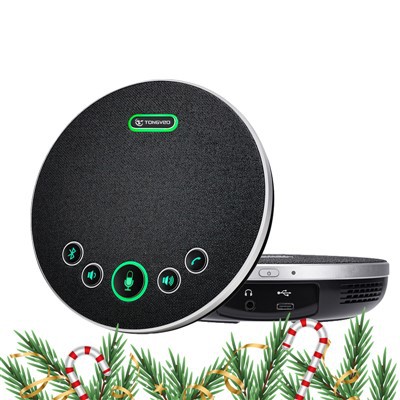
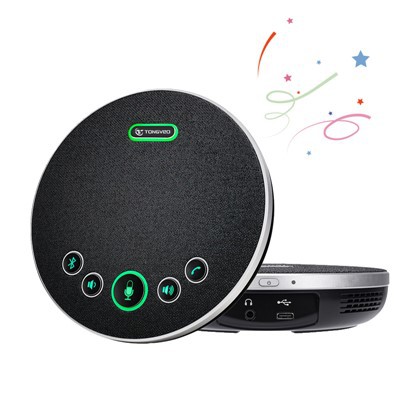
A USB conference speakerphone is a device that connects to a computer via USB and is designed to provide high-quality audio for conference calls. It features a built-in microphone and speakers, as well as various controls for adjusting the volume, muting, and answering calls. The speakerphone is ideal for small to medium-sized conference rooms and can be used with various video conferencing platforms such as Zoom, Skype, and Microsoft Teams. Some models also come with additional features such as Bluetooth connectivity, noise and echo cancellation, and the ability to connect to mobile devices.
Why Choose Us
Quality Control
Shenzhen Tongveo Innovation Technology Co., Ltd has a professional quality inspection team that strictly controls the quality of their products. The company has also obtained various certifications such as CE, RoHS, and FCC.
Innovation
The company is committed to innovation, with a dedicated team of engineers and designers who work to create new and advanced products that meet the needs of customers.
Rich Experience
The company has over 10 years of experience in the field of electronic products and specializes in the research, development, and production of smart electronics.
Superior Technology
Shenzhen Tongveo Innovation Technology Co., Ltd invests significantly in research and development, ensuring that their products incorporate the latest and most advanced technology.
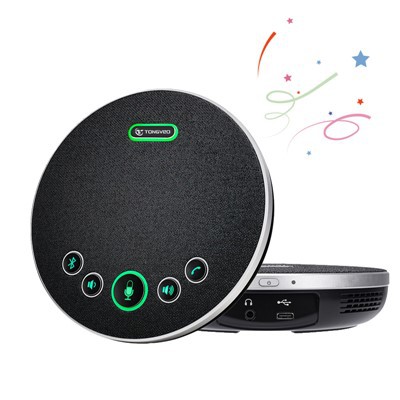

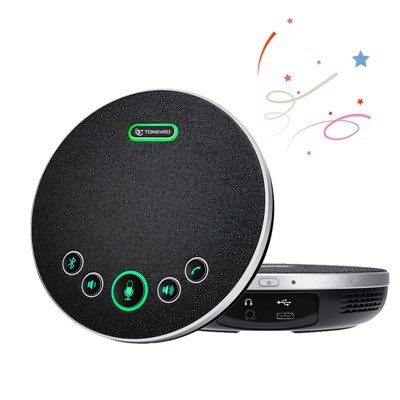
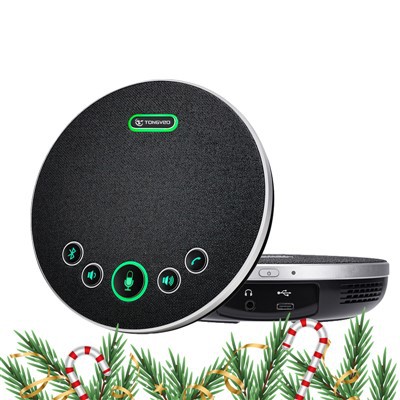
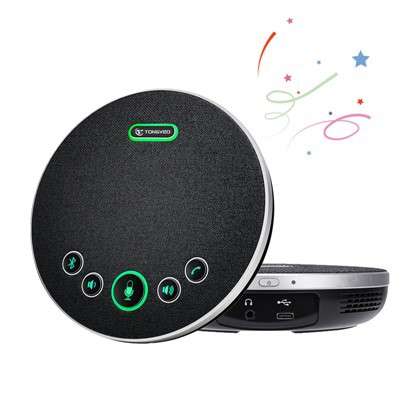
Advantages of USB Conference Speakerphone
Mobility: USB conference speakerphones are portable and easy to carry from one location to another. They can be connected to a laptop or a computer, and can be used in any room with a USB port. This eliminates the need for a fixed conference room and allows for more flexibility and productivity.
Easy to Use: USB conference speakerphones are very easy to use. They do not require any specialized technical knowledge and can be set up quickly and easily. They are also very user-friendly and have features such as mute buttons, volume controls, and call management options.
Cost-effective: USB conference speakerphones are cost-effective compared to traditional conference room systems. They eliminate the need for expensive hardware and installations, making them a more affordable option for small businesses or remote workers.
Superior Sound Quality: High-quality sound is essential for effective communication during a conference call. USB conference speakerphones offer superior sound quality with noise-reduction and echo-cancellation features that remove background noise and deliver clear audio.
Multi-functional: USB conference speakerphones are multi-functional devices that can be used for various purposes, including video conferencing, online meetings, webinars, and online training sessions. They also support different software platforms, making them compatible with most communication software and applications.
Increased Productivity: USB conference speakerphones facilitate better communication and collaboration, resulting in increased productivity. They allow for effective team communication and decision-making, reducing the need for physical meetings and saving time and resources.

USB Conference Speakerphone is used for conducting audio conferences by connecting it to a computer or laptop via USB cable. Users can place the speakerphone on a conference table and connect it to a computer through the USB port. They can make conference calls using various communication apps such as Microsoft Teams, Skype, Zoom, and Google Meet.
The USB Conference Speakerphone is equipped with high-definition speakers and a microphone that can pick up sounds from different directions. It also features noise reduction technology, which helps to eliminate background noises that can be distracting during conference calls.
The USB Conference Speakerphone is ideal for small to medium-sized conference rooms. It provides clear audio quality, ensuring that all participants can hear and speak to each other. It is also portable and easy to use, making it perfect for remote work or business travel.
In summary, the primary usage of a USB Conference Speakerphone is to facilitate clear and seamless communication in audio conferences. Its compact design and convenience make it a perfect tool for remote workers, businesses, and professionals.
How to Choose a USB Conference Speakerphone
Here are some factors to consider when choosing a USB conference speakerphone:
Compatibility: Ensure that the speakerphone is compatible with your computer operating system and conferencing applications such as Zoom, Skype, etc.
Speaker Quality: The speakerphone should have clear sound with minimal distortion. Look for speakerphones with noise-canceling technology and echo reduction to improve audio clarity.
Microphone Quality: The quality of the speakerphone's microphone is crucial in ensuring that your voice sounds clear and audible to other participants. Look for a microphone that can capture voice accurately and reduce background noise.
Connectivity: Check to see if the speakerphone has a USB or Bluetooth connection to your computer. Wireless connectivity reduces clutter on your desk.
Size: Consider the size of the speakerphone; a compact size is usually more convenient for easy storage and transportation.
Price: Prices of USB conference speakerphones vary depending on the quality, brand, and features. Consider your budget and look for a speakerphone that satisfies your need without breaking the bank.
Proper Maintenance of USB Conference Speakerphone
Keep it clean
Regularly clean the speakerphone with a soft cloth to remove dust and dirt. Avoid using strong chemicals or abrasive materials that might damage the surface.
01
Store it properly
When not in use, store the speakerphone in a dry, cool place to avoid any damage from moisture or extreme temperatures.
02
Use it correctly
Follow the manufacturer's instructions for using the speakerphone. Avoid dropping it or exposing it to undue stress.
03
Keep it up to date
Check for firmware updates and other software updates from the manufacturer that could enhance the performance of the speakerphone.
04
Use the proper power source
Ensure that you are using the correct power source for the speakerphone to avoid overloading the device or damaging the battery. Overall, proper care and maintenance of the speakerphone will help ensure that it functions correctly for years to come.
05
Understanding the Importance of USB Conference Speakerphone
A USB conference speakerphone is a device that is designed to make it easier for group meetings and conference calls to be conducted in an efficient and effective manner. This device is essential for organizations that need to have meetings with remote participants, especially now when remote work is becoming increasingly popular. Here are some reasons why USB conference speakerphones are important:
Improved audio quality: The USB conference speakerphone has superior sound quality compared to the built-in speakers on laptops or mobile devices. It features noise-cancelling microphones that provide clear sound and reduces background noise.
Easy to use: USB conference speakerphones are plug-and-play devices. Once connected to a laptop or computer, they are ready to use. Some models also have touch-sensitive controls that make it easy to operate.
Versatility: USB conference speakerphones can be used for both audio and video conferencing. They can be connected to a computer or a mobile device, making them a versatile tool for communication.
Cost-effective: USB conference speakerphones are an affordable alternative to traditional conference room setups. They eliminate the need for expensive audio equipment and can be used in any room.
Better collaboration: USB conference speakerphones allow remote participants to collaborate with others in real-time without the need for travel. This increases productivity and reduces costs associated with business travel.
Portability: USB conference speakerphones are small and lightweight, making them easy to carry around. They can be used in any location and allow users to conduct meetings from anywhere.
In conclusion, USB conference speakerphones play an essential role in business communication. They provide better audio quality, ease of use, versatility, cost-effectiveness, better collaboration, and portability. Organizations that rely on remote communication can benefit greatly from this device.
Types of USB Conference Speakerphone
1. Wired USB Speakerphone: A standard wired USB speakerphone connects to your computer’s USB port with a cable. It offers high-quality sound and instant communication, making it ideal for virtual meetings and conferences.
2. Wireless Bluetooth Speakerphone: A Bluetooth speakerphone is a wireless solution that connects to your computer or mobile device via Bluetooth. It is portable and easy to use and offers flexibility to move around during a conference call.
3. USB & Bluetooth Speakerphone: This type of speakerphone offers both wired and wireless solutions. It can connect to your computer via USB or to your mobile devices via Bluetooth.
4. Multi-Use Conference Speakerphone: A multi-use conference speakerphone is designed to be used with a variety of devices including laptops, tablets, and smartphones. It is usually wireless and compatible with different video conferencing and communication software.
5. Portable USB Speakerphone: A portable USB speakerphone is small and compact, making it easy to carry anywhere. It usually has a rechargeable battery that can last for several hours, making it ideal for on-the-go conferences and meetings.
How to Clean USB Conference Speakerphone
Turn off the speakerphone and unplug it from your computer or device.
Use a soft, lint-free cloth to wipe down any dirt or debris on the surface of the speakerphone.
If there are any stubborn spots or stains, use a damp cloth with a small amount of mild soap to gently clean the surface.
Use a clean, dry cloth to wipe away any soap residue and allow the speakerphone to air dry completely before using it again.
If necessary, you can also use a can of compressed air to blow out any dust or debris from the USB port or speaker grilles.
Avoid using harsh chemicals or abrasive cleaning tools as they may damage the speakerphone.
How to Store a USB Conference Speakerphone
There are a few different ways to store a USB conference speakerphone, depending on your preferences and available storage options:
1. In a dedicated case: Many USB conference speakerphones come with a travel case or carrying bag, which is specifically designed to store the device when not in use. If your speakerphone came with a case, be sure to use it to protect the device from scratches, dust, and other potential damage.
2. On a shelf or desk: If you use your USB conference speakerphone frequently and want to keep it easily accessible, you can simply store it on a shelf or desk when not in use. Just be sure to keep it out of direct sunlight and away from any potential hazards (like liquids or pets!).
3. In a drawer or cabinet: If you don't use your USB conference speakerphone as often, or if you need to keep it out of sight when not in use (like in an office or shared workspace), you can store it in a drawer or cabinet. Just be sure to wrap it in a soft cloth or store it in a protective case to prevent any damage.
No matter how you choose to store your USB conference speakerphone, be sure to keep it clean and dry, and keep the USB cable secured so that it doesn't fray or become damaged over time.

The Considerations for Buying USB Conference Speakerphone
Some considerations for buying a USB conference speakerphone:


1. Compatibility: Make sure that the speakerphone is compatible with your device's operating system, such as Windows, Mac, or Linux.
2. Sound quality: Look for a speakerphone with high-fidelity sound quality to ensure that everyone can hear and understand the conversation.
3. Microphone coverage: Check the microphone coverage of the speakerphone. The more the coverage, the better it will pick up sounds from different areas of the room.
4. Ease of use: Choose a speakerphone that's easy to set up and use. It should come with a plug-and-play feature that requires no software installation.
5. Design: Look for a speakerphone that has a modern and sleek design that matches the aesthetic of your meeting space.
6. Noise-cancelling feature: Choose a speakerphone with noise-cancelling feature to reduce background noises and enhance sound quality.
7. Connectivity: Look for a speakerphone with multiple connectivity options such as USB ports and Bluetooth. This also ensures the speakerphone's compatibility with various devices.
8. Cost: Choose a speakerphone that fits your budget while still prioritizing the quality of sound and features.
Our Factory
Tongveo is a R&D based manufacturer committed to designing, developing and producing affordable full HD video camera with stunning image quality for video collaboration, applied in video conferencing, audio conferencing, education, tele-medicine, broadcasting, recording, courtroom, public safety, church, live-event, Financial facility solution etc.

Certificates

FAQ
Q: What is a USB conference speakerphone?
Q: How does a USB conference speakerphone work?
Q: What are the features of a USB conference speakerphone?
Q: What are the benefits of using a USB conference speakerphone?
Q: How do I set up a USB conference speakerphone?
Q: What are some key features of a USB conference speakerphone?
Q: What are the benefits of using a USB conference speakerphone?
Q: Can I use a USB conference speakerphone with my phone?
Q: Are USB conference speakerphones compatible with all computers and mobile devices?
Q: Do USB conference speakerphones require software or drivers?
Q: Can USB conference speakerphones be used with VoIP services like Skype and Zoom?
Q: What is the range of a USB conference speakerphone?
Q: Can USB conference speakerphones be used in noisy environments?
Q: Are USB conference speakerphones battery-powered or AC-powered?
Q: What is the price range of USB conference speakerphones?
Q: Are USB conference speakerphones durable?
Q: Can I use a USB conference speakerphone with multiple devices?
Q: Can I adjust the volume on a USB conference speakerphone?
Q: Can a USB conference speakerphone used for video conferencing?
Q: Do I need any special software to use a USB conference speakerphone?
We're well-known as one of the leading usb conference speakerphone manufacturers and suppliers in China. Please feel free to buy high-grade usb conference speakerphone made in China here from our factory. Quality products and low price are available.
larmtek usb webcam 1080p, smart tv video conferencing camera, USB digital SLR camera