

A conference camera is a specialized type of camera designed for use in large meetings or group videoconferencing sessions. It is typically placed in the center of the conference table and can capture high-quality video and audio of all the participants in the meeting. Conference cameras often have features such as zoom, pan, tilt, and autofocus to ensure that all participants are captured clearly. They are frequently used in business settings, where remote teams need to collaborate effectively.
Why Choose Us
Quality Control
Shenzhen Tongveo Innovation Technology Co., Ltd has a professional quality inspection team that strictly controls the quality of their products. The company has also obtained various certifications such as CE, RoHS, and FCC.
Innovation
The company is committed to innovation, with a dedicated team of engineers and designers who work to create new and advanced products that meet the needs of customers.
Rich Experience
The company has over 10 years of experience in the field of electronic products and specializes in the research, development, and production of smart electronics.
Superior Technology
Shenzhen Tongveo Innovation Technology Co., Ltd invests significantly in research and development, ensuring that their products incorporate the latest and most advanced technology.


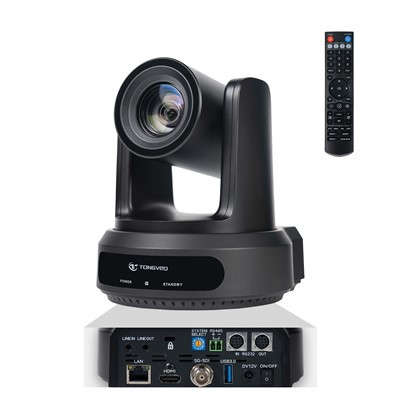
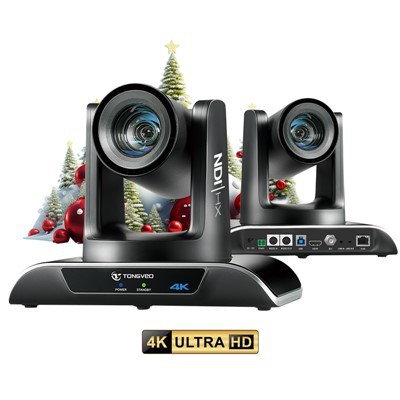
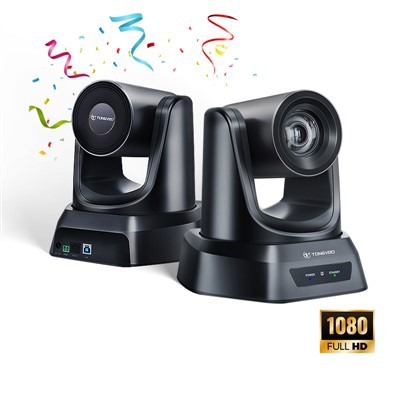


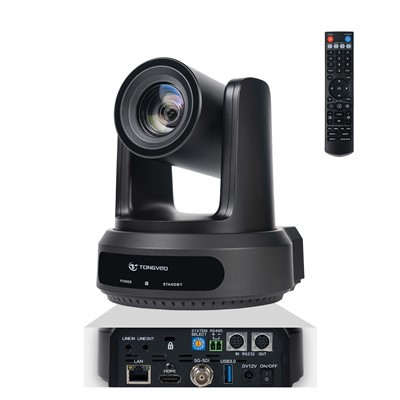
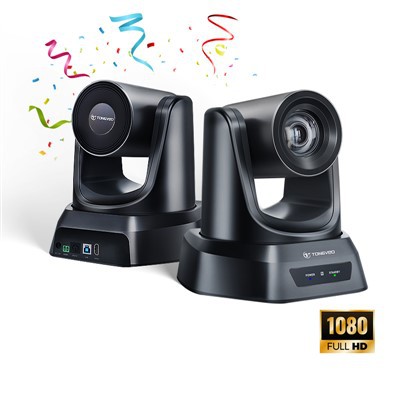
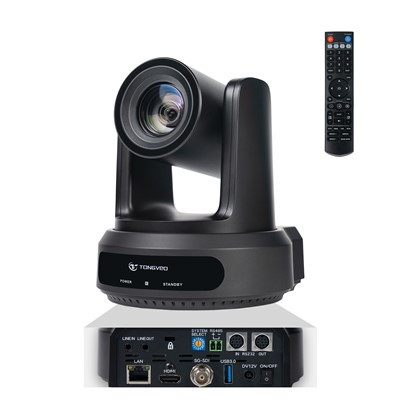
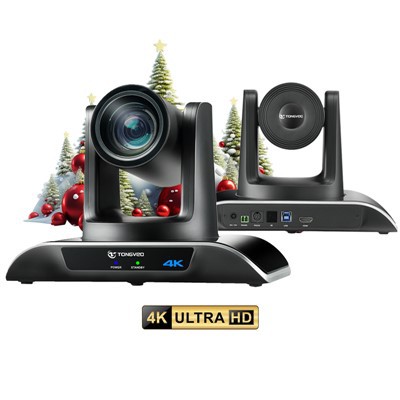
Advantages of Conference Camera
1. High-quality video: Conference cameras offer high-quality video that allows participants to see each other clearly, making it easier to communicate and collaborate.
2. Wide viewing angle: Most conference cameras have a wide viewing angle that captures the entire room and all participants, making it easier to have a group discussion.
3. Easy setup: Conference cameras are easy to set up and use, and many come with software that makes it simple to connect to video conferencing platforms.
4. Remote control: Most conference cameras come with remote control, so participants can pan, tilt and zoom the camera for a clearer view.
5. Cost-effective: Conference cameras are a cost-effective solution for businesses looking to provide remote conferencing capabilities.
6. Versatile: Conference cameras can be used in a variety of settings, from small conference rooms to large boardrooms and even classrooms.
7. Interactive features: Some conference cameras come with interactive features, such as whiteboard sharing, screen sharing, and virtual collaboration tools, making it easier to collaborate remotely.
8. Record and playback: Many conference cameras have the ability to record and playback video, making it easy to capture important discussions and review them later.

Conference cameras play a critical role in facilitating communication during video conferences. These cameras are designed to capture high-quality video and audio, providing clear and seamless communication across remote locations.
The key role of conference cameras is to enable participants to see and hear each other clearly, regardless of geographical distance. The cameras provide a wide-angle view of the meeting room, allowing participants to capture the dynamics of the discussion, body language, and facial expressions. With advanced cameras, it is also possible to zoom in and out, tilt, and pan, depending on the need.
Moreover, conference cameras are equipped with noise-canceling microphones that reduce background noise and echo, making audio and video communication more crisp and clear. Thus, participants can easily communicate, hear, and understand each other without any distraction.
In summary, the role of conference cameras in video conferencing is to provide seamless, high-quality, and effective communication among participants, making it feel as if all parties are in the same conference room. They help to increase productivity, reduce travel costs, and allow remote teams to work together in real-time, regardless of their physical location.
Conference Camera Scope of Application
A conference camera is a specially designed camera that captures high-quality audio and video to facilitate video conferencing, webinars, teleconferencing, online meetings, distance learning, and other collaborative activities. The scope of applications of conference cameras is vast across different sectors such as:
Business: Businesses use conference cameras to conduct virtual meetings, presentations, and video conferencing with remote employees, clients, and partners. They also use it for webinars, online training, and marketing presentations.
Education: Educational institutions use conference cameras to facilitate distance education and connect students from remote locations to lectures, seminars, and workshops.
Healthcare: Healthcare providers use conference cameras to conduct remote consultations, telemedicine appointments, medical training, and meetings.
Government: Government agencies use conference cameras for virtual meetings, online training, remote collaboration, and communication with citizens from remote locations.
Media and Entertainment: Media and entertainment companies use conference cameras for news reporting, live broadcasts, interviews, and virtual events.
Hospitality: Hotels and resorts use conference cameras to facilitate virtual meetings and events for their clients.
In summary, conference cameras have numerous applications in various sectors, ranging from business and education to healthcare, government, and hospitality, among others.
Understanding the Importance of Conference Camera
A conference camera is an essential piece of equipment for any business that regularly conducts remote meetings and conferences. The importance lies in its ability to provide clear and high-quality video and audio transmission, which aids professionals in better understanding and communicating with their remote colleagues or clients.
Here are some reasons why conference cameras are essential:
industry-leading
Conference cameras greatly improve the communication experience for remote participants, allowing them to feel as though they are in the same physical space as the other attendees.
01
Boosts Productivity
Virtual meetings using conference cameras can save time and money by eliminating the need for travel. This way, professionals can focus on productive work rather than traveling.
02
Supports Collaboration
Conference cameras allow for real-time collaboration among team members working from different locations. This promotes teamwork, thereby advancing the company's objectives.
03
Engages Participants
Conference cameras create a more interactive and engaging virtual meeting environment, leading to better participation and engagement from all attendees.
04
Ensures Professionalism
The use of high-quality conference cameras assures professionalism within the meeting, providing each attendee with a clear and well-defined video and audio feed.
05
How to Choose a Conference Camera
Here are some factors to consider when selecting a conference camera:
Quality of Video and Audio: The camera should be able to provide high-quality video and audio. Look for cameras with 1080p or 4K resolution and good audio capability.
Compatibility: Ensure the camera can work with the software or application you use for video conferencing, such as Zoom, Skype, or Microsoft Teams. Ensure that the camera is compatible with your computer or device.
Zoom and Pan Capability: A good conference camera should allow you to zoom in and out to make it easy to focus on the subject. Make sure the camera has smooth pan and tilt capabilities so that you can easily adjust it during a meeting.
Field of View: The camera should have a wide-angle lens to capture everyone in the room. Generally, a 120-degree field of view is an adequate range.
Connectivity: A good conference camera should be easy to connect and set up. Ensure that the camera can connect to your device with a USB cable, Bluetooth, or Wi-Fi.
Budget: Conference cameras come in different price ranges. It's important to have a budget in mind and look for the best camera that fits within your budget. In general, higher-end cameras will have more features, better image quality, and audio performance.
Proper Maintenance of Conference Camera
Keep the conference camera clean: Use a soft, dry cloth to clean the camera lens and body regularly, and avoid using harsh chemicals.
Protect the camera from dust: Cover the camera when it is not in use to protect it from dust and debris.
Store the camera properly: Store the camera in a dry, cool place where it will not be damaged by moisture or high temperatures.
Check for firmware updates: Check for firmware updates for the camera on a regular basis to keep it up to date and working smoothly.
Test the camera regularly: Test the camera regularly to ensure that it is working properly. Run a test call with a colleague or use a free online service that allows you to test the camera.
By following these tips, one can ensure that their conference camera remains in excellent condition and functions effectively during important meetings and conferences.
Types of Conference Camera
PTZ stands for pan, tilt, and zoom. These cameras are mainly used in large conference rooms, where they can be remotely controlled using a smartphone or a computer. They offer high-quality video and audio features and come with advanced features such as auto-tracking and image stabilization.
USB cameras are ideal for small meeting rooms or home offices. These cameras connect to the computer via a USB cable and offer high-quality video and audio resolutions. They are affordable, easy to use, and require no additional hardware.
These cameras offer an ultra-wide angle view of the entire room. They are perfect for large conference rooms where multiple participants are present. They come with advanced features such as automatic framing and intelligent zooming, making sure that everyone in the conference room is visible.
These cameras are built-in components of video conferencing systems. They offer high-quality video and audio resolutions and are ideal for large conference rooms or boardrooms. They are easy to use and offer advanced features such as automatic framing and intuitive controls.
Webcams are a cheap and easy way to add video conferencing capabilities to your computer. They offer average video and audio quality and are ideal for solo sessions or small meetings with a few participants. They require no additional hardware and are easy to use.
Device Compatibility for Conference Camera
The compatibility of a conference camera depends on the specific device and its compatibility requirements. Generally, most conference cameras are compatible with most major operating systems such as Windows, Mac, Linux, and Chrome OS. Additionally, they may be compatible with popular video conferencing platforms such as Zoom, Skype, Microsoft Teams, Google Meet, and Cisco Webex. It is important to check the manufacturer’s specifications and compatibility requirements before purchasing a conference camera.

How to Store a Conference Camera


1. Remove any cables or connections from the camera: Before storing your conference camera, make sure to disconnect all cables and connections. This will prevent any damage that could occur while moving it to storage.
2. Clean the surface of the camera: Use a soft, dry cloth to gently clean the camera. Avoid using water or cleaning solutions. This will help to prevent scratches and other damage, which could affect the quality of the camera’s video output.
3. Find a safe and dry place: Store your conference camera in a safe and dry place, such as a cupboard, drawer or a box. It should also be in a place where it does not get direct sunlight or extreme temperatures.
4. Use Proper Covering: After cleaning and finding a safety place, cover the camera with a dust cover to protect it from dust and debris.
5.Keep it in a cool and dry place: Avoid storing the conference camera in places with extreme heat or humidity. Humidity can cause rust or mold to build up on the camera's surface, while extreme heat can damage the circuits inside the camera.
6. Keep the camera away from other objects: Do not store the camera near other objects that could fall, bump or scratch it. Keep it in a place where it is less likely to be touched by other objects.
7. Check it regularly: Check on the camera from time to time to make sure it is in the best possible condition and free from any damage or wear.
The Considerations for Buying Conference Camera
Field of view
Depending on the size of your conference room and the number of people attending the meeting, you will want to choose a camera with an appropriate field of view. Some cameras offer a 90-degree angle, while others offer up to 180-degrees.
Resolution
The resolution of your camera is important because it will determine the quality of the video output. A higher resolution will deliver clearer and sharper images, especially if you are using large displays for your teleconferencing setup.
Connectivity
Make sure that the camera you choose is compatible with your conferencing software and can easily connect to your computer or other devices. Consider whether a wired or wireless connection best fits your organization's needs.
PTZ (Pan-Tilt-Zoom) capabilities
If you plan to use your conference camera for presentations, you may want to opt for a camera with PTZ capabilities. This feature allows you to remotely control the camera's movement, so you can zoom in on specific parts of your presentation.
Audio quality
A good conference camera should have a built-in microphone or support external microphones to ensure clear audio.
Price
Conference cameras can vary greatly in price, with some models costing hundreds or even thousands of dollars. Consider your budget and the features that are most important to you before making a final decision.
How to Clean Conference Camera
Turn off the camera
Before you start cleaning, make sure that the camera is turned off, unplugged, and that it has cooled down completely.
Remove dust
Use a soft, lint-free cloth or a brush to remove any dust or debris from the surface of the camera. Be gentle and avoid using too much pressure to avoid scratching the lens.
Clean the lens
Use a lens cleaning solution and a microfiber or lens cleaning cloth to clean the camera lens. Avoid using water or any other harsh cleaning solution.
Wipe the body
Using a damp cloth or a mild cleaning solution, wipe the body of the camera to remove any grime or fingerprints. Be sure to use a non-abrasive cloth and avoid rubbing too hard.
Clean the connections
Use a soft brush to remove any dust or debris from the connections and ports. Make sure that they are completely dry before plugging in the camera again.
Store the camera
When you are done cleaning, store the camera in a clean, dry place and protect it with a cover or a case. Avoid exposing the camera to direct sunlight or extreme heat.
What are the Main Parts of Conference Camera
Camera Lens - The camera lens is the most important part of the conference camera as it captures high-quality images and videos.
Sensor - The sensor converts the optical signal into a digital signal and sends it to the CPU for processing.
CPU - The CPU processes the digital signal and converts it into usable data. It also controls the overall functions of the camera.
Microphone - The conference cameras also come equipped with a built-in microphone that captures audio and sends it through the audio channel.
Zoom - Some conference cameras come with a built-in zoom function that enables users to zoom in and out while capturing images or videos.
Audio and Video outputs - The outputs allow users to connect the conference camera to other devices like computers, displays, or projectors.
Remote Control - Most conference cameras come with a remote control that allows users to control the camera's functionalities, like zooming in or out, adjusting the focus, and adjusting the volume of the microphone.
Mounting Kit - A mounting kit is used to attach the conference camera to a surface or tripod.
Connectivity - The conference cameras come with various connectivity options like Wi-Fi, Bluetooth, USB, or HDMI that allow users to stream and share audio and video with other devices.

Maintenance Tips for Conference Camera
Keep the lens clean
Wipe the lens of your conference camera gently with a microfiber cloth to remove any dust, fingerprints or smudges. Avoid using any harsh cleaning solution or abrasive materials to clean the lens.
Protect the camera from dust and debris
Use a camera cover when the conference camera is not in use. This will prevent the camera from accumulating dust or debris that can damage the lens or other internal components over time.
Keep the camera away from harsh sunlight
Direct sunlight exposure can cause damage to the camera lens and other internal components. So, carefully position the camera to a shaded spot or indirect sunlight.
Store the camera properly
When not in use, always store your conference camera in a dry and cool place that is not exposed to extreme temperatures or humidity.
Use appropriate network protocols
Make sure that your conference camera is connected to a secure network and you are using appropriate network protocols to ensure the safety of your camera from any threat.
Regular software updates
Regularly update your conference camera's software to keep up with the latest features and bug fixes. These updates can help improve the performance and extend the lifespan of the camera.
Our Factory
Tongveo is a R&D based manufacturer committed to designing, developing and producing affordable full HD video camera with stunning image quality for video collaboration, applied in video conferencing, audio conferencing, education, tele-medicine, broadcasting, recording, courtroom, public safety, church, live-event, Financial facility solution etc.

Certificates

FAQ
Q: What is a conference camera?
Q: How do conference cameras work?
Q: What are some of the features of conference cameras?
Q: How many people can a conference camera capture in a shot?
Q: What types of conference cameras are available?
Q: What is a PTZ conference camera?
Q: What are the benefits of using a conference camera?
Q: What are some important factors to consider when choosing a conference camera?
Q: What is the difference between a conference camera and a regular webcam?
Q: Can conference cameras be used in different types of meeting rooms?
Q: Can conference cameras be controlled remotely?
Q: Can multiple conference cameras be synced together?
Q: What is the difference between a conference camera and a webcam?
Q: What is the recommended distance between the conference camera and participants?
Q: Can I use a conference camera with my laptop or computer?
Q: Can conference cameras be used for live streaming?
Q: How do I set up a conference camera?
Q: How much does a conference camera cost?
Q: Can conference cameras work with different video conferencing platforms?
Q: What is the warranty on a conference camera?
We're well-known as one of the leading conference camera manufacturers and suppliers in China. Please feel free to buy high-grade conference camera made in China here from our factory. Quality products and low price are available.
Meeting Room IP Camera, zoom meeting tv camera, Virtual meeting platform with breakout rooms