

How to protect a 1080p conference camera from dust and debris?
Leave a message

As a provider of 1080p conference cameras, I understand the significance of keeping these devices in optimal condition. Dust and debris can severely impact the performance and longevity of a 1080p conference camera. In this blog, I'll share some practical strategies to protect your camera from these nuisances, ensuring it continues to deliver high - quality visuals for your conferences.
Understanding the Risks of Dust and Debris
Dust and debris are not just aesthetic problems; they can cause a variety of technical issues. When dust accumulates on the camera lens, it scatters light, reducing image clarity and sharpness. This can lead to pixelated or blurry images during your video conferences, which is highly unprofessional. Moreover, dust can find its way into the internal components of the camera, such as the sensor and circuit boards. Over time, this can cause overheating, short - circuits, and even permanent damage to the camera.
Choose the Right Location
The first step in protecting your 1080p conference camera is to select an appropriate location. Avoid placing the camera in areas prone to high levels of dust, such as near open windows, ventilation ducts, or in rooms where construction or renovation work is taking place. A clean, enclosed space is ideal. For example, if you're setting up a conference room, choose a room with good air - filtration systems.
When mounting the camera, make sure it's at a reasonable height. Placing it too low can expose it to more dust and debris that settles on the floor. Mounting it at eye - level or slightly above can reduce the risk of dust accumulation.
Use Protective Covers
Investing in a high - quality protective cover for your 1080p conference camera is a simple yet effective way to keep dust and debris at bay. There are various types of covers available in the market, ranging from soft fabric covers to hard plastic cases.
Soft fabric covers are great for regular, day - to - day protection. They are lightweight and easy to put on and take off. They can also prevent scratches on the camera body. Hard plastic cases, on the other hand, offer more robust protection. They are ideal for storing the camera when it's not in use, especially during long periods of inactivity or when transporting the camera.
Regular Cleaning
Regular cleaning is essential to maintain the performance of your 1080p conference camera. However, it's crucial to use the right cleaning tools and techniques to avoid damaging the camera.
For the lens, use a microfiber cloth. Microfiber cloths are soft and can effectively remove dust and smudges without scratching the lens surface. Gently wipe the lens in a circular motion. If there are stubborn stains, you can use a small amount of lens cleaning solution. Make sure the solution is specifically designed for camera lenses.
When cleaning the camera body, use a dry, soft brush to remove loose dust. You can also use compressed air to blow out dust from hard - to - reach areas, such as the camera vents. But be careful not to hold the can too close to the camera, as the cold air can cause condensation.
Air Filtration
Improving the air quality in the room where the camera is located can significantly reduce the amount of dust and debris that reaches the camera. Consider using air purifiers with HEPA (High - Efficiency Particulate Air) filters. These filters can trap up to 99.97% of particles as small as 0.3 microns, which includes most dust and debris.
If your conference room has a central air - conditioning system, make sure the air filters are replaced regularly. Clogged filters can recirculate dust and debris back into the room.
Keep the Surroundings Clean
The cleanliness of the camera's surroundings also plays a vital role in protecting it from dust and debris. Regularly vacuum and mop the floors in the conference room. Dust the furniture and surfaces to prevent dust from becoming airborne and settling on the camera.
If possible, keep the conference room door closed to prevent dust from entering from other areas of the building.

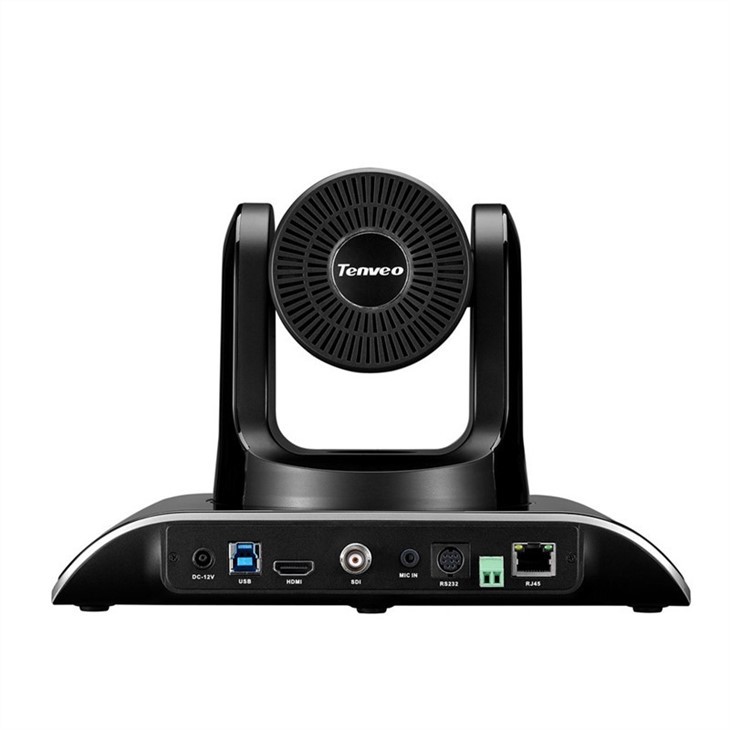
Consider a Sealed Enclosure
For more demanding environments, such as industrial settings or areas with extremely high levels of dust, a sealed enclosure can be a great solution. A sealed enclosure protects the camera from external elements while still allowing it to function properly.
These enclosures are designed to be airtight and can be made of materials like stainless steel or plastic. They often come with built - in ventilation systems to prevent overheating.
Our Product Recommendations
At our company, we offer a range of high - quality 1080p conference cameras that are designed to meet the needs of various users.
If you're looking for an affordable option with PTZ (Pan - Tilt - Zoom) remote control, check out our Affordable PTZ Remote Control Video Camera for Church. This camera is perfect for church live - streaming and small - to - medium - sized conferences.
Our 1080p HD Camera for Video Conference is a great choice for standard video conferencing. It offers excellent image quality and is easy to set up.
For large conference rooms, our Conference Large Room Skype Camera provides wide - angle coverage and high - definition visuals.
Contact Us for Procurement
If you're interested in purchasing our 1080p conference cameras or have any questions about protecting your camera from dust and debris, we're here to help. Our team of experts can provide you with detailed information and guidance on the best products for your needs. Contact us today to start the procurement process and ensure that your video conferences are always of the highest quality.
References
- "Camera Maintenance and Care" - Photography Equipment Handbook
- "Air Quality and Electronics" - Journal of Environmental Science in Electronics
- "Protecting Electronic Devices from Dust and Debris" - Industrial Electronics Magazine





