

How many ports does a 4K UHD Video Bar usually have?
Leave a message

Hey there! As a supplier of 4K UHD Video Bars, I often get asked about the number of ports these nifty devices usually have. In this blog post, I'm gonna break it down for you, giving you the lowdown on what to expect and how these ports can improve your video - conferencing and multimedia experience.
The Basics of Ports in 4K UHD Video Bars
Let's start with the fact that the number of ports in a 4K UHD Video Bar can vary quite a bit. It largely depends on the model, its intended use, and the features the manufacturer wants to pack into it. But generally speaking, there are some common ports you can find on most video bars.
HDMI Ports
HDMI ports are super important. They're the go - to for connecting your video bar to other high - definition devices. Most 4K UHD Video Bars come with at least one HDMI input port. This allows you to hook up external devices like laptops, gaming consoles, or media players. You can then enjoy high - quality video and audio on your big - screen TV or monitor connected to the video bar.
Some of the more advanced video bars come with two or even three HDMI input ports. This gives you the flexibility to switch between different sources without having to constantly unplug and replug cables. For instance, if you want to switch between your work laptop and your streaming device, having multiple HDMI inputs makes it a breeze.
In addition to input ports, many video bars also have an HDMI output port. This port is used to send the combined video and audio signal from the video bar to your display device. With HDMI output, you can ensure that you're getting the full 4K UHD resolution and high - quality audio.
USB Ports
USB ports are another staple in 4K UHD Video Bars. These ports serve multiple purposes. First off, they're often used for powering the video bar. You can connect the video bar to your computer or a wall charger using a USB cable.
Moreover, USB ports are crucial for connecting other peripherals. You can connect a USB keyboard or mouse to control the video bar or use it in combination with a computer. Some video bars also support USB storage devices. This means you can play media files directly from a USB flash drive or external hard drive. The number of USB ports can range from one to three or more, depending on the model. Having multiple USB ports gives you more options and allows you to connect multiple devices simultaneously.
Audio Ports
Audio is a big deal in video conferencing and multimedia setups. That's why most 4K UHD Video Bars come with various audio ports. The most common is the 3.5mm audio jack. This port can be used to connect external speakers or headphones. If you prefer a more private listening experience during a video call, you can plug in your headphones. Or, if you want to enhance the audio output, you can connect a pair of external speakers.
Some video bars also have an optical audio port. This type of port provides a high - quality digital audio connection. It's great for connecting to audio receivers or soundbars for an immersive audio experience. If you're using a Video Conferencing Soundbar, connecting it via an optical audio port can significantly improve the sound quality.
Ethernet Port
An Ethernet port can be found on many 4K UHD Video Bars. It offers a stable and high - speed network connection, which is crucial for video conferencing, especially in a professional setting. Wi - Fi connections can be a bit unreliable at times, with signal drops and slow speeds. An Ethernet connection ensures that your video calls are smooth, with no lag or buffering. It also allows for faster data transfer, which is important if you're sharing large files during a meeting.
How Port Variety Affects Your Usage
The different ports on a 4K UHD Video Bar open up a world of possibilities. For example, if you're using the video bar for a home office setup, having multiple HDMI and USB ports gives you the freedom to connect all your essential devices. You can connect your work laptop, a webcam, and a microphone hassle - free. And with an Ethernet port, you can ensure a stable internet connection, which is vital for daily meetings.
In a more casual home entertainment setting, the HDMI and audio ports come in really handy. You can connect your gaming console, streaming devices, and external speakers to create a mini - home theater. The ability to play media from a USB storage device adds another layer of convenience.
The Role of Ports in Different Types of Video Bars
There are various types of video bars out there, and the port selection can reflect their intended use. For instance, an All in One Conference Camera might emphasize ports that are useful for professional video conferencing. This means it'll likely have multiple HDMI inputs for connecting different computers, an Ethernet port for a stable network, and high - quality audio ports for clear communication.
On the other hand, a more multimedia - focused 4K UHD Video Bar might have more USB ports for easy media playback and additional HDMI outputs for an extended display setup.
Why Our 4K UHD Video Bars Are a Great Choice
As a supplier, I can tell you that our 4K UHD Video Bars are designed with a perfect balance of port variety. We understand that different customers have different needs, whether it's for a corporate office or a home entertainment system.
Our video bars come with a generous number of HDMI ports, both inputs and outputs, so you can connect a wide range of devices. The multiple USB ports offer flexibility for powering the device and connecting peripherals. And the audio ports, including the 3.5mm jack and optical audio port, ensure that you'll get top - notch sound quality.
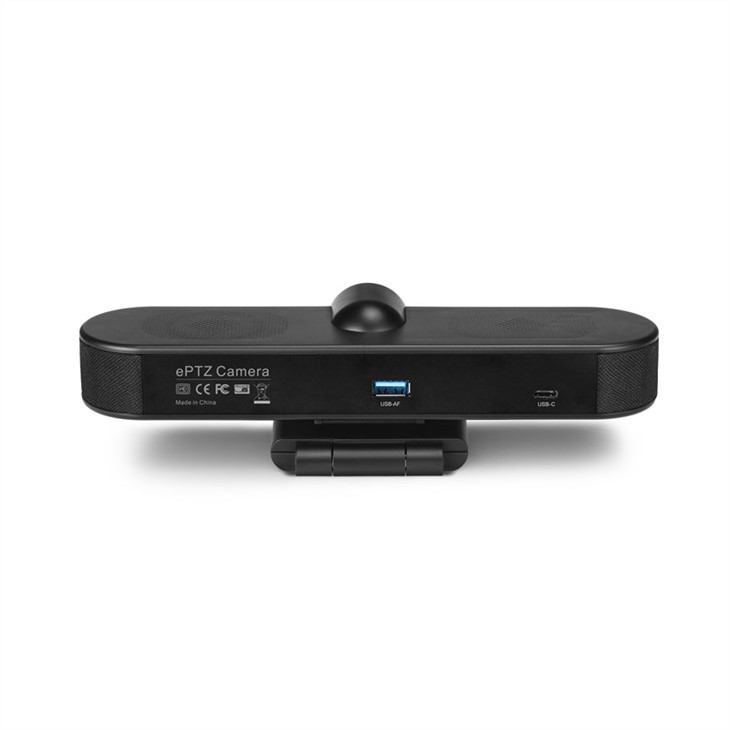
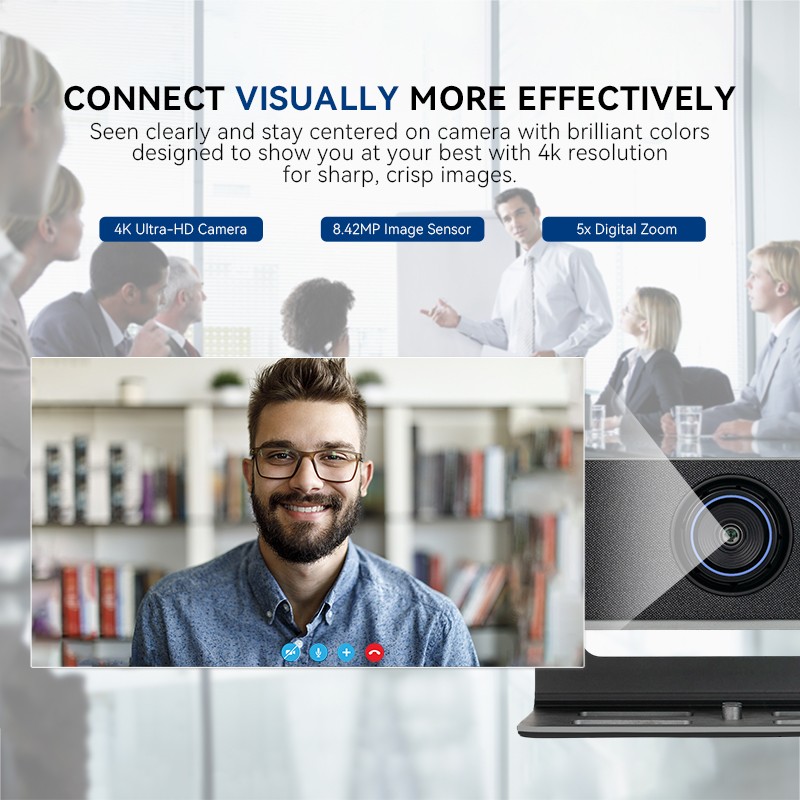
Our 4K auto tracking ultra all - in - one e - PTZ USB AI webcam with microphone and speaker also has the necessary ports to support its advanced features. The Ethernet port ensures a reliable connection for smooth auto - tracking and high - quality video streaming during conference calls or other video applications.
Let's Talk Business
If you're in the market for a 4K UHD Video Bar, I'd love to have a chat with you. Whether you're a small business looking to upgrade your conferencing equipment or a home user wanting to enhance your entertainment setup, we've got the right video bar for you. Reach out to us and let's discuss your needs. We can help you find the perfect model with the ideal port configuration for your specific requirements.
References
- General knowledge of 4K UHD Video Bar technology and port standards.





