

How does the low - light enhancement work in an Hd Conference Camera?
Leave a message

Hey there! As a supplier of HD conference cameras, I often get asked about how those nifty low - light enhancement features work. So, let's dive right in and break it down.
First off, let's understand why low - light enhancement is such a big deal in HD conference cameras. In a lot of conference settings, you might not always have perfect lighting. Maybe the room has big windows that let in too much glare during the day, or it's an evening meeting and the overhead lights aren't super bright. Poor lighting can make people look washed out, create shadows on their faces, and overall make the video quality look pretty bad. That's where low - light enhancement steps in to save the day.
One of the key technologies behind low - light enhancement is the use of larger image sensors. Think of an image sensor as the "eye" of the camera. A bigger sensor can capture more light. Just like how a bigger bucket can collect more water in a rainstorm, a larger image sensor can gather more photons (the particles of light) in a low - light environment. Our 4K AI Livestreaming PTZ Camera is a great example. It's equipped with a high - quality, relatively large image sensor that can soak up more light, even when the room is dim. This results in a brighter and clearer image.
Another important aspect is the camera's ISO sensitivity. ISO is a measure of how sensitive the image sensor is to light. In low - light situations, you can crank up the ISO setting. It's like turning up the volume on a radio to hear a faint signal better. However, there's a catch. When you increase the ISO too much, it can introduce noise into the image. Noise looks like tiny speckles or graininess in the video, which isn't ideal. But modern HD conference cameras, like our huddle camera for video conferencing calls at home, are designed to handle high ISO settings more gracefully. They use advanced noise - reduction algorithms to minimize the noise while still maintaining a decent level of sensitivity to light.
Now, let's talk about aperture. The aperture is like the pupil of the camera lens. A wider aperture (a lower f - number) allows more light to pass through the lens and reach the image sensor. It's similar to how your pupils dilate in the dark to let in more light. Our 1080p HD Camera for Video Conference has a well - designed lens with a relatively wide aperture. This means it can let in a good amount of light, even in low - light conditions. And that translates to a better - lit and more detailed image.
Some HD conference cameras also use back - illuminated (BSI) sensors. In a traditional sensor, the wiring and other components are on top of the light - sensitive part. This can block some of the incoming light. But in a BSI sensor, the wiring is moved to the back, so the light - sensitive part has a clear path to receive light. It's like moving the obstacles out of the way so that more light can reach the sensor directly. This technology significantly improves the camera's low - light performance.
In addition to these hardware - based solutions, there are also software - based enhancements. Many cameras use image - processing algorithms to boost the brightness and contrast of the image in low - light situations. These algorithms analyze the different parts of the image, identify the dark areas, and then adjust the brightness and color accordingly. It's like a digital touch - up artist, making the image look better by enhancing the details and making the colors more vibrant.
Another cool software feature is scene recognition. The camera can detect the lighting conditions in the room and automatically adjust its settings. For example, if it senses that the room is dim, it will increase the ISO, open up the aperture (if possible), and apply the appropriate image - processing algorithms. This hands - off approach makes it easy for users, especially those who aren't tech - savvy, to get great video quality without having to fiddle with the camera settings manually.

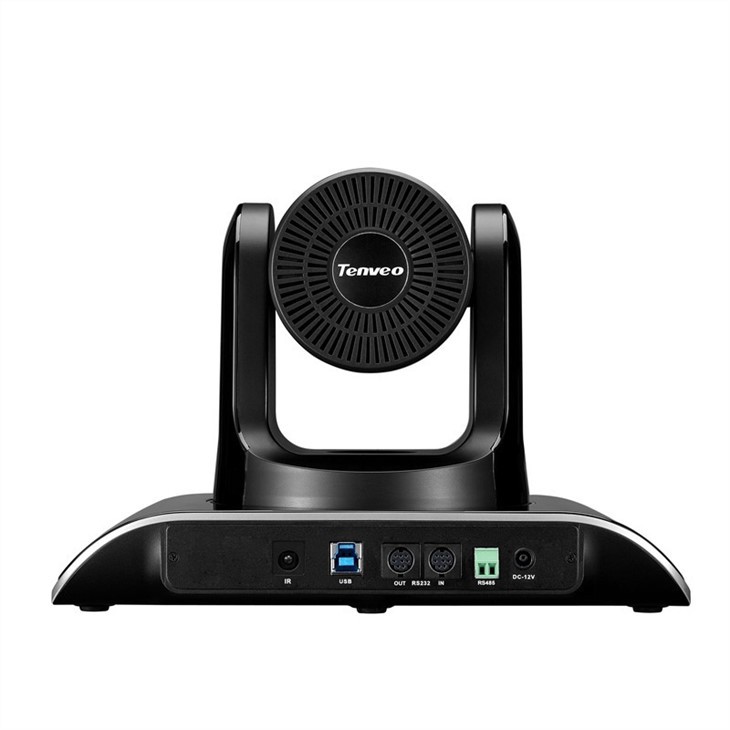
Let's take a look at some real - world scenarios. Imagine you're having a late - night conference call in a hotel meeting room. The overhead lights are a bit dim, and there are some shadows on the faces of the participants. With a regular camera, the video might look dark and grainy. But with our HD conference camera with low - light enhancement, the faces will be well - lit, the colors will be accurate, and the overall video quality will be much better. This ensures that everyone can see and understand each other clearly, which is crucial for effective communication in a conference setting.
Or, consider a home office setup. Maybe you're working from home, and the natural light is fading as the day goes on. You don't have time to adjust the lighting, but you still need to participate in a video conference. Our cameras can adapt to the changing light conditions, so you won't have to worry about looking like a shadowy figure on the screen.
If you're in the market for an HD conference camera with excellent low - light enhancement capabilities, you've come to the right place. We've spent years researching and developing these technologies to bring you the best video - conferencing experience possible. Whether you're a small business having regular team meetings, a large corporation hosting international conferences, or someone who just wants a great camera for home video calls, we have the right solution for you.
If you're interested in learning more about our products or want to discuss your specific needs, don't hesitate to reach out. We're here to help you find the perfect HD conference camera that suits your requirements and budget. Let's make your video conferences look amazing, no matter the lighting conditions!
References
- "Digital Photography: Understanding ISO" by Photography Life
- "Camera Sensor Technologies" by Imaging Resource
- "Image - Processing Algorithms for Low - Light Enhancement" by IEEE Transactions on Image Processing





