

How does a daisy chain microphone work?
Leave a message

Hey there! I'm a supplier of Daisy Chain Microphones, and I'm super excited to share with you how these nifty devices work. So, let's dive right in!
What's a Daisy Chain Microphone Anyway?
First off, you might be wondering what a daisy chain microphone is. Well, it's a setup where multiple microphones are connected in a series, kind of like daisies linked together in a chain (hence the name). This setup allows you to cover a larger area with audio capture without having to use a whole bunch of separate audio inputs.
The Basics of How It Works
At its core, a daisy chain microphone system works by passing the audio signal from one microphone to the next. Each microphone in the chain has an input and an output. The audio captured by the first microphone is sent to its output, which is then connected to the input of the second microphone. This process continues down the line for all the microphones in the chain.
Let's break it down a bit further. When sound waves hit the diaphragm of a microphone, they cause it to vibrate. These vibrations are then converted into an electrical signal. In a daisy chain setup, this electrical signal is passed along from one mic to the next. The advantage of this is that you can place the microphones at different locations in a room, and they'll all contribute to the overall audio capture.
Signal Transmission
One of the key aspects of a daisy chain microphone system is how the signal is transmitted. Most daisy chain microphones use a balanced audio cable, like an XLR cable. Balanced cables are great because they help reduce noise and interference. The audio signal is sent as a differential signal, which means there are two conductors carrying the same signal but with opposite polarities. Any noise that gets picked up along the way affects both conductors equally, and when the signal is combined at the end, the noise cancels out.
Some daisy chain microphones also support digital signal transmission. Digital signals are less prone to interference and can carry more information than analog signals. With digital daisy chain microphones, the audio is converted into a digital format right at the microphone. This digital signal is then sent down the chain to a digital audio interface or mixer.
Powering the Microphones
Another important thing to consider is how the microphones are powered. There are a few different ways to power a daisy chain microphone system. One common method is phantom power. Phantom power is a way to supply power to the microphones through the same cables that carry the audio signal. It's typically 48 volts and is provided by a mixer or audio interface.
Some daisy chain microphones can also be powered by batteries. This is great for situations where you don't have access to a power outlet or if you need to move the microphones around easily. Battery-powered microphones give you more flexibility in terms of placement.
Applications of Daisy Chain Microphones
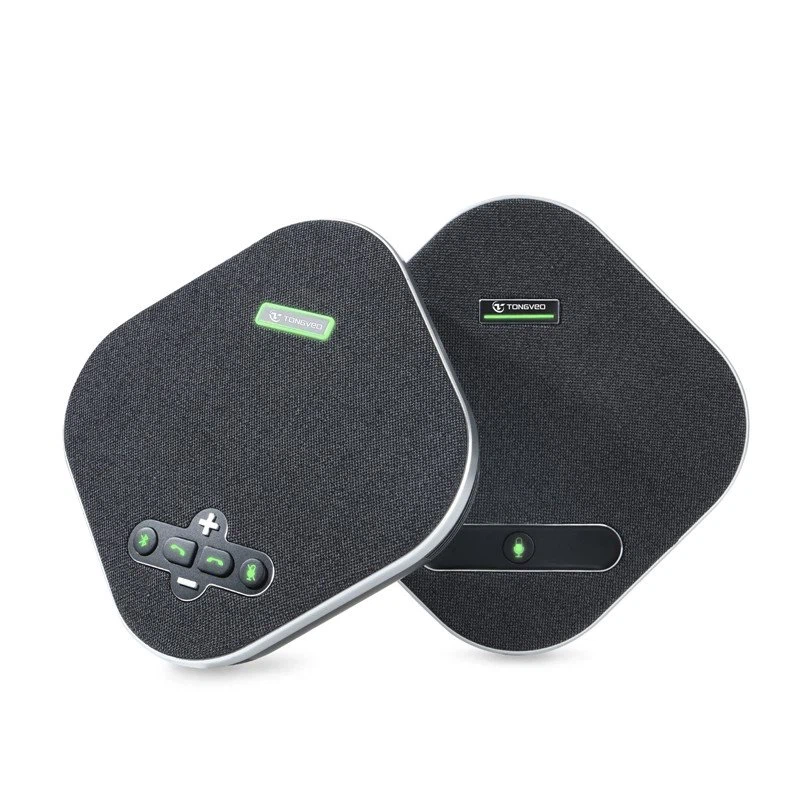
Daisy chain microphones have a wide range of applications. One of the most common uses is in conference rooms. In a large conference room, you might need to capture audio from multiple people sitting at different locations. By using a daisy chain microphone system, you can place microphones around the room and ensure that everyone's voice is picked up clearly. Check out our USB Omnidirectional Conference Microphone for a great solution in this area.
They're also used in recording studios, especially for recording large ensembles like choirs or orchestras. With a daisy chain setup, you can place microphones at different positions in the room to capture the full sound of the group.
In live events, such as concerts or lectures, daisy chain microphones can be used to capture audio from multiple speakers or performers. They allow for easy setup and can cover a large area without the need for a complex audio system.
Advantages of Daisy Chain Microphones
There are several advantages to using a daisy chain microphone system. One of the biggest advantages is the simplicity of setup. Instead of having to run a separate cable from each microphone to the mixer or audio interface, you can just connect the microphones in a chain. This saves time and reduces the amount of cable clutter.
Another advantage is the ability to cover a large area. You can place the microphones at different locations in a room and still get a good audio capture. This is especially useful in large spaces like conference rooms or auditoriums.
Daisy chain microphones also offer scalability. If you need to add more microphones to the system in the future, it's easy to do so. You can just connect another microphone to the end of the chain.
Limitations and Considerations
Of course, like any technology, daisy chain microphones have some limitations. One limitation is the length of the chain. As the signal is passed from one microphone to the next, there's a risk of signal degradation. The longer the chain, the more likely it is that the audio quality will start to suffer. It's important to keep the chain within a reasonable length and use high-quality cables to minimize this risk.
Another consideration is the power requirements. If you're using phantom power, you need to make sure that your mixer or audio interface can provide enough power for all the microphones in the chain. If you're using battery-powered microphones, you need to make sure to keep the batteries charged.
How to Set Up a Daisy Chain Microphone System
Setting up a daisy chain microphone system is relatively straightforward. Here's a step-by-step guide:
- Choose the Right Microphones: Make sure you have microphones that support daisy chaining. Check the specifications of the microphones to ensure they're compatible with each other.
- Prepare the Cables: Get the appropriate cables, such as XLR cables, for connecting the microphones. Make sure the cables are in good condition.
- Connect the Microphones: Start by connecting the first microphone to the mixer or audio interface. Then, connect the output of the first microphone to the input of the second microphone. Continue this process for all the microphones in the chain.
- Power the System: If you're using phantom power, make sure your mixer or audio interface is set to provide the correct voltage. If you're using battery-powered microphones, make sure the batteries are installed and charged.
- Test the System: Once everything is connected and powered on, test the system to make sure all the microphones are working properly. Speak into each microphone and listen for the audio output.
Conclusion
So, there you have it! That's how a daisy chain microphone works. It's a great technology that offers a simple and effective way to capture audio from multiple locations. Whether you're setting up a conference room, a recording studio, or a live event, a daisy chain microphone system can be a great solution.
If you're interested in purchasing daisy chain microphones for your project, we'd love to talk to you. Just reach out to us, and we'll be happy to discuss your needs and help you find the right solution.
References
- Microphone Basics: A Guide to Understanding Microphones. Audio-Technica.
- Balanced Audio: How It Works and Why It Matters. Sweetwater.
- Phantom Power: What It Is and How It Works. Shure.





