

Do video conference cameras require special software?
Leave a message

In today's digital age, video conferencing has become an integral part of both business and personal communication. As a leading supplier of video conference cameras, I often encounter a common question from our customers: Do video conference cameras require special software? This blog post aims to delve into this topic, providing a comprehensive analysis to help you understand the relationship between video conference cameras and software.
The Role of Software in Video Conferencing
Software plays a crucial role in the functionality of video conferencing systems. It serves as the bridge between the hardware, such as the video conference camera, and the end - user. The primary functions of video conferencing software include:
1. Video and Audio Processing
Video conferencing software is responsible for encoding and decoding video and audio signals. It ensures that the video captured by the camera is compressed efficiently without significant loss of quality, allowing for smooth transmission over the network. Similarly, it processes the audio input to reduce background noise and enhance voice clarity.
2. Network Communication
It manages the connection between different participants in a video conference. The software handles tasks like establishing a secure connection, optimizing data transfer based on the available network bandwidth, and ensuring that the video and audio streams are synchronized across all devices.
3. User Interface and Controls
Video conferencing software provides a user - friendly interface through which users can control various aspects of the conference. This includes features like starting and stopping the camera, muting and unmuting the microphone, sharing the screen, and inviting other participants.
Do All Video Conference Cameras Require Special Software?
The answer to this question is not a simple yes or no. It depends on several factors, including the type of camera, its intended use, and the requirements of the user.
1. Plug - and - Play Cameras
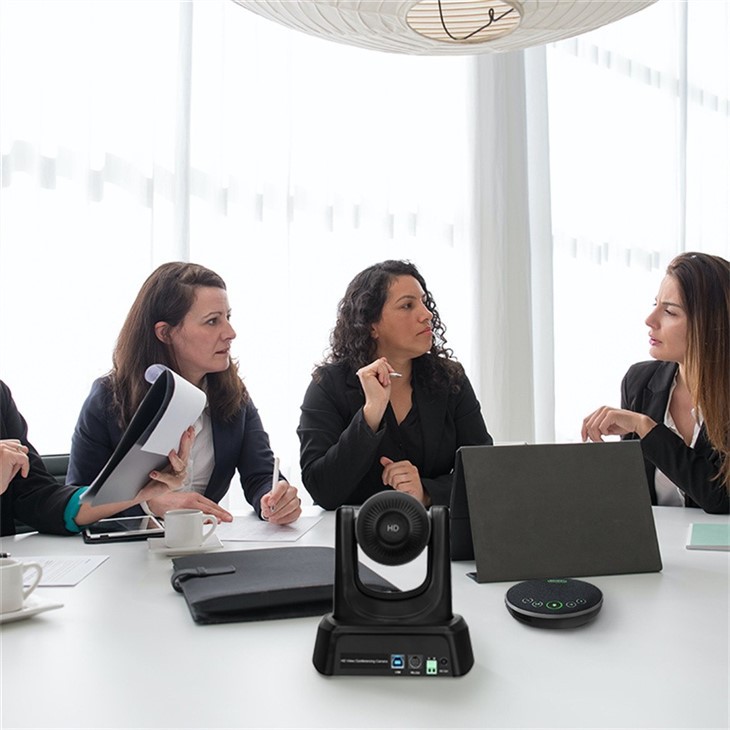
Many modern video conference cameras are designed to be plug - and - play devices. These cameras can be connected directly to a computer or other compatible device via a USB cable, and they can be used immediately without the need for any additional software installation. For example, our USB 3.0 Video Conference Camera is a plug - and - play device. It is recognized by the operating system as a standard video input device, and it can be used with popular video conferencing applications such as Zoom, Skype, and Microsoft Teams without any special software.
2. Advanced Functionality and Customization
However, some video conference cameras offer advanced features that require specialized software to fully utilize. For instance, cameras with pan - tilt - zoom (PTZ) capabilities may need software to control the movement of the camera remotely. Our Ndi Ptz Camera For Church Live Streaming is a great example. This camera is designed for professional live - streaming applications, and it comes with dedicated software that allows users to precisely control the camera's movement, adjust the focus and zoom, and perform other advanced functions.
3. Integration with Conference Room Systems
In a corporate or institutional setting, video conference cameras are often integrated into larger audio - video conference room systems. These systems may require specialized software to manage the overall operation of the room, including the camera, microphone, speakers, and display. Our All in One Audio Video Conference Room System is a comprehensive solution that includes a video conference camera along with other audio - video components. The system comes with its own software that provides a unified interface for controlling all the devices in the room, ensuring seamless communication during meetings.
Advantages of Using Special Software with Video Conference Cameras
Even if a camera can function without special software, there are several advantages to using dedicated software:
1. Enhanced Performance
Specialized software can optimize the performance of the camera. It can adjust the camera settings in real - time based on the lighting conditions, background, and other factors to ensure the best possible video quality. For example, some software can perform automatic white balance adjustment, noise reduction, and image stabilization.
2. Customization
Software allows users to customize the camera's behavior according to their specific needs. They can set up presets for different scenarios, such as a presentation or a one - on - one meeting. Users can also customize the camera's field of view, focus, and other parameters.

3. Compatibility and Integration
Special software can ensure better compatibility with different operating systems and video conferencing applications. It can also integrate with other software tools, such as recording and editing software, to provide a more comprehensive video conferencing solution.
Considerations When Choosing Software for Video Conference Cameras
When selecting software for your video conference camera, there are several factors to consider:
1. Compatibility
Make sure the software is compatible with your camera model and the operating system of your device. Check the software's specifications and requirements before installation.
2. Ease of Use
The software should have a user - friendly interface that is easy to navigate. It should provide clear instructions and controls for all the features.
3. Security
Video conferencing involves the transmission of sensitive information, so security is of utmost importance. Choose software that offers strong encryption and other security features to protect your data.
4. Technical Support
Ensure that the software vendor provides reliable technical support. In case of any issues or questions, you should be able to get timely assistance.
Conclusion
In summary, while not all video conference cameras require special software, using dedicated software can significantly enhance the performance and functionality of the camera. Plug - and - play cameras can be used with standard video conferencing applications without additional software, but cameras with advanced features or those integrated into larger systems often need specialized software.
As a leading supplier of video conference cameras, we offer a wide range of products and software solutions to meet the diverse needs of our customers. Whether you are looking for a simple plug - and - play camera for home use or a comprehensive audio - video conference room system for your business, we have the right solution for you.
If you are interested in learning more about our video conference cameras and software, or if you have any questions regarding your specific requirements, please feel free to contact us for procurement and further discussions.
References
- Smith, J. (2020). The Future of Video Conferencing. Journal of Digital Communication, 15(2), 45 - 56.
- Johnson, A. (2021). Software and Hardware Integration in Video Conferencing Systems. International Journal of Technology and Communication, 20(3), 78 - 90.
- Brown, C. (2019). Security Considerations in Video Conferencing. Security Research Review, 12(4), 32 - 41.





