

Can I use daisy chain microphones for radio broadcasts?
Leave a message

Hey there! As a supplier of Daisy Chain Microphones, I often get asked whether it's possible to use daisy chain microphones for radio broadcasts. Well, let's dive right into it and find out!
First off, let's talk about what daisy chain microphones are. In simple terms, daisy chaining is a method of connecting multiple devices in a series, one after another. When it comes to microphones, a daisy chain setup allows you to link several mics together using a single cable or connection point. This can be super handy, especially in setups where you need multiple audio sources in one place.
Now, can you use daisy chain microphones for radio broadcasts? The short answer is yes, you can. But like most things in the audio world, there are some factors to consider.
Advantages of Using Daisy Chain Microphones for Radio Broadcasts
Cost - Efficiency
One of the biggest perks of daisy chaining microphones is cost - efficiency. Instead of running individual cables for each microphone, which can be expensive and a hassle to manage, you can connect multiple mics with just one cable. This not only saves on the cost of cables but also on the labor involved in setting up the audio system. For radio stations on a budget, this can be a game - changer.
Space - Saving
In a radio broadcast studio, space is often at a premium. Daisy chain microphones take up less space compared to having multiple individual cables running everywhere. This makes the studio look neater and more organized, and it also reduces the risk of tripping over cables or accidentally unplugging something.
Ease of Setup
Setting up a daisy chain microphone system is relatively straightforward. You simply connect one microphone to another in a line, and then connect the last microphone in the chain to the audio interface or mixer. This is much quicker and easier than dealing with a bunch of separate cables and connections.
Considerations Before Using Daisy Chain Microphones for Radio Broadcasts
Signal Quality
One of the main concerns when using daisy chain microphones is signal quality. As you add more microphones to the chain, there's a risk of signal degradation. Each microphone in the chain can introduce a small amount of noise or interference, which can add up over time. To combat this, it's important to use high - quality microphones and cables. Also, make sure to keep the chain length as short as possible to minimize signal loss.
Compatibility
Not all microphones are designed to be daisy chained. Before you start connecting your mics, check the manufacturer's specifications to make sure they support daisy chaining. Some older or lower - end microphones may not have the necessary circuitry or connectors for daisy chaining. Additionally, you need to ensure that the audio interface or mixer you're using can handle the input from a daisy chain setup.
Power Requirements
Some daisy chain microphones require external power, either through a power supply or phantom power from the mixer. Make sure you have the appropriate power source available and that it can handle the power demands of all the microphones in the chain. If the power supply is inadequate, it can lead to poor audio quality or even damage to the microphones.
Types of Daisy Chain Microphones Suitable for Radio Broadcasts
USB Omnidirectional Conference Microphone
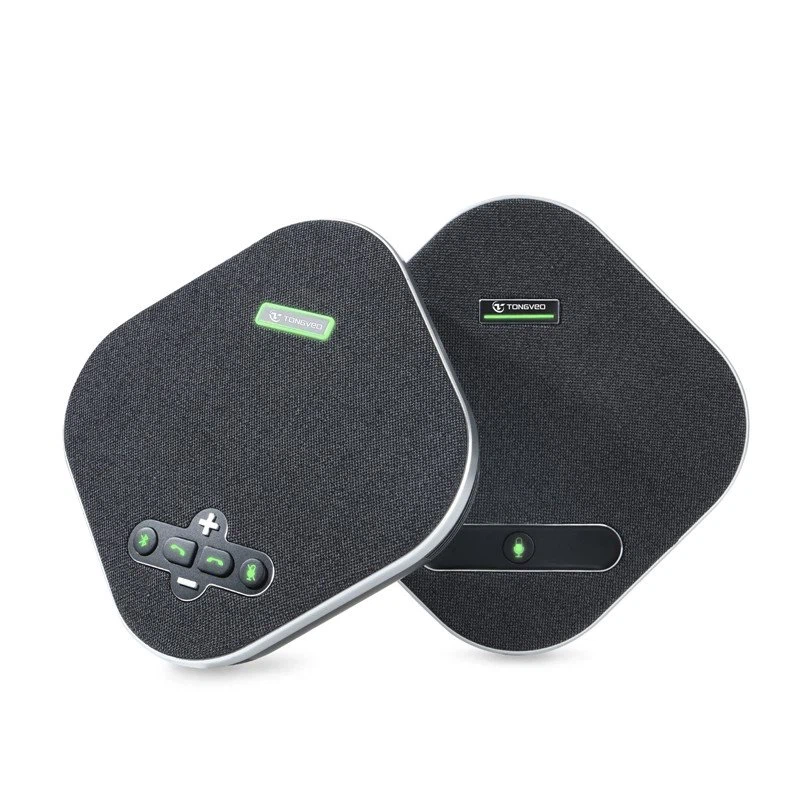
If you're looking for a great option for radio broadcasts, check out the USB Omnidirectional Conference Microphone. These microphones are designed to pick up sound from all directions, which is perfect for radio shows where you might have multiple people speaking or where the sound source could be anywhere in the room. They're also easy to daisy chain, allowing you to connect multiple mics for a more comprehensive audio capture.
Condenser Microphones
Condenser microphones are known for their high - quality sound and sensitivity. Many condenser microphones support daisy chaining and can be a great choice for radio broadcasts. They're especially good at capturing vocals and musical instruments with clarity and detail. However, they do require phantom power, so make sure your mixer can provide it.
Tips for a Successful Daisy Chain Microphone Setup in Radio Broadcasts
Test the Setup
Before you go live with your radio broadcast, test the daisy chain microphone setup thoroughly. Check for any audio issues such as noise, distortion, or signal loss. You can do this by speaking into each microphone and listening to the output on the audio interface or mixer. Make any necessary adjustments to the gain levels, microphone placement, or cable connections.
Use a Good Audio Interface or Mixer
Invest in a high - quality audio interface or mixer that can handle the input from your daisy chain microphones. A good mixer will have features like gain control, equalization, and noise reduction, which can help improve the overall audio quality of your broadcast.
Proper Microphone Placement
The placement of your microphones is crucial for getting the best sound. Make sure to position the microphones at the right distance and angle from the sound source. For example, if you're recording vocals, place the microphone about 6 - 12 inches away from the speaker's mouth. Experiment with different placements to find the sweet spot for each microphone.
In conclusion, using daisy chain microphones for radio broadcasts is definitely possible and can offer many benefits. However, it's important to be aware of the potential challenges and take the necessary steps to ensure a high - quality audio setup. If you're interested in purchasing daisy chain microphones for your radio station, feel free to reach out to us. We're here to help you find the right solution for your specific needs and can assist you with any questions you may have about setup, compatibility, or audio quality.
References
- Audio Engineering Society publications on microphone technology and signal processing.
- Manufacturer's manuals for daisy chain microphones and audio interfaces.





