

Can a PTZ Keyboard Controller be used for educational video recording?
Leave a message

Hey there! As a supplier of PTZ keyboard controllers, I've been getting a lot of questions lately about whether these nifty devices can be used for educational video recording. Well, you bet they can! In this blog post, I'm gonna break down why PTZ keyboard controllers are a great fit for educational video recording and how they can take your educational content to the next level.
First off, let's talk about what a PTZ keyboard controller is. For those of you who aren't in the know, PTZ stands for Pan, Tilt, and Zoom. A PTZ keyboard controller allows you to remotely control a PTZ camera's movement, zoom, and other functions using a keyboard-like device. It gives you precise control over the camera's position and focus, making it super easy to capture the perfect shot.
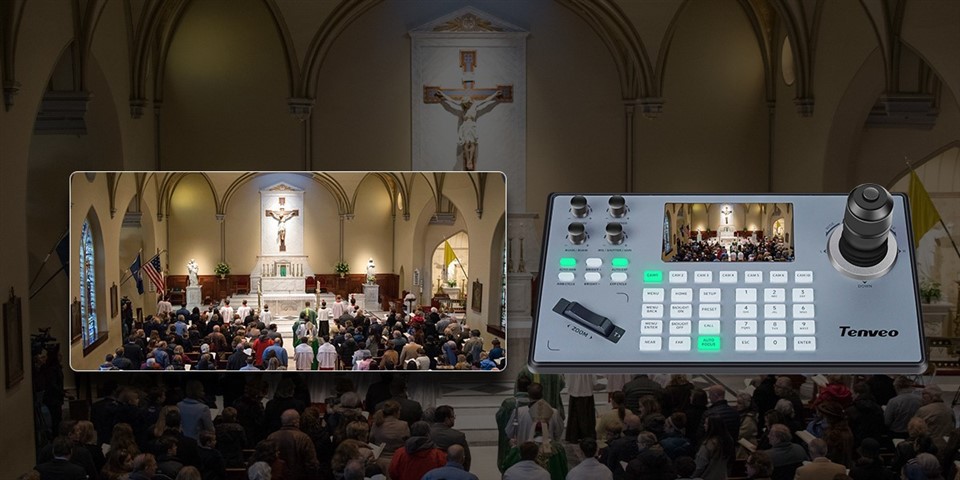

Now, let's dive into why PTZ keyboard controllers are so useful for educational video recording. One of the biggest advantages is the flexibility they offer. In an educational setting, you might need to record lectures, presentations, demonstrations, or even student projects. With a PTZ keyboard controller, you can easily adjust the camera's position and zoom level to capture different angles and perspectives. Whether you're focusing on a teacher at the front of the classroom, a group of students working together, or a detailed close-up of an experiment, the PTZ keyboard controller gives you the freedom to get the shot you need.
Another great thing about PTZ keyboard controllers is the convenience they provide. Instead of having to physically move the camera every time you want to change the angle or zoom in, you can simply use the keyboard controller to make the adjustments from a comfortable distance. This is especially useful in larger classrooms or lecture halls where it might be difficult to access the camera directly. It also saves time and effort, allowing you to focus on the content of the recording rather than the technical aspects of operating the camera.
Accuracy is also a key factor when it comes to educational video recording. You want to make sure that the footage you capture is clear, sharp, and well-framed. A PTZ keyboard controller allows you to make precise adjustments to the camera's position and zoom level, ensuring that you get the perfect shot every time. You can also save preset positions on the controller, so you can quickly and easily return to a specific angle or zoom level if needed. This is particularly useful for repetitive tasks, such as recording multiple lectures in the same classroom.
In addition to flexibility, convenience, and accuracy, PTZ keyboard controllers also offer a range of advanced features that can enhance the quality of your educational video recordings. For example, many controllers support features like autofocus, auto-exposure, and white balance adjustment. These features help to ensure that the footage you capture is well-lit, properly focused, and has accurate colors. Some controllers also offer additional functions, such as joystick control, programmable buttons, and the ability to control multiple cameras simultaneously. These features give you even more control over the recording process and allow you to create professional-quality educational videos.
Now, let's take a look at some specific use cases where a PTZ keyboard controller can be particularly beneficial for educational video recording.
Lecture Recording
When recording lectures, it's important to capture the teacher's movements, gestures, and facial expressions, as well as any visual aids or presentations that are being used. A PTZ keyboard controller allows you to easily follow the teacher's movements around the classroom and adjust the camera's position and zoom level as needed. You can also use the controller to switch between different camera angles, such as a wide shot of the classroom and a close-up of the teacher's face. This helps to keep the viewers engaged and provides a more dynamic viewing experience.
Student Presentations
Recording student presentations is another common use case for educational video recording. With a PTZ keyboard controller, you can easily focus on the student who is presenting and adjust the camera's position and zoom level to capture their body language and facial expressions. You can also use the controller to pan across the audience to capture their reactions and engagement. This can be a great way to provide feedback to the students and help them improve their presentation skills.
Laboratory Demonstrations
In a science or technology classroom, laboratory demonstrations are often an important part of the learning process. A PTZ keyboard controller allows you to capture detailed close-ups of the experiments and demonstrations, as well as the students' interactions with the equipment. You can use the controller to zoom in on specific parts of the experiment and follow the action as it unfolds. This helps to make the learning experience more engaging and provides a better understanding of the concepts being taught.
Online Learning
With the increasing popularity of online learning, educational institutions are looking for ways to create high-quality video content that can be accessed by students from anywhere in the world. A PTZ keyboard controller can be a valuable tool for creating online courses and tutorials. You can use the controller to record lectures, demonstrations, and other educational content in a professional and engaging manner. The flexibility and convenience of the controller make it easy to create content that is tailored to the needs of the students and can be easily edited and shared online.
So, as you can see, a PTZ keyboard controller can be a great asset for educational video recording. It offers flexibility, convenience, accuracy, and a range of advanced features that can enhance the quality of your recordings. Whether you're a teacher, a school administrator, or a content creator, a PTZ keyboard controller can help you create professional-quality educational videos that engage and inform your audience.
If you're interested in learning more about PTZ keyboard controllers and how they can benefit your educational video recording needs, I encourage you to check out our website. We offer a wide range of Ip Ptz Keyboard Controller, IP Ptz Camera Controller, and Pelco Ptz Controller that are designed to meet the needs of educational institutions and content creators. Our controllers are easy to use, reliable, and offer a range of features and functions that can help you create the best possible educational videos.
If you have any questions or would like to discuss your specific requirements, please don't hesitate to get in touch. We're here to help you find the right PTZ keyboard controller for your needs and provide you with the support and assistance you need to get the most out of your investment. Let's work together to take your educational video recording to the next level!
References
- Some industry - related books on video recording technology.
- Articles from educational technology magazines discussing the use of camera equipment in education.





