

Are daisy chain microphones suitable for conference calls?
Leave a message

Hey there! As a supplier of daisy chain microphones, I've been getting a lot of questions lately about whether these bad boys are suitable for conference calls. So, I thought I'd take a deep dive into the topic and share my thoughts.
First off, let's quickly cover what daisy chain microphones are. A daisy chain setup allows you to connect multiple microphones together in a series, kind of like how you'd link a bunch of flowers in a daisy chain. This means you can expand your audio input capabilities without having to use a bunch of separate cables and ports. It's a pretty nifty setup, especially for large spaces where you need multiple microphones to pick up sound clearly.
Now, let's get to the big question: Are daisy chain microphones suitable for conference calls? The short answer is yes, but it really depends on a few factors.
Sound Quality
One of the most important things in a conference call is clear audio. Daisy chain microphones can offer great sound quality, especially if you're using high - end models. Many of these microphones are designed to pick up sound from a wide range of angles, which is super useful in a conference room setting where people are sitting all around the table.
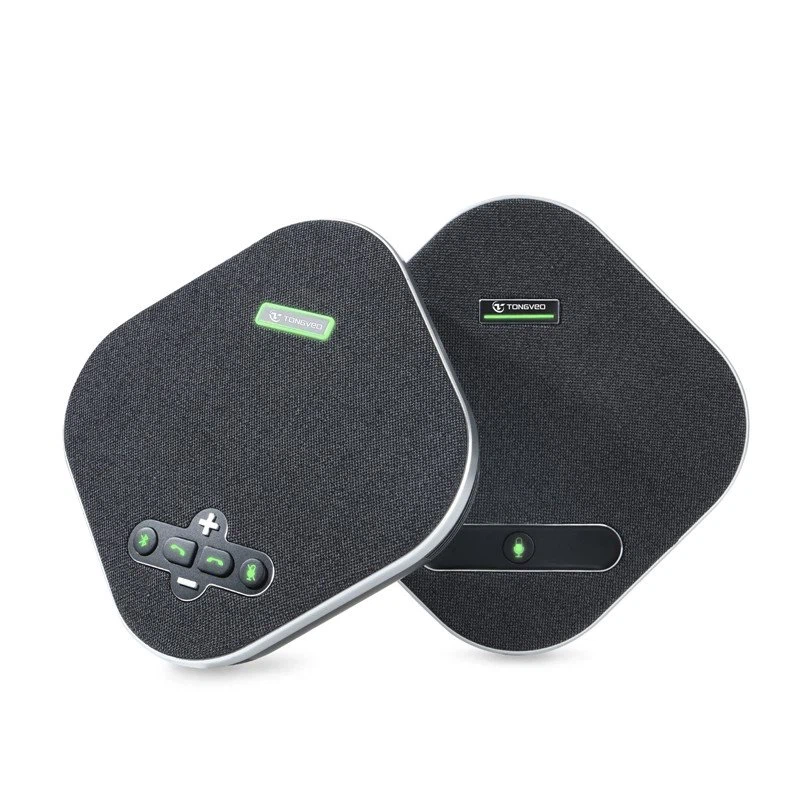
For example, our USB Omnidirectional Conference Microphone is engineered to capture sound evenly from all directions. This means that no matter where someone is sitting in the room, their voice will be picked up clearly. When you daisy chain multiple microphones, you can cover a larger area and still maintain high - quality audio across the entire space.
But here's the deal, cheaper daisy chain microphones might not offer the same level of sound clarity. They could pick up a lot of background noise or have a narrower pickup range. So, it's important to invest in good quality microphones if you want to ensure a successful conference call.
Ease of Setup
Another aspect to consider is how easy the microphones are to set up. Daisy chain microphones are generally pretty straightforward to install. You just need to connect one microphone to another in the proper sequence, and then plug the whole chain into your device. This is much simpler than dealing with a bunch of individual microphones and cables.
This ease of setup is great for conference calls, especially if you're in a hurry to get a meeting started. You don't have to spend a long time configuring a complex audio system. With a daisy chain setup, you can get your microphones up and running in no time.
Scalability
Scalability is a huge advantage when it comes to daisy chain microphones for conference calls. If you have a small meeting room, you might only need one or two microphones. But as your business grows and you start having larger meetings, you can easily add more microphones to the daisy chain.
This flexibility means you don't have to buy a whole new audio system every time you need to accommodate more people. You can just keep expanding your existing setup, which saves you a lot of money in the long run.
Compatibility
Compatibility can be a bit of a tricky issue. You need to make sure that the daisy chain microphones you choose are compatible with your conferencing software and hardware. Most modern daisy chain microphones are designed to work with common operating systems like Windows, Mac, and Linux, as well as popular conferencing platforms such as Zoom, Microsoft Teams, and Google Meet.
However, it's still a good idea to double - check the compatibility before making a purchase. You don't want to be in the middle of an important conference call and find out that your microphones aren't working properly because of a compatibility issue.
Potential Challenges
Of course, daisy chain microphones aren't without their challenges. One potential problem is the possibility of signal degradation. When you daisy chain multiple microphones, the signal has to travel through each one in the chain. If the chain is too long or the quality of the microphones isn't good, the signal can start to weaken, resulting in lower audio quality.
To avoid this, you should limit the number of microphones in a daisy chain and use high - quality cables. Also, make sure to position the microphones properly to minimize interference.
Another challenge could be latency. In some cases, there might be a slight delay between when someone speaks and when their voice is heard on the other end of the conference call. This can be a bit annoying and can disrupt the flow of the conversation. However, most modern daisy chain microphones have features to minimize latency, so this isn't usually a major issue.
Conclusion
In conclusion, daisy chain microphones can be a great choice for conference calls. They offer good sound quality, are easy to set up, scalable, and generally work well with most conferencing platforms. However, you do need to be aware of potential challenges like signal degradation and latency.
If you're in the market for a solution that can handle multiple participants in a conference call, I highly recommend considering daisy chain microphones. And if you're interested in our USB Omnidirectional Conference Microphone, it's definitely worth a look.
We're here to help you find the best audio solution for your conference call needs. If you have any questions or want to start a procurement discussion, feel free to reach out. We'd love to talk with you about how our daisy chain microphones can take your conference calls to the next level.
References
- Audio Engineering Society Publications on Microphone Technology
- Technical documents from microphone manufacturers





