

What is the signal - to - noise ratio of an HDMI conference camera?
Leave a message

Hey there! As a supplier of HDMI conference cameras, I often get asked about the signal-to-noise ratio (SNR) of these nifty devices. So, I thought I'd take a deep dive into what SNR is and why it matters for HDMI conference cameras.
First off, let's break down what signal-to-noise ratio actually means. In simple terms, SNR is a measure of the level of a desired signal (like the video and audio from your conference camera) compared to the level of background noise. A higher SNR means that the signal is stronger relative to the noise, which results in a clearer, more high-quality output.
For an HDMI conference camera, SNR plays a crucial role in determining the overall performance of the device. When you're in a conference call or a remote teaching session, you want the video and audio to be as clear as possible. A low SNR can lead to issues like grainy video, hissing audio, or even interference that can make it difficult to communicate effectively.
Let's talk about how SNR affects video quality. In a camera, the signal is the light that hits the image sensor, which is then converted into an electrical signal to create the video. Noise, on the other hand, can come from a variety of sources, such as the camera's internal electronics, the lighting conditions, or even external electromagnetic interference.
When the SNR is low, the noise can overpower the signal, causing the video to look blurry or pixelated. This can be especially problematic in low-light situations, where the camera has to amplify the signal to make the image visible. Unfortunately, amplifying the signal also amplifies the noise, which can result in a significant degradation of video quality.
On the audio side, SNR is just as important. The signal in this case is the sound picked up by the camera's microphone, while the noise can include things like ambient room noise, electrical interference, or even the sound of the camera's own fans. A low SNR can make it difficult to understand what people are saying, especially if there are multiple people speaking or if the background noise is particularly loud.
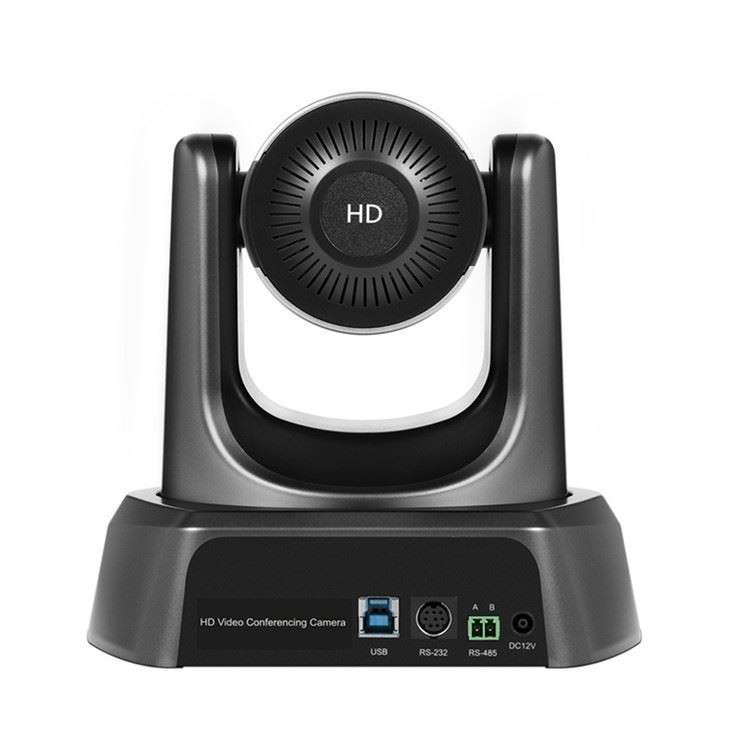

So, how do you know what a good SNR is for an HDMI conference camera? Well, it really depends on your specific needs and the environment in which you'll be using the camera. Generally speaking, a higher SNR is better, but there's no one-size-fits-all answer.
For most conference and remote teaching applications, an SNR of at least 40 dB is considered good. This means that the signal is 10,000 times stronger than the noise, which should result in clear video and audio. However, if you're working in a particularly noisy environment or if you need the highest possible video quality, you might want to look for a camera with an SNR of 50 dB or higher.
At our company, we understand the importance of a high SNR in HDMI conference cameras. That's why we've designed our cameras to have excellent SNR performance, even in challenging conditions. Our Conference Digital Camera With Mic And Speaker For Classroom Online Remote Teaching is a great example. It features advanced noise reduction technology that helps to minimize background noise and ensure clear, high-quality video and audio.
Another one of our popular products is the Ptz Camera For Zoom Meetings. This camera is specifically designed for use in Zoom meetings and other video conferencing platforms, and it offers a high SNR to ensure that your video and audio are crystal clear.
And if you're looking for a more professional-grade option, our HDMI Ptz Video Conference Camera is a top choice. It features a high-resolution image sensor and advanced audio processing technology to deliver exceptional video and audio quality, even in large conference rooms or other challenging environments.
In addition to having a high SNR, our cameras also offer a range of other features and benefits that make them ideal for conference and remote teaching applications. For example, they all have pan-tilt-zoom (PTZ) functionality, which allows you to easily adjust the camera's angle and focus to get the perfect shot. They also support a variety of video resolutions, including 1080p and 4K, so you can choose the level of detail that's right for you.
So, if you're in the market for an HDMI conference camera, be sure to pay attention to the SNR. It's a key factor that can have a big impact on the quality of your video and audio. And if you have any questions or need help choosing the right camera for your needs, don't hesitate to reach out. We're here to help you make the best decision for your business or educational institution.
Whether you're a small business owner looking to improve your video conferencing capabilities or a teacher who wants to enhance your online teaching experience, our HDMI conference cameras are a great choice. They offer high-quality performance, advanced features, and excellent value for money.
So, what are you waiting for? Contact us today to learn more about our products and how they can help you take your video conferencing and remote teaching to the next level. We look forward to hearing from you and helping you find the perfect HDMI conference camera for your needs.
References:
- General knowledge about signal-to-noise ratio in electronics and camera technology.
- Product specifications and features of our HDMI conference cameras.





