

What is the depth of field of an HDMI conference camera?
Leave a message

Hey there, folks! As a supplier of HDMI conference cameras, I often get asked about the depth of field of these cameras. So, let's dive right in and explore what the depth of field of an HDMI conference camera really means.
First off, what is depth of field? In simple terms, depth of field (DOF) refers to the range of distance in a photo or video where objects appear acceptably sharp. When you're using an HDMI conference camera for a meeting, webinar, or online teaching, having the right depth of field can make a huge difference in the quality of your visuals.
Imagine you're in a conference room with multiple people sitting at different distances from the camera. If the depth of field is too shallow, only one person or a small area will be in focus, and the rest will look blurry. On the other hand, if the depth of field is too deep, everything in the frame might look a bit flat and lacking in that professional, polished look.
So, how does depth of field work with an HDMI conference camera? Well, several factors come into play. One of the main factors is the aperture of the camera lens. The aperture is like the pupil of your eye; it controls how much light enters the camera. A wider aperture (represented by a lower f-number, like f/1.8) creates a shallower depth of field. This means that the subject in focus will be very sharp, but the background will be nicely blurred, giving your video a more cinematic and professional look. However, a wider aperture also means less of the scene will be in focus.
Conversely, a smaller aperture (higher f-number, such as f/16) results in a deeper depth of field. This is great when you want to keep multiple objects at different distances in focus, like a group of people in a conference room. But it can also have its downsides, as it may require more light to get a well-exposed image.
Another factor that affects depth of field is the focal length of the lens. A longer focal length (telephoto lens) tends to have a shallower depth of field, while a shorter focal length (wide - angle lens) usually has a deeper depth of field. For example, if you're using a Wide Angle Ptz Usb Camera for a large conference room, the wide - angle lens will likely give you a greater depth of field, allowing you to keep more of the room in focus.
The distance between the camera and the subject also matters. The closer the camera is to the subject, the shallower the depth of field will be. So, if you're getting up close for a shot of a presenter, you might notice that the background blurs out more compared to when the camera is further away.
Now, let's talk about why the depth of field is important in the context of HDMI conference cameras. In a modern conference setting, you might have various elements in the frame, such as people, whiteboards, or presentation materials. Having the ability to control the depth of field ensures that you can highlight the important elements and create a visually appealing and engaging video.
For instance, if you're using a Ptz Camera For Zoom Meetings during a Zoom meeting, you can use a shallow depth of field to focus on the speaker and blur out any distractions in the background. This helps to keep the viewers' attention on the person speaking.
In an online teaching environment, a Conference Digital Camera With Mic And Speaker For Classroom Online Remote Teaching can benefit from a well - adjusted depth of field. You might want to keep the teacher in focus while also having the classroom materials or the whiteboard visible. A deeper depth of field can achieve this, making sure that all the important information is clear for the students.
As an HDMI conference camera supplier, I understand the importance of providing cameras that offer flexible depth - of - field control. Our cameras are designed to give you the best of both worlds. You can easily adjust the aperture and focal length to suit your specific needs, whether you're shooting a one - on - one meeting or a large group presentation.
We also offer cameras with advanced autofocus systems. These systems can quickly and accurately adjust the focus to keep the subject in sharp focus, even if they move around. This is especially useful in a dynamic conference or teaching environment where people are constantly on the move.
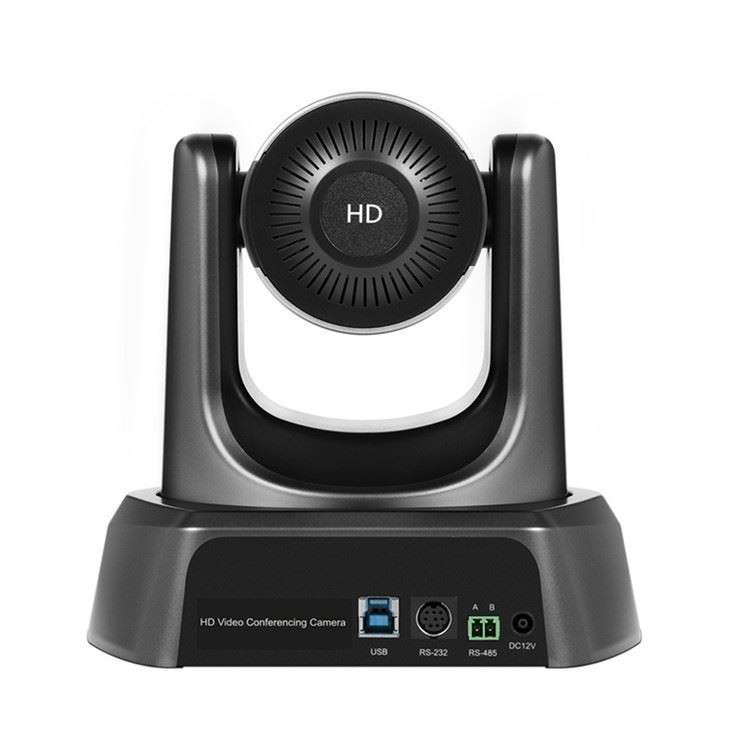

In addition to the technical aspects, we know that ease of use is crucial. Our cameras come with intuitive controls that allow you to make adjustments to the depth of field and other settings without any hassle. You don't need to be a professional photographer or videographer to get great results.
If you're in the market for an HDMI conference camera, it's important to consider the depth - of - field capabilities. Think about the type of meetings or events you'll be using the camera for. If you often have large groups or need to keep multiple elements in focus, look for a camera with a wider depth of field. On the other hand, if you want to create a more professional and cinematic look, a camera that can achieve a shallow depth of field might be the way to go.
We're here to help you make the right choice. Our team of experts can answer any questions you have about depth of field and other camera features. Whether you're a small business looking for a cost - effective solution or a large corporation in need of high - end equipment, we have the right HDMI conference camera for you.
If you're interested in learning more about our products or want to discuss your specific requirements, don't hesitate to reach out. We're always happy to have a chat and help you find the perfect camera for your needs. Contact us to start the conversation about your next HDMI conference camera purchase.
References
- Photography textbooks on depth of field concepts
- Industry research on the use of HDMI conference cameras in different settings





