

How to protect an HDMI conference camera from damage?
Leave a message

Hey there! As a supplier of HDMI conference cameras, I've seen my fair share of cameras getting damaged, and it's never a good sight. These cameras are crucial for smooth video conferencing, whether it's for business meetings, online teaching, or just catching up with friends. So, I thought I'd share some tips on how to protect your HDMI conference camera from damage.
1. Proper Installation
First things first, getting the installation right is super important. Make sure you follow the manufacturer's instructions carefully. If you're not confident doing it yourself, it's worth hiring a professional. A poorly installed camera can easily get knocked over or damaged by vibrations.
When mounting the camera, choose a stable location. Avoid areas where it can be easily bumped into, like near doorways or high - traffic areas. If you're using a wall - mount, make sure the wall can support the weight of the camera. Also, ensure that the cables are properly routed and secured. Loose cables can be a tripping hazard and can also cause damage to the camera if they get tugged on.
2. Keep It Clean
Dust and dirt can accumulate on the camera lens and other components over time, which can affect the image quality and even cause damage. Regular cleaning is essential. Use a soft, lint - free cloth to gently wipe the lens. Avoid using abrasive materials or harsh chemicals, as they can scratch the lens or damage the camera's finish.
For the body of the camera, you can use a slightly damp cloth to remove any fingerprints or smudges. Make sure to dry it thoroughly afterward. If there's a lot of dust inside the camera, you might need to use a can of compressed air to blow it out. Just be careful not to hold the can too close to the camera, as the cold air can cause condensation.
3. Protect from Physical Impact
Accidents happen, but you can take steps to minimize the risk of physical damage to your HDMI conference camera. Consider using a protective case or cover when the camera is not in use. This can protect it from scratches, bumps, and dust.
If you're transporting the camera, use a padded carrying case. Make sure the camera is securely fastened inside the case to prevent it from moving around during transit. Also, be careful when handling the camera. Avoid dropping it or hitting it against hard surfaces.
4. Control the Environment
The environment in which the camera is used can have a big impact on its lifespan. Avoid exposing the camera to extreme temperatures, humidity, or direct sunlight. High temperatures can cause the camera's internal components to overheat, while low temperatures can make the materials brittle.
Humidity can lead to corrosion and damage to the electrical components. If you're using the camera in a room with high humidity, consider using a dehumidifier. Direct sunlight can fade the camera's finish and also cause the lens to overheat. Try to place the camera in a shaded area or use curtains to block the sunlight.
5. Update Firmware Regularly
Camera manufacturers often release firmware updates to improve the camera's performance, add new features, and fix bugs. These updates can also include security patches that protect the camera from potential threats. Make sure to check for firmware updates regularly and install them as soon as they're available.
Updating the firmware is usually a simple process. You can usually do it through the camera's settings menu or by connecting the camera to a computer and using the manufacturer's software. Just follow the instructions carefully to ensure a successful update.
6. Use Surge Protectors
Power surges can damage the camera's electrical components. To protect against this, always use a surge protector when plugging in the camera. A surge protector will absorb any excess voltage and prevent it from reaching the camera.

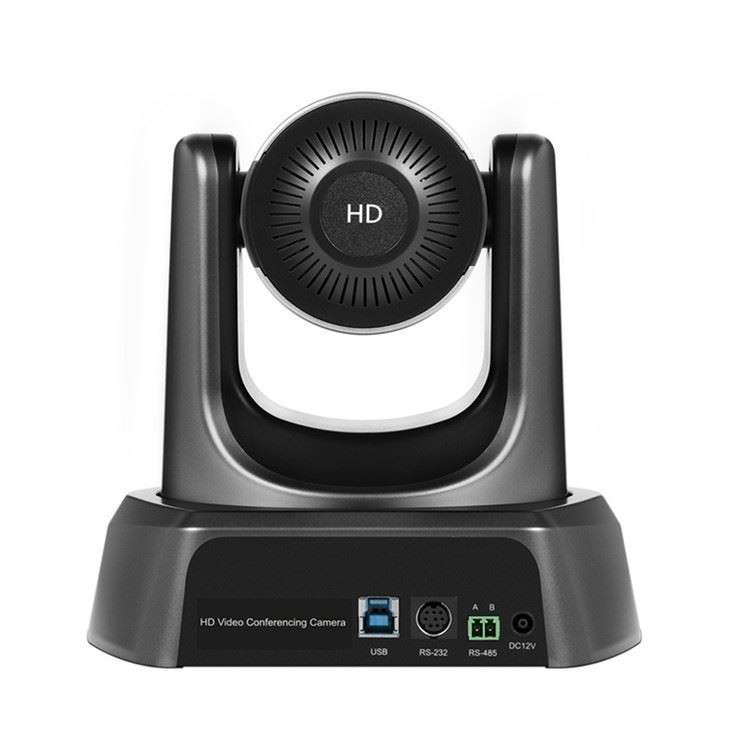
Make sure the surge protector is rated for the appropriate voltage and amperage. Also, check the surge protector regularly to make sure it's working properly. If it has been through a power surge, it might need to be replaced.
7. Train Users
If multiple people are using the HDMI conference camera, it's important to train them on how to use it properly. Make sure they know how to handle the camera, how to clean it, and how to avoid causing damage. Provide them with a user manual or a set of instructions.
Encourage users to report any issues or problems with the camera immediately. Early detection of problems can prevent further damage and save you from costly repairs.
Related Products
If you're looking for more advanced options for your video conferencing needs, we have some great products to offer. Check out our Zoom Conference Meeting With Ip Camera, which provides high - quality video and seamless integration with Zoom meetings.
For those who need more flexibility in camera movement, our Ptz Camera For Zoom Meetings is a great choice. It allows you to pan, tilt, and zoom during the meeting, giving you more control over the view.
And if you're involved in online remote teaching, our Conference Digital Camera With Mic And Speaker For Classroom Online Remote Teaching is perfect. It comes with a built - in microphone and speaker, making it easy to communicate with your students.
Conclusion
Protecting your HDMI conference camera from damage is not that difficult if you follow these simple tips. By taking proper care of your camera, you can ensure that it lasts for a long time and provides high - quality video for all your conferencing needs.
If you're interested in purchasing an HDMI conference camera or have any questions about camera protection, feel free to reach out. We're here to help you make the best choice for your requirements.
References
- General knowledge from years of experience as an HDMI conference camera supplier.
- Manufacturer's guidelines and documentation for HDMI conference cameras.





