

How to extend the reach of a daisy chain microphone setup?
Leave a message

Hey there! As a supplier of Daisy Chain Microphones, I've had my fair share of customers asking how to extend the reach of their daisy chain microphone setup. It's a common concern, especially for those who need to cover large areas or have a lot of people speaking in different locations. In this blog post, I'll share some tips and tricks that I've picked up over the years to help you get the most out of your daisy chain microphone system.
First off, let's talk about what a daisy chain microphone setup is. In a nutshell, it's a way of connecting multiple microphones together in a series, so they can all be used at the same time. This is great for things like conferences, lectures, or any situation where you need to capture audio from multiple sources. The microphones are usually connected using a single cable, which makes it easy to set up and manage.
One of the simplest ways to extend the reach of your daisy chain microphone setup is to use high - quality cables. The length of the cable can have a big impact on the audio quality. Cheaper cables may not be able to carry the signal as effectively over long distances, which can result in a loss of sound quality or even signal dropout. So, invest in some good - quality shielded cables. They're designed to reduce interference and maintain a strong signal, even when the cable is long.
Another thing to consider is the power supply. Most daisy chain microphones require power to operate. If you're trying to extend the reach of your setup, you might find that the power isn't getting to all the microphones properly. This can cause some microphones to have a weak signal or not work at all. To fix this, you can use a powered splitter or a power injector. These devices can help boost the power and ensure that all the microphones in the chain are getting enough juice to function correctly.
Now, let's talk about the placement of the microphones. The way you position your microphones can also affect the reach of your daisy chain setup. Make sure the microphones are evenly spaced out. If they're too close together, you might get audio feedback or a muddled sound. On the other hand, if they're too far apart, there could be gaps in the audio coverage. Try to find a balance that works for your specific space.
For example, in a large conference room, you might want to place the microphones along the perimeter of the room or in a grid pattern. This way, you can capture audio from all corners of the room. Also, keep in mind the height at which you place the microphones. Depending on the type of microphone and the environment, you may need to adjust the height to get the best sound.
Signal boosters are another great option for extending the reach of your daisy chain microphone setup. These devices can amplify the audio signal, allowing it to travel further without losing quality. There are different types of signal boosters available on the market, so make sure you choose one that's compatible with your microphones and the overall setup.
If you're dealing with a particularly large area, you might want to consider using a wireless daisy chain microphone system. Wireless systems can offer more flexibility in terms of placement and reach. You don't have to worry about running long cables, which can be a hassle and may also limit your options. However, wireless systems do have their own set of challenges, such as interference from other wireless devices and a limited range. Make sure you test the system in your environment before relying on it for a big event.
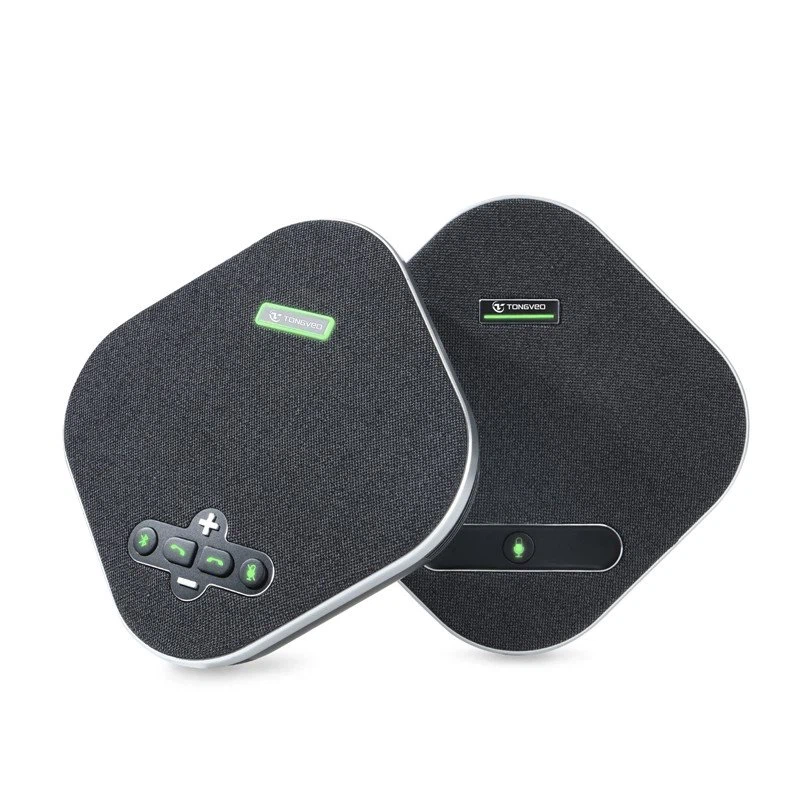
Now, let's touch on the type of microphones you're using. Some microphones are better suited for long - range daisy chain setups than others. For instance, the USB Omnidirectional Conference Microphone is a great choice. It has a wide pickup pattern, which means it can capture audio from all directions. This is especially useful in a large room where people may be speaking from different locations.
When you're setting up your daisy chain microphone system, it's also important to do some testing. Before the big event or meeting, run some test recordings. Listen to the audio and check for any issues like background noise, uneven volume, or signal dropouts. This way, you can make any necessary adjustments and ensure that everything is working smoothly.
You might also want to consider using audio processing software. There are many software programs available that can help you enhance the audio quality and manage the signals from your daisy chain microphones. These programs can do things like adjust the volume levels, filter out background noise, and equalize the sound.
In addition to these technical aspects, don't forget about the environment. The acoustics of the room can have a big impact on the performance of your daisy chain microphone setup. If the room has a lot of hard surfaces, it can cause echoes and reverberation, which can make the audio sound muddy. You can use acoustic panels or diffusers to improve the acoustics of the room. These materials can absorb or scatter sound waves, reducing echoes and improving the overall audio quality.
As a Daisy Chain Microphone supplier, I've seen firsthand how a well - set - up daisy chain microphone system can make a huge difference in capturing high - quality audio. Whether you're a small business hosting a virtual meeting or a large organization putting on a conference, getting the reach and audio quality right is crucial.
If you're interested in improving your daisy chain microphone setup or have any questions about our products, don't hesitate to reach out. We're here to help you find the best solutions for your specific needs. Whether it's choosing the right microphones, cables, or accessories, we've got the expertise to guide you through the process. Contact us for more information and let's start a conversation about how we can enhance your audio experience.
References
- "Audio Engineering Handbook" by Glen Ballou
- Various industry reports on microphone technology and audio systems





