

How long is the cable of a 4k USB webcam usually?
Leave a message

When it comes to 4K USB webcams, one question that often pops up is: How long is the cable of a 4K USB webcam usually? As a supplier of 4K USB webcams, I have encountered this query numerous times from potential customers, and I'm here to shed some light on this topic.

Standard Cable Lengths
Typically, the cable length of a 4K USB webcam ranges from 1.5 meters to 3 meters. The most common length you'll find in the market is around 2 meters. This standard length is designed to offer a good balance between flexibility and practicality.
A 2 - meter cable allows users to position the webcam at a reasonable distance from the computer. For instance, if you're using the webcam on a desk, you can place it at the edge of the desk, facing you, without having to worry about the cable being too short. It gives you enough leeway to adjust the webcam's position for the best angle, whether you're sitting in front of a laptop or a desktop computer.
On the other hand, a cable that is too long can be cumbersome. It might get tangled easily, creating a messy workspace. Moreover, longer cables can sometimes lead to signal degradation, especially if they are of lower quality. This can result in a decrease in the webcam's performance, such as a drop in video quality or intermittent connectivity issues.
Factors Influencing Cable Length
However, the cable length is not a one - size - fits - all situation. Several factors can influence the length of the cable that comes with a 4K USB webcam.
Usage Scenarios
If the webcam is intended for use in a home office or a small workspace, a standard 2 - meter cable is usually sufficient. You can place the webcam on your desk, connect it to your computer, and start using it right away. But for larger spaces, such as conference rooms, a longer cable might be required.
In a conference room setting, the webcam needs to be placed at a strategic location to capture the entire room. It could be mounted on a wall or a ceiling, and the computer might be placed on a table at a considerable distance. In such cases, a cable length of 3 meters or even longer might be necessary. That's why some of our products, like the Conference Room Webcam with Microphone and Speakerphone for Live Streaming and Zoom, are available with longer cables to meet the demands of these professional environments.
Compatibility with Other Devices
Another factor is the compatibility with other devices. Sometimes, users might want to connect the webcam to a device that is not in close proximity to their computer. For example, they might want to use the webcam with an external monitor or a media player. In such cases, a longer cable can provide the necessary flexibility to connect the webcam to these additional devices.
Our Product Range
At our company, we understand that different customers have different needs when it comes to cable length. That's why we offer a diverse range of 4K USB webcams with various cable lengths.
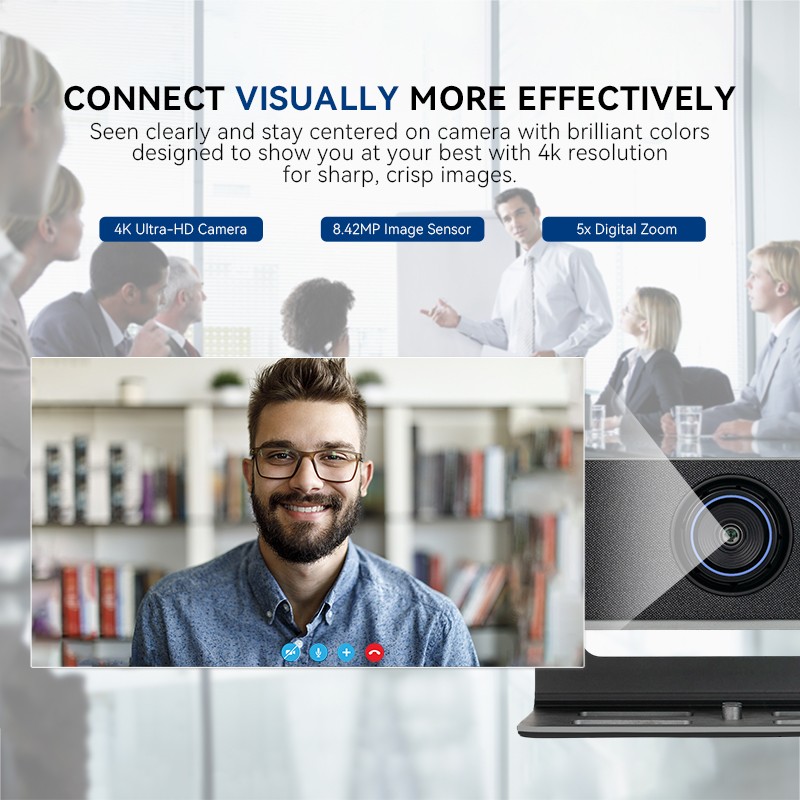
In addition to our conference - room - friendly models, we also have webcams suitable for everyday desktop use. The High - Definition Wide - Angle Webcam for Conference and Desktop Use comes with a standard 2 - meter cable, which is perfect for home and small - office setups. It provides high - quality 4K video, wide - angle viewing, and seamless connectivity, all in a compact and user - friendly package.
We also offer accessories to enhance the functionality of our webcams. For example, our Video Conferencing Soundbar can be paired with our webcams to provide a complete audio - visual solution for video conferencing.
Customization Options
If the standard cable lengths don't meet your specific requirements, we also offer customization options. We can provide longer cables upon request, ensuring that you have the flexibility to use the webcam in any environment. Whether you need a 4 - meter cable for a large auditorium or a specialized cable for a unique setup, our team of experts can work with you to find the best solution.
Making the Right Choice
When choosing a 4K USB webcam, it's important to consider the cable length based on your specific needs. Here are some tips to help you make the right decision:
- Assess your workspace: Measure the distance between the intended location of the webcam and the computer. If you're using it in a small room, a standard cable should be enough. But for larger spaces, you might need a longer one.
- Think about future use: Consider whether you might need to use the webcam in different settings in the future. If you anticipate using it in a conference room or other large spaces, it might be a good idea to choose a webcam with a longer cable or the option to customize the cable length.
- Check the cable quality: A high - quality cable is essential for maintaining good signal integrity. Look for webcams that come with well - constructed cables that are less likely to break or cause signal issues.
Contact Us for Procurement
If you're interested in purchasing our 4K USB webcams, we'd love to hear from you. Whether you have questions about cable lengths, customization options, or any other aspect of our products, our team of experts is ready to assist you. We can provide detailed information, offer product samples, and help you find the perfect webcam solution for your needs. Contact us today to start the procurement process and take your video - conferencing and live - streaming experience to the next level.
References
- Industry reports on 4K USB webcam specifications
- Internal product testing data on cable performance and signal quality





