

How do I store a daisy chain microphone?
Leave a message

Storing a daisy chain microphone properly is crucial for maintaining its performance and longevity. As a supplier of high - quality daisy chain microphones, I understand the importance of this process. In this blog post, I'll share some professional insights on how to store these microphones effectively.
Understanding Daisy Chain Microphones
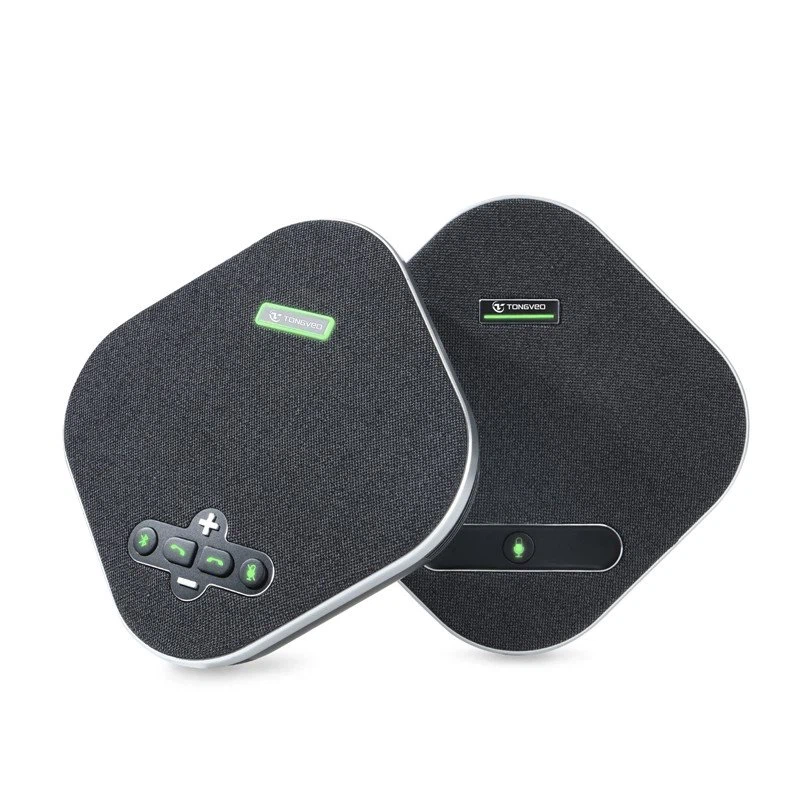
Before we delve into storage methods, let's briefly understand what a daisy chain microphone is. A daisy chain microphone setup allows multiple microphones to be connected in a series, much like a chain. This configuration is highly useful in large meeting rooms, conference halls, and other spaces where extensive audio coverage is required. The USB Omnidirectional Conference Microphone is an excellent example of a daisy chain - compatible microphone, offering omnidirectional sound pickup and seamless integration within a daisy chain system.
Pre - Storage Preparation
Cleaning
One of the first steps before storing a daisy chain microphone is to clean it thoroughly. Dust, dirt, and debris can accumulate on the microphone's surface and in its ports over time. Use a soft, dry cloth to gently wipe the exterior of the microphone. For the ports, a can of compressed air can be used to blow out any loose particles. Avoid using harsh chemicals or abrasive materials as they can damage the microphone's finish and internal components.
Disconnection
If the microphone is part of a daisy chain setup, carefully disconnect it from the other microphones and any power sources. Make sure to handle the cables gently to avoid kinking or damaging them. Label each cable if possible, as this will make it easier to reassemble the daisy chain later.
Inspection
Conduct a visual inspection of the microphone and its cables. Look for any signs of damage, such as frayed wires, cracked casings, or loose connectors. If you notice any issues, it's best to address them before storage. Minor problems can often be fixed, but more severe damage may require professional repair.
Storage Environment
Temperature and Humidity
The storage environment plays a significant role in the lifespan of a daisy chain microphone. Microphones are sensitive to extreme temperatures and humidity. Ideally, store the microphones in a room with a temperature range between 10°C and 30°C (50°F and 86°F) and a relative humidity of 30% - 60%. High humidity can cause corrosion of the microphone's internal components, while low humidity can lead to dryness and brittleness of the cables.
Dust and Pollution
Keep the microphones away from dusty areas. Dust can accumulate inside the microphone and affect its performance. If possible, store the microphones in a sealed container or a dust - free cabinet. Additionally, avoid storing them in areas with high levels of pollution, such as near industrial sites or busy roads.
Physical Protection
Protect the microphones from physical damage. Store them in a place where they won't be knocked over or stepped on. You can use padded cases or foam inserts to provide extra protection. If you're storing multiple microphones, make sure they don't rub against each other, as this can cause scratches or other damage.
Storage of Cables
Coiling
When storing the cables, coil them properly. Avoid tight knots or sharp bends, as these can damage the internal wires. A good method is to use the over - under coiling technique. Start by making a loop with the cable, then pass the end of the cable over and under the loop in a consistent pattern. This creates a neat and organized coil that is less likely to tangle.
Cable Management
Use cable ties or Velcro straps to keep the coiled cables together. This not only makes them easier to store but also prevents them from getting tangled with other items. You can also use cable organizers or storage boxes specifically designed for cables.
Long - Term Storage
Battery Removal
If the daisy chain microphone has a battery, remove it before long - term storage. Batteries can leak over time and damage the microphone. Store the batteries separately in a cool, dry place. Make sure to follow the manufacturer's instructions for battery storage.
Periodic Checks
Even during long - term storage, it's a good idea to check on the microphones periodically. Every few months, inspect the microphones and their cables for any signs of damage or deterioration. If necessary, clean the microphones again to remove any dust that may have accumulated.
Re - Using the Microphones
When you're ready to use the daisy chain microphones again, there are a few steps to follow. First, reconnect the cables carefully, making sure to match the labels if you labeled them during disconnection. Then, power on the microphones and test them. Check for any audio issues, such as static, distortion, or low volume. If you encounter any problems, refer to the microphone's user manual or contact the manufacturer for support.
Conclusion
Proper storage of daisy chain microphones is essential for maintaining their performance and extending their lifespan. By following the steps outlined in this blog post, you can ensure that your microphones remain in excellent condition, whether they're in short - term or long - term storage.
If you're interested in purchasing high - quality daisy chain microphones or have any questions about their storage and usage, feel free to contact us for a detailed discussion. Our team of experts is always ready to assist you in finding the best solutions for your audio needs.
References
- Manufacturer's user manuals for daisy chain microphones
- Industry standards for audio equipment storage





