

How do I secure a daisy chain microphone in place?
Leave a message

Hey there! I'm a supplier of Daisy Chain Microphones, and I often get asked about how to secure these microphones in place. It's a crucial aspect, especially when you're setting up a professional audio environment, like a conference room or a recording studio. In this blog, I'll share some tips and tricks that I've gathered over the years in the business.
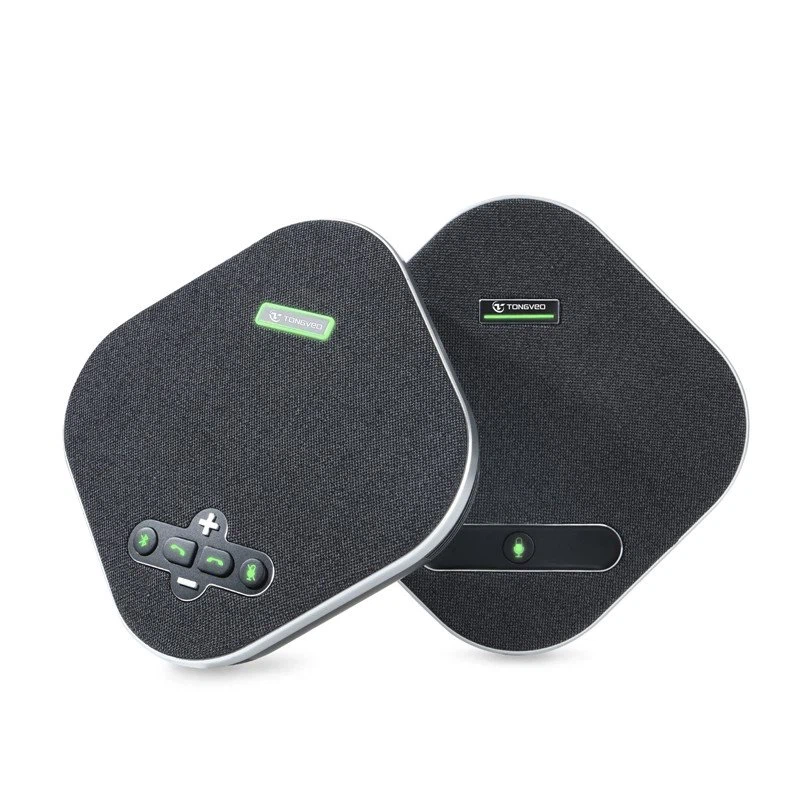
First things first, let's understand what a daisy chain microphone is. A daisy chain microphone setup allows you to connect multiple microphones together in a series, using a single cable to transmit audio signals. This is super handy for large - scale events or setups where you need multiple audio inputs. One popular option in our product line is the USB Omnidirectional Conference Microphone. It's designed to pick up sound from all directions, making it perfect for group discussions.
Using Mounting Brackets
One of the most common and effective ways to secure a daisy chain microphone is by using mounting brackets. There are different types of brackets available in the market, and the choice depends on where you're planning to install the microphone.
For ceiling - mounted setups, you can use ceiling brackets. These brackets are usually made of sturdy metal or high - quality plastic. They are designed to hold the microphone firmly in place, ensuring that it doesn't move around during use. To install a ceiling bracket, you'll need to drill holes in the ceiling and attach the bracket using screws. Make sure to use a level to ensure that the bracket is straight. Once the bracket is installed, you can easily attach the microphone to it.
Wall - mounted brackets are another option. They work well in conference rooms or studios where you want the microphone to be at a specific height. Similar to ceiling brackets, wall - mounted brackets require drilling. However, you need to be careful about the wall material. If it's a drywall, you might need to use wall anchors to provide extra support.
Adhesive Mounts
If you don't want to drill holes in your walls or ceiling, adhesive mounts are a great alternative. These mounts use strong adhesives to stick the microphone to the surface. They are easy to install and remove, which is perfect if you need to change the microphone's location frequently.
Before applying the adhesive mount, make sure to clean the surface thoroughly. Any dirt or dust can reduce the adhesive's effectiveness. Once the surface is clean, peel off the backing of the adhesive mount and press it firmly onto the surface. Then, attach the microphone to the mount. Keep in mind that adhesive mounts might not be as strong as brackets, especially for heavier microphones. So, they are more suitable for smaller, lightweight daisy chain microphones.
Cable Management
Securing the cables is just as important as securing the microphone itself. Loose cables can not only look messy but also pose a tripping hazard. Moreover, they can interfere with the audio signal if they are not properly managed.
Cable clips are a simple and effective solution. You can use them to attach the cables to walls, desks, or other surfaces. They come in different sizes and shapes, so you can choose the ones that best fit your cables. Another option is cable ties. They are inexpensive and can be used to bundle multiple cables together. Make sure to leave some slack in the cables to prevent them from being pulled too tightly, which could damage the connectors.
Weight and Balance
When securing a daisy chain microphone, you also need to consider its weight and balance. Some microphones are heavier than others, and if they are not balanced properly, they might tilt or fall.
If you're using a boom arm to support the microphone, make sure that the boom arm is rated to handle the microphone's weight. Adjust the counterbalance of the boom arm so that the microphone stays in place. You can do this by adjusting the tension on the boom arm's joints.
For table - top microphones, using a weighted base can help. A weighted base provides stability, preventing the microphone from being knocked over easily. You can find weighted bases in different shapes and sizes, depending on your microphone's design.
Testing and Adjusting
Once you've secured the daisy chain microphone in place, it's essential to test it. Turn on the audio system and speak into the microphone. Walk around the area to see if the microphone picks up sound evenly. If you notice any issues, such as uneven sound pickup or background noise, you might need to adjust the microphone's position or angle.
You can also use audio testing tools to measure the microphone's performance. These tools can help you identify any problems with the audio signal, such as distortion or low volume. Based on the test results, you can make the necessary adjustments to optimize the microphone's performance.
Maintenance
Securing the microphone is not a one - time thing. Regular maintenance is crucial to ensure that the microphone stays in place and performs well.
Check the mounting brackets or adhesive mounts regularly for any signs of wear or damage. If you notice that the bracket is loose or the adhesive is starting to peel off, replace it immediately. Also, inspect the cables for any signs of fraying or damage. Damaged cables can affect the audio quality and pose a safety risk.
Clean the microphone regularly to remove any dust or debris. You can use a soft, dry cloth to wipe the microphone's surface. Avoid using harsh chemicals or abrasive materials, as they can damage the microphone.
In conclusion, securing a daisy chain microphone is an important step in setting up a professional audio system. Whether you choose mounting brackets, adhesive mounts, or a combination of both, make sure to consider the microphone's weight, balance, and the environment where it will be used. By following these tips, you can ensure that your daisy chain microphone stays in place and provides high - quality audio.
If you're interested in purchasing a daisy chain microphone or need more advice on securing them, feel free to reach out. We're always here to help you with your audio needs.
References
- Industry knowledge and experience in the daisy chain microphone supply business.
- Product manuals and specifications of various daisy chain microphones.





