

How do I optimize the audio and video quality of a 4K All - in - one Webcam for podcasting?
Leave a message

Hey there! As a supplier of 4K All-in-one Webcams, I've got a ton of experience when it comes to optimizing the audio and video quality for podcasting. Whether you're a seasoned podcaster or just starting out, having top-notch audio and video can make a world of difference in your content. In this blog post, I'm going to share some tips and tricks on how you can get the most out of your 4K All-in-one Webcam for podcasting.
Understanding the Basics of 4K All-in-one Webcams
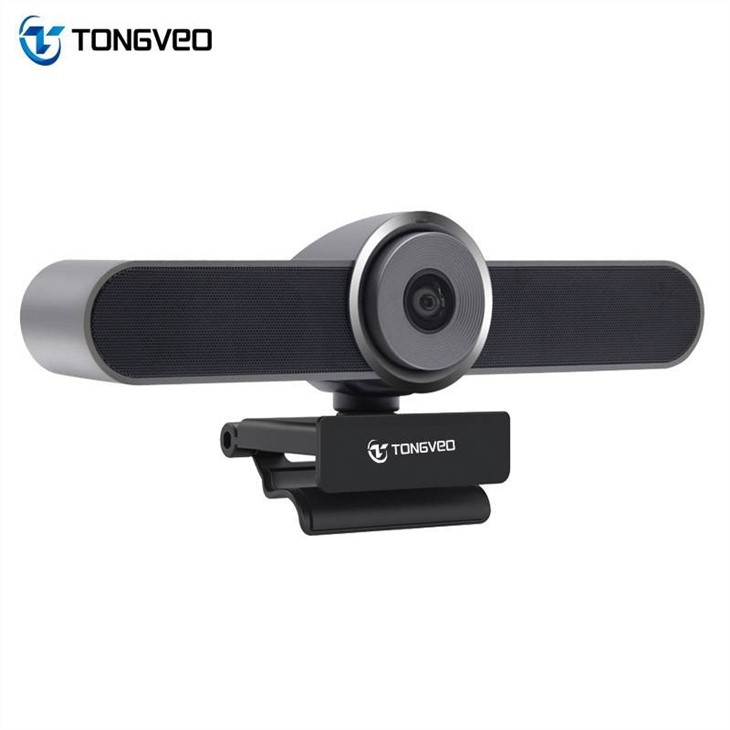
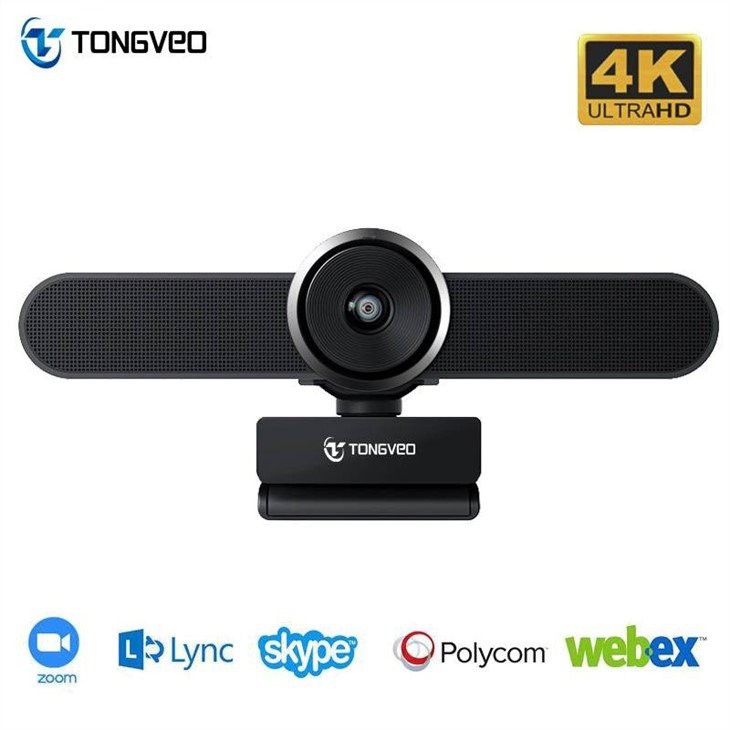
First things first, let's talk a bit about what makes a 4K All-in-one Webcam so great. These webcams are designed to offer high-resolution video (that's 4K, which is super sharp and detailed) along with built-in audio capabilities. This means you don't have to worry about setting up separate microphones and cameras, making it a convenient option for podcasters.
One of the key advantages of a 4K All-in-one Webcam is its ability to capture clear and vibrant images. The high resolution ensures that your viewers can see every detail, whether it's your facial expressions or the props you're using in your podcast. Additionally, the built-in audio features can help you achieve professional-sounding audio without the need for expensive external equipment.
Optimizing Video Quality
Now, let's dive into some tips for optimizing the video quality of your 4K All-in-one Webcam.
Lighting is Key
Good lighting can make a huge difference in the quality of your video. Natural light is always the best option, so try to position yourself near a window during the day. If you're recording at night or in a dimly lit room, consider using artificial lighting sources such as softbox lights or ring lights. These can help eliminate shadows and create a more flattering look.
Adjust the Focus and Exposure
Most 4K All-in-one Webcams have autofocus and autoexposure features, but it's still a good idea to manually adjust these settings to ensure the best results. Make sure your subject (that's you!) is in sharp focus and that the exposure is correct. You can usually do this through the webcam's software or settings menu.
Choose the Right Resolution and Frame Rate
For podcasting, it's generally recommended to use a resolution of at least 1080p and a frame rate of 30fps or higher. However, if your webcam supports 4K resolution, you can take advantage of it for even better video quality. Just keep in mind that higher resolutions and frame rates require more bandwidth, so make sure your internet connection can handle it.
Position the Webcam Correctly
The position of your webcam can also affect the quality of your video. Try to position the webcam at eye level or slightly above to create a more flattering angle. Avoid positioning the webcam too low, as this can make you look unflattering. Additionally, make sure the webcam is stable and not shaking, as this can cause the video to appear blurry.
Optimizing Audio Quality
In addition to video quality, audio is another important aspect of podcasting. Here are some tips for optimizing the audio quality of your 4K All-in-one Webcam.
Use a Pop Filter
A pop filter is a simple and inexpensive tool that can help reduce popping sounds caused by plosive consonants (such as "p" and "b"). You can usually find pop filters at your local electronics store or online. Just attach the pop filter to your webcam's microphone and you're good to go.
Reduce Background Noise
Background noise can be a major distraction for your listeners, so it's important to minimize it as much as possible. You can do this by recording in a quiet room, using noise-canceling headphones, or using audio editing software to remove background noise. Additionally, make sure your webcam's microphone is positioned close to your mouth to pick up your voice clearly.
Adjust the Audio Settings
Most 4K All-in-one Webcams have audio settings that you can adjust to optimize the sound quality. Make sure the volume is set at an appropriate level and that the gain is not too high, as this can cause distortion. You can also experiment with the equalizer settings to adjust the tone and frequency of the audio.
Using the Right Software
In addition to optimizing the hardware settings of your 4K All-in-one Webcam, using the right software can also help you achieve better audio and video quality. Here are some software options that you might consider.
Video Editing Software
Video editing software can help you enhance the video quality of your podcast by adding effects, transitions, and captions. Some popular video editing software options include Adobe Premiere Pro, Final Cut Pro, and DaVinci Resolve. These software programs offer a wide range of features and tools that can help you create professional-looking videos.
Audio Editing Software
Audio editing software can help you improve the audio quality of your podcast by removing background noise, adjusting the volume, and adding effects. Some popular audio editing software options include Audacity, Adobe Audition, and GarageBand. These software programs are easy to use and offer a variety of features and tools that can help you achieve professional-sounding audio.
Streaming Software
If you're planning to stream your podcast live, you'll need to use streaming software to broadcast your content. Some popular streaming software options include OBS Studio, XSplit, and Streamlabs OBS. These software programs allow you to stream your podcast to various platforms such as YouTube, Twitch, and Facebook Live.
Recommended Webcams for Podcasting
As a 4K All-in-one Webcam supplier, I have a few recommendations for webcams that are great for podcasting.
- large zoom conference huddle room webcam and speaker: This webcam is designed for large zoom conferences and huddle rooms, but it also works great for podcasting. It offers 4K resolution and built-in audio, making it a convenient option for podcasters.
- USB 4K HD Webcam with Built-in Speaker for Mac and Conference Rooms: This webcam is specifically designed for Mac users and conference rooms, but it also works well for podcasting. It offers 4K resolution and built-in audio, and it's easy to set up and use.
- 4K UHD Video Bar: This video bar is a great option for podcasters who want a high-quality webcam and speaker in one device. It offers 4K resolution and built-in audio, and it's designed to be mounted on a monitor or wall for easy use.
Conclusion
Optimizing the audio and video quality of your 4K All-in-one Webcam for podcasting doesn't have to be difficult. By following the tips and tricks outlined in this blog post, you can achieve professional-looking videos and high-quality audio that will engage your audience and make your podcast stand out.
If you're interested in purchasing a 4K All-in-one Webcam for your podcast, please feel free to contact us for more information. We'd be happy to help you find the right webcam for your needs and budget.
References
- "Video Lighting Techniques for Beginners." Videomaker, 2023.
- "How to Record High-Quality Audio for Your Podcast." Podbean, 2023.
- "The Best Video Editing Software for Beginners." TechRadar, 2023.





