

How do I balance the audio levels in a daisy chain microphone setup?
Leave a message

Balancing audio levels in a daisy chain microphone setup is a crucial task, especially for those in professional audio environments such as conference rooms, large - scale recording studios, or live event venues. As a supplier of Daisy Chain Microphones, I've encountered numerous customers facing challenges in achieving optimal audio balance. In this blog, I'll share some insights and practical tips on how to effectively balance the audio levels in a daisy chain microphone setup.
Understanding Daisy Chain Microphone Setups
Before delving into the process of balancing audio levels, it's essential to understand what a daisy chain microphone setup is. A daisy chain configuration allows multiple microphones to be connected in a series, sharing a single audio output. This setup is highly convenient as it reduces the number of cables and simplifies the overall audio system installation. However, it also presents unique challenges when it comes to audio level management.
One of the main issues with daisy chain setups is the potential for signal degradation. As the audio signal travels through each microphone in the chain, it can lose strength, leading to inconsistent audio levels across the connected microphones. Additionally, differences in microphone sensitivity and impedance can further complicate the balancing process.
Factors Affecting Audio Levels in Daisy Chain Setups
Several factors can impact the audio levels in a daisy chain microphone setup. These include:
- Microphone Sensitivity: Different microphones have varying levels of sensitivity, which refers to how effectively they convert sound into an electrical signal. Microphones with higher sensitivity will pick up sound more easily, resulting in louder audio levels compared to those with lower sensitivity. When using a daisy chain setup, it's important to ensure that all microphones have similar sensitivity ratings to maintain consistent audio levels.
- Cable Length and Quality: The length and quality of the cables used in the daisy chain can also affect audio levels. Longer cables can cause signal loss, leading to weaker audio signals at the end of the chain. Additionally, poor - quality cables may introduce noise and interference, further degrading the audio quality. It's recommended to use high - quality, shielded cables and keep the cable lengths as short as possible.
- Power Supply: In a daisy chain setup, the power supply can have a significant impact on audio levels. Some microphones require phantom power, which is a method of providing power to the microphone through the audio cable. If the power supply is insufficient or inconsistent, it can result in uneven audio levels or even cause the microphones to malfunction.
Steps to Balance Audio Levels
Now that we've identified the factors that can affect audio levels in a daisy chain microphone setup, let's explore the steps to achieve optimal balance:
- Select Compatible Microphones: As mentioned earlier, using microphones with similar sensitivity ratings is crucial for maintaining consistent audio levels. When selecting microphones for a daisy chain setup, look for models that are specifically designed to work together. For example, our USB Omnidirectional Conference Microphone is designed to be used in daisy chain configurations, ensuring compatibility and consistent audio performance.
- Check Cable Connections: Ensure that all cables are properly connected and secured. Loose or faulty connections can cause signal loss and result in uneven audio levels. Inspect the cables for any signs of damage, such as frayed wires or bent connectors, and replace them if necessary.
- Adjust Gain Settings: Most audio mixers and interfaces allow you to adjust the gain settings for each microphone input. The gain setting controls the amplification of the audio signal from the microphone. Start by setting all gain controls to the same level and then make small adjustments based on the audio levels of each microphone. Use a sound level meter or your ears to listen for any discrepancies and make the necessary adjustments.
- Use Equalization: Equalization (EQ) is a powerful tool for fine - tuning the audio levels and frequency response of each microphone. By adjusting the EQ settings, you can boost or cut specific frequencies to enhance the clarity and balance of the audio. For example, if a particular microphone is picking up too much low - frequency noise, you can use the EQ to reduce the bass frequencies.
- Test and Monitor: After making the initial adjustments, it's important to test the audio levels in a real - world environment. Have someone speak or make noise near each microphone and listen for any inconsistencies. Use a monitoring system, such as headphones or speakers, to accurately assess the audio quality. Make additional adjustments as needed until you achieve the desired audio balance.
Advanced Techniques for Audio Level Balancing
In addition to the basic steps outlined above, there are some advanced techniques that can be used to further improve the audio balance in a daisy chain microphone setup:
- Automated Gain Control (AGC): Some audio mixers and interfaces are equipped with AGC, which automatically adjusts the gain settings based on the input audio levels. This can be particularly useful in situations where the sound levels vary frequently, such as in a live event. However, it's important to use AGC carefully as it can sometimes introduce artifacts or distort the audio.
- Compression: Compression is a technique used to reduce the dynamic range of the audio signal, making the loud parts quieter and the quiet parts louder. By applying compression to the audio from each microphone, you can help to even out the audio levels and create a more consistent sound. However, like AGC, compression should be used sparingly to avoid over - processing the audio.
- Calibration: Regular calibration of the audio system is essential for maintaining optimal audio balance. This involves using a calibration tone or a known audio source to ensure that all microphones are producing accurate and consistent audio levels. Calibration can help to identify any issues with the microphones, cables, or audio equipment and allow you to make the necessary adjustments.
Conclusion
Balancing audio levels in a daisy chain microphone setup is a complex but achievable task. By understanding the factors that affect audio levels, following the steps outlined above, and using advanced techniques when necessary, you can ensure that your audio system produces clear, consistent, and high - quality sound.
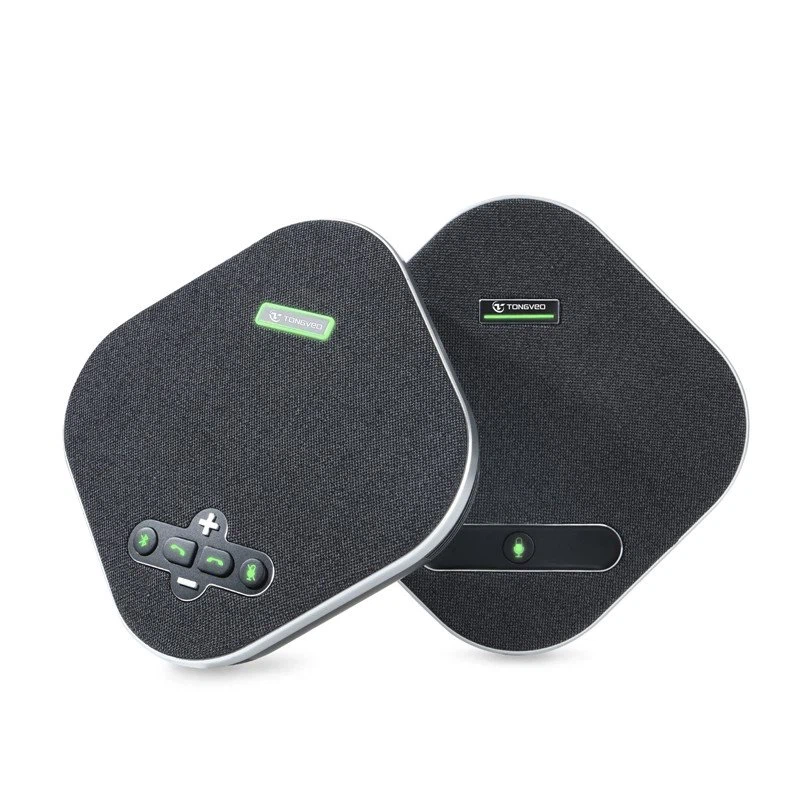
As a supplier of Daisy Chain Microphones, I'm committed to providing our customers with the best products and support to help them achieve optimal audio performance. If you're interested in learning more about our products or need assistance with your audio setup, I encourage you to contact us for a procurement discussion. Our team of experts is ready to help you find the right solutions for your specific needs.
References
- Professional Audio Handbook, Second Edition by Glen Ballou
- Audio Engineering Society (AES) publications on microphone technology and audio signal processing.





