

Do daisy chain microphones have latency issues?
Leave a message

Hey there! As a supplier of daisy chain microphones, I often get asked about whether these bad boys have latency issues. It's a super important question, especially for folks who rely on crystal - clear audio in real - time, like in conference calls, live streaming, or recording sessions. So, let's dig deep into this topic and find out what's what.
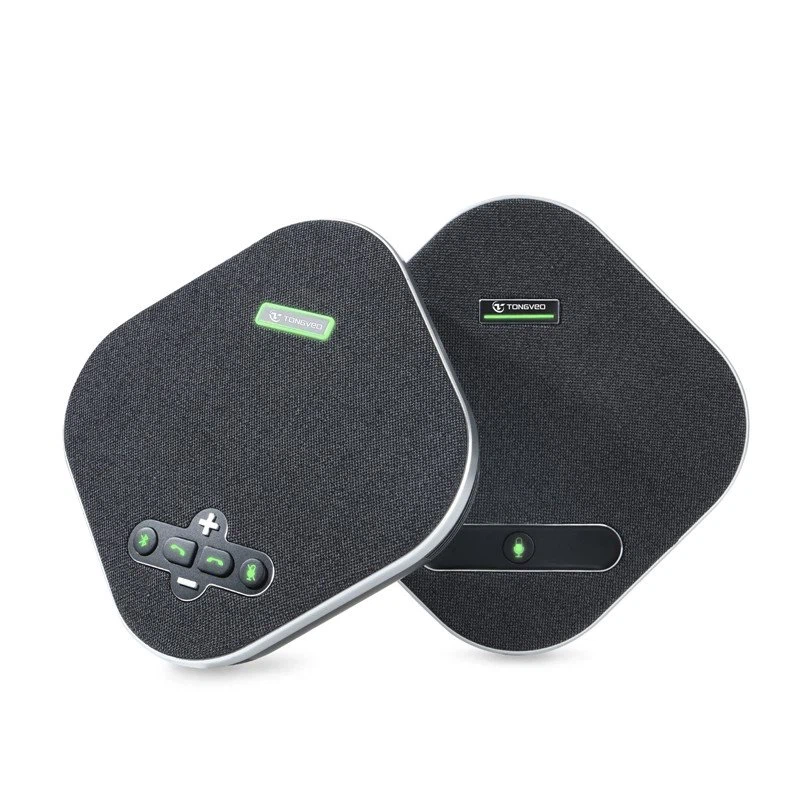
First off, let's quickly explain what daisy chain microphones are. In simple terms, daisy chaining means connecting multiple microphones in a series, one after the other. It's a convenient way to set up multiple mics without having to run a separate cable for each one. You just connect the first mic to your audio device, and then link the rest of the mics together in a chain. For example, our USB Omnidirectional Conference Microphone can be easily daisy - chained, which is great for large conference rooms where you need multiple mics to pick up everyone's voices.
Now, onto the big question: latency. Latency is basically the delay between when a sound is made and when it's actually heard through the audio system. It can be a real pain in the you - know - what, especially in situations where timing is crucial. For instance, in a live conference call, if there's a noticeable delay between someone speaking and others hearing it, it can make the conversation really awkward and hard to follow.
There are a few factors that can cause latency in daisy chain microphones. One of the main culprits is the data transfer rate. When you daisy - chain multiple mics, the audio data has to travel through each mic in the chain before it reaches the audio device. If the data transfer rate isn't fast enough, it can build up a delay. Another factor is the processing power of the audio device. If your computer or mixer can't handle the incoming audio data from multiple mics quickly enough, you'll end up with latency.
But here's the good news. Modern daisy chain microphones, like the ones we supply, are designed to minimize latency issues. We use high - speed data transfer protocols and advanced signal processing technology to ensure that the audio data gets from the mic to your device as fast as possible. Our engineers have spent countless hours fine - tuning the hardware and software to make sure that the latency is kept to an absolute minimum.
Let's talk about some real - world scenarios. In a small meeting room with just a few daisy - chained mics, the chances of experiencing significant latency are pretty low. The audio data doesn't have to travel too far, and most modern audio devices can handle the load without breaking a sweat. However, in a large auditorium or a studio with a whole bunch of mics daisy - chained together, things can get a bit more complicated.
In these larger setups, you might start to notice a bit of latency if you're not careful. But don't worry, there are ways to deal with it. One option is to use a high - end audio interface with plenty of processing power. This can help to speed up the data transfer and reduce the delay. Another tip is to make sure that you're using the right cables. High - quality cables can improve the signal transmission and minimize interference, which can also help to reduce latency.
We've done a ton of testing on our daisy chain microphones to make sure they perform well in different situations. We've tested them in small rooms, large halls, and even in noisy environments. And the results have been really promising. In most cases, the latency is so low that it's barely noticeable, even in demanding applications.
Of course, every setup is different, and there might be some edge cases where you still experience a bit of latency. But if you do run into any issues, our customer support team is always here to help. We can offer you advice on how to optimize your setup and troubleshoot any problems you might have.
So, to sum it all up, while daisy chain microphones can potentially have latency issues, modern technology has come a long way in minimizing these problems. With the right equipment and setup, you can enjoy high - quality, low - latency audio from your daisy - chained mics.
If you're in the market for daisy chain microphones and want to learn more about how our products can meet your needs, don't hesitate to reach out. Whether you're setting up a small home office for conference calls or a large professional studio, we've got the perfect solution for you. Let's have a chat and see how we can help you get the best audio experience possible.
References
- Audio Engineering Society publications on microphone technology
- Manufacturer's specifications for various daisy chain microphones
- Industry reports on audio latency in multi - microphone setups





