

Do 4K All - in - one Webcams support remote access?
Leave a message

As a supplier of 4K All-in-one Webcams, I often get asked whether these high - tech devices support remote access. It's a valid question, especially in today's world where remote work and online communication have become the norm.
Let's start by understanding what 4K All-in-one Webcams are. These webcams are top - notch pieces of equipment. They offer 4K resolution, which means incredibly sharp and clear images. Whether you're in a video conference, teaching an online class, or having a family chat, the picture quality is just outstanding. And being all - in - one, they usually come with built - in microphones, speakers, and sometimes even autofocus features.

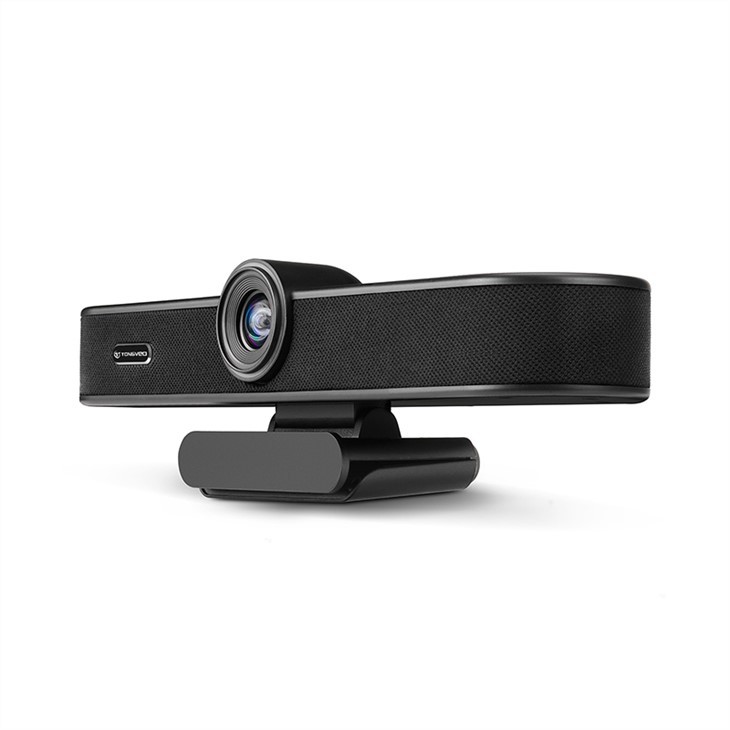
Now, onto the big question: do they support remote access? The short answer is yes, most of the time. But it's not as straightforward as just plugging in the webcam and expecting it to work remotely right away.
How Remote Access Works with 4K All-in-one Webcams
Remote access mainly depends on the software and network settings. Many 4K All-in-one Webcams come with their own dedicated software. This software is designed to manage the webcam's features, like adjusting the focus, brightness, and contrast. And in most cases, these software programs also support remote access.
For example, if you're using a webcam for an office meeting and you're not in the office, you can still connect to the webcam remotely through the software. You just need to log in to your account on the software, and as long as the webcam is connected to the internet and powered on, you can access it.
However, network settings play a crucial role here. You need to make sure that the webcam is on a network that allows external connections. If the office network has strict security protocols, you might need to work with your IT department to configure the settings. Sometimes, you might need to set up port forwarding on the router. This allows external devices to communicate with the webcam on the local network.
Benefits of Remote Access for 4K All-in-one Webcams
The ability to access a 4K All-in-one Webcam remotely has several benefits.
For Businesses
In a business setting, remote access is a game - changer. Let's say you have a Webcam For Office Meetings installed in a conference room. If an important client wants to have a meeting and your team members are working from different locations, they can all access the webcam remotely. This means no more last - minute rushes to the office. Everyone can join the meeting from the comfort of their own homes or wherever they are.
It also helps with maintenance. If there's an issue with the webcam, instead of sending someone to the physical location to check it out, a technician can access it remotely. They can troubleshoot the problem, update the software, or adjust the settings without having to be on - site.
For Educational Institutions
Educators can greatly benefit from remote access too. With a 4K Ultra HD webcam ideal for online teaching and video conferencing, teachers can set up the webcam in the classroom and access it from home. This is especially useful during times when they can't physically be in school, like when they're sick. They can still monitor the class, interact with students, and conduct lessons as if they were there in person.
Challenges of Remote Access
Of course, it's not all sunshine and rainbows. There are some challenges associated with remote access for 4K All-in-one Webcams.
Security Concerns
Security is a major issue. Since you're allowing external access to the webcam, there's a risk of unauthorized access. Hackers could potentially gain access to the webcam and spy on people. That's why it's crucial to use strong passwords and keep the software up - to - date. Some webcams also offer additional security features, like encryption, which helps protect the data transmitted between the webcam and the remote device.
Technical Issues
Technical glitches can also be a problem. Network instability can cause the video to freeze or the audio to cut out. Sometimes, the software might not work as expected, and you might need to spend time troubleshooting. And if there are multiple users trying to access the webcam remotely at the same time, it can put a strain on the network and cause performance issues.
Our 4K All-in-one Webcams and Remote Access
At our company, we understand the importance of remote access. That's why our High-Definition Wide-Angle Webcam for Conference and Desktop Use and other 4K All-in-one Webcams are designed with remote access in mind.
Our webcams come with user - friendly software that makes it easy to set up and manage remote access. We also provide detailed documentation and support to help you configure the network settings. And we're constantly working on improving the security features to ensure that your webcam is safe from unauthorized access.
Conclusion
In conclusion, 4K All-in-one Webcams do support remote access, but it requires proper software configuration and network settings. The benefits of remote access, such as increased flexibility for businesses and educators, are well worth the effort.
If you're interested in purchasing a 4K All-in-one Webcam for your business, educational institution, or personal use, and you want to learn more about how it can support remote access, feel free to reach out to us. We're here to answer all your questions and help you find the perfect webcam for your needs.
References
- General knowledge about 4K All-in-one Webcams and remote access technologies.
- Industry reports on the use of webcams in business and education.





