

Can I mix different brands of microphones in a daisy chain?
Leave a message

As a supplier of Daisy Chain Microphones, I often receive inquiries from customers about the feasibility of mixing different brands of microphones in a daisy chain setup. This is a valid concern, especially for those who are looking to expand their audio systems or replace a damaged microphone without having to purchase an entire new set from the same brand. In this blog post, I will delve into the technical aspects of daisy chaining microphones, discuss the potential issues of mixing different brands, and provide some practical advice on how to approach this situation.
Understanding Daisy Chaining
Before we dive into the topic of mixing different brands of microphones, let's first understand what daisy chaining is. Daisy chaining is a method of connecting multiple devices in a series, where each device is connected to the next one using a single cable. In the context of microphones, daisy chaining allows you to connect multiple microphones to a single audio interface or mixer, creating a multi - microphone setup.
The main advantage of daisy chaining microphones is its simplicity and cost - effectiveness. Instead of using multiple cables to connect each microphone directly to the audio interface, you can use a single daisy chain cable to connect all the microphones together. This not only reduces cable clutter but also makes it easier to set up and manage your audio system.
Technical Compatibility
When it comes to daisy chaining microphones, technical compatibility is the key factor to consider. Different brands of microphones may use different communication protocols, power requirements, and signal levels. These differences can lead to a variety of issues when trying to mix them in a daisy chain.
Communication Protocols
Microphones use specific communication protocols to transmit audio signals and control data between each other and the audio interface. For example, some microphones may use a proprietary protocol that is only compatible with other microphones from the same brand. If you try to mix microphones with different communication protocols in a daisy chain, the microphones may not be able to communicate effectively, resulting in no audio output or intermittent signal loss.
Power Requirements
Another important consideration is the power requirements of the microphones. Microphones in a daisy chain are typically powered through the daisy chain cable. Different brands of microphones may have different power consumption levels and voltage requirements. If the power supply from the audio interface is not sufficient to meet the combined power needs of all the microphones in the daisy chain, some microphones may not function properly or may produce distorted audio.
Signal Levels
Signal levels refer to the strength of the audio signal produced by the microphones. Microphones from different brands may have different sensitivity levels, which can affect the overall audio quality in a daisy chain setup. If the signal levels are not properly matched, some microphones may be louder or quieter than others, resulting in an unbalanced audio mix.
Potential Issues of Mixing Different Brands
Based on the technical compatibility issues mentioned above, here are some potential problems you may encounter when mixing different brands of microphones in a daisy chain:
Audio Inconsistencies
As mentioned earlier, differences in signal levels and sensitivity can lead to audio inconsistencies. Some microphones may pick up more background noise or have a different frequency response compared to others, resulting in an uneven audio quality across the daisy chain.
Compatibility Errors
If the microphones use different communication protocols, they may not be able to establish a proper connection in the daisy chain. This can lead to error messages on the audio interface or complete failure of the microphones to function.
Power - related Problems
Mixing microphones with different power requirements can cause power - related issues. For example, if one microphone draws more power than the others, it may cause the power supply to become unstable, leading to audio dropouts or even damage to the microphones.
Practical Advice
While mixing different brands of microphones in a daisy chain can be challenging, it is not impossible. Here are some practical tips to help you achieve a successful setup:
Research Compatibility
Before purchasing microphones from different brands, do your research to find out if they are compatible with each other. Check the product specifications and user manuals to see if they mention daisy chaining compatibility. You can also reach out to the manufacturers' customer support for more information.
Test the Setup
If possible, test the microphones in a daisy chain setup before committing to a full installation. This will allow you to identify any potential issues and make adjustments accordingly. You can use an audio interface or mixer with built - in monitoring capabilities to listen to the audio output and check for any inconsistencies.
Use Signal Processors
To address the issue of signal level differences, you can use signal processors such as pre - amplifiers or attenuators. These devices can help adjust the signal levels of the microphones to ensure a balanced audio mix.
Consider Using a Single - Brand Solution
If you are new to daisy chaining microphones or want to avoid potential compatibility issues, it is recommended to use a single - brand solution. Most microphone manufacturers offer daisy chain microphone sets that are designed to work together seamlessly, ensuring optimal audio quality and reliability.
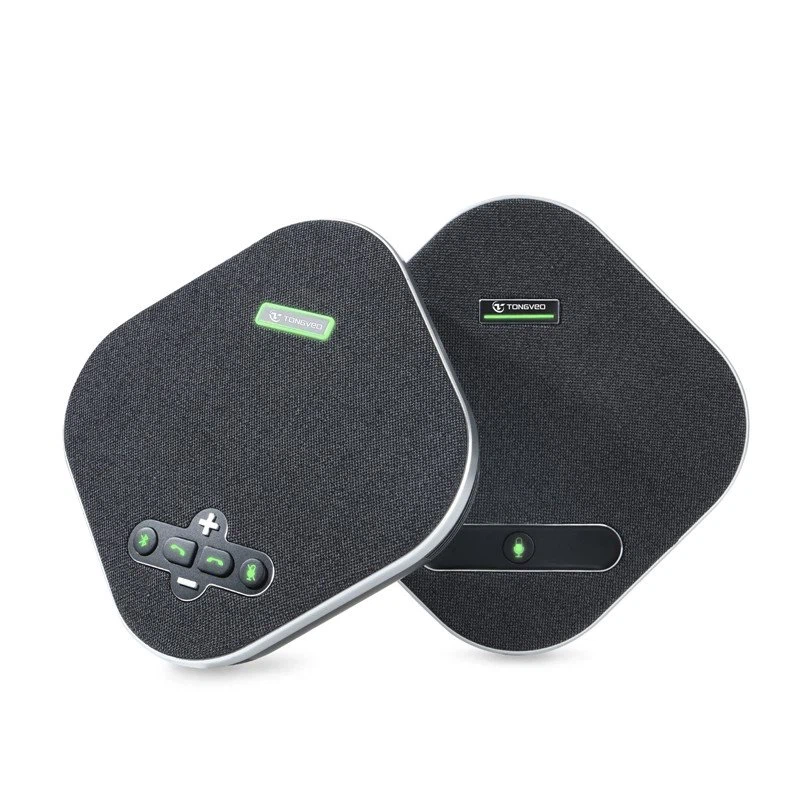
Our USB Omnidirectional Conference Microphone
At our company, we offer a high - quality USB Omnidirectional Conference Microphone that is designed for daisy chain setups. Our microphones are engineered to provide consistent audio quality, reliable communication, and easy installation. They are also compatible with a wide range of audio interfaces and mixers, making them a versatile choice for various applications.
Contact Us for Purchase and Consultation
If you are interested in our daisy chain microphones or have any questions about mixing different brands of microphones, please feel free to contact us. Our team of experts is ready to assist you with your audio system needs and provide you with professional advice on microphone selection and setup. Whether you are a small business looking to upgrade your conference room audio or a large enterprise in need of a comprehensive audio solution, we can help you find the right products for your requirements.
References
- Microphone Manufacturer's Product Manuals
- Audio Engineering Society Publications
- Online Audio Forums and Communities





