

Can a 4K UHD Video Bar be connected to a TV?
Leave a message

Can a 4K UHD Video Bar be connected to a TV?
In today's digital age, the demand for high - quality video communication and entertainment has skyrocketed. 4K UHD Video Bars have emerged as a popular solution for various settings, from home offices to large conference rooms. One common question that often arises is whether a 4K UHD Video Bar can be connected to a TV. As a supplier of 4K UHD Video Bars, I'm here to delve into this topic and provide you with detailed insights.
Understanding 4K UHD Video Bars
Before we discuss the connection to a TV, let's first understand what a 4K UHD Video Bar is. A 4K UHD Video Bar is a compact, all - in - one device that typically combines a high - resolution camera, built - in microphones, and speakers. It is designed to provide a seamless video communication experience, whether it's for video conferencing, online teaching, or streaming content. The 4K Ultra High - Definition resolution ensures sharp, clear, and detailed visuals, making it ideal for both personal and professional use.
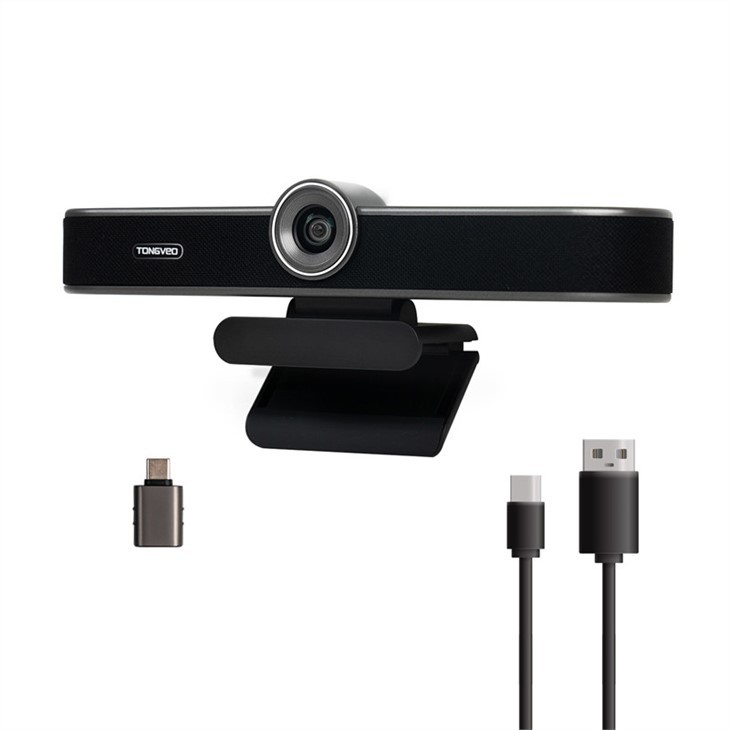
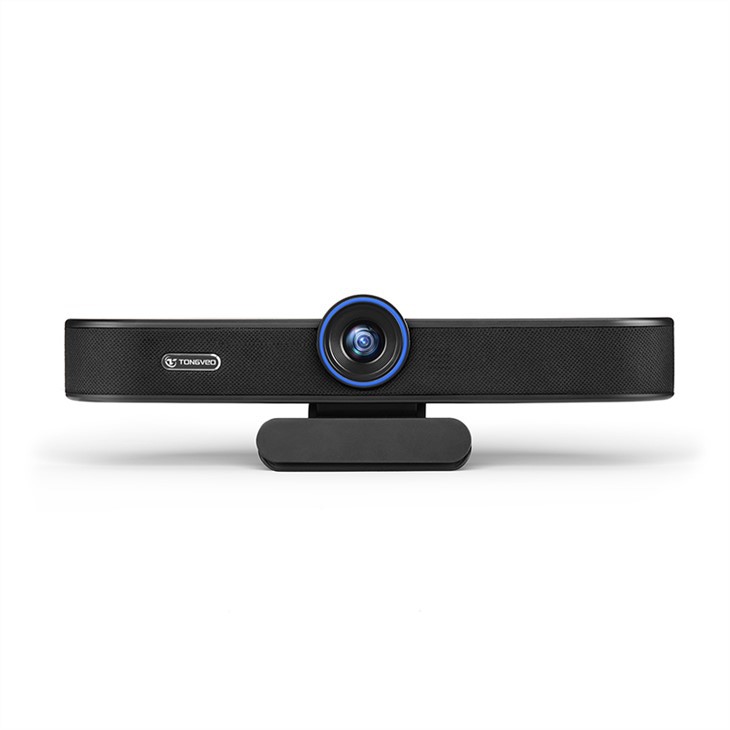
For instance, our USB 4K HD Webcam with Built - in Speaker for Mac and Conference Rooms is a prime example of a 4K UHD Video Bar. It offers excellent video quality and comes with a built - in speaker, which simplifies the setup process and enhances the overall user experience.
Compatibility Factors for Connecting to a TV
When considering connecting a 4K UHD Video Bar to a TV, several compatibility factors need to be taken into account:
1. Input Ports
The first and most crucial factor is the availability of input ports on the TV. Most modern TVs come equipped with a variety of input options, such as HDMI, USB, and DisplayPort. A 4K UHD Video Bar usually has an HDMI output or a USB output, depending on the model.
- HDMI Connection: If your TV has an HDMI input, it is the preferred method of connection. HDMI can transmit both high - quality video and audio signals simultaneously. This ensures that you get the best possible picture and sound quality when using the Video Bar with your TV.
- USB Connection: Some TVs also support USB connections. However, not all TVs can recognize a Video Bar connected via USB. In some cases, the TV may only be able to charge the device or play certain types of media files from a USB storage device.
2. Resolution Support
Another important factor is the TV's ability to support 4K resolution. A 4K UHD Video Bar is designed to output content in 4K resolution (3840 x 2160 pixels). If your TV does not support 4K resolution, you will not be able to take full advantage of the Video Bar's capabilities. The video may be downscaled to a lower resolution, resulting in a loss of detail and clarity.
3. Operating System and Software
The TV's operating system and software also play a role in the compatibility. Some smart TVs have built - in software that can recognize and work with external devices, such as a 4K UHD Video Bar. However, older TVs or those with less advanced operating systems may have difficulty establishing a connection or may not support all the features of the Video Bar.
Steps to Connect a 4K UHD Video Bar to a TV
If your TV meets the compatibility requirements, here are the general steps to connect a 4K UHD Video Bar to a TV:
1. Power Off the TV and Video Bar
Before making any connections, it is important to power off both the TV and the 4K UHD Video Bar. This helps prevent any electrical damage to the devices.
2. Connect the Cables
- HDMI Connection: If you are using an HDMI cable, connect one end of the cable to the HDMI output port on the Video Bar and the other end to an available HDMI input port on the TV.
- USB Connection: For a USB connection, plug the USB cable into the USB output port on the Video Bar and the corresponding USB input port on the TV.
3. Power On the Devices
After connecting the cables, power on the TV and the 4K UHD Video Bar. On the TV, use the remote control to select the appropriate input source (e.g., HDMI 1, HDMI 2, or USB) that corresponds to the port where the Video Bar is connected.
4. Configure the Settings
Once the connection is established, you may need to configure some settings on the TV and the Video Bar to optimize the video and audio quality. This may include adjusting the picture settings on the TV, such as brightness, contrast, and color, and setting the audio output on the Video Bar to the TV speakers.
Benefits of Connecting a 4K UHD Video Bar to a TV
There are several benefits to connecting a 4K UHD Video Bar to a TV:
1. Larger Screen for Video Conferencing
Using a TV as a display for video conferencing provides a larger and more immersive viewing experience. This is especially useful in a home or office setting where multiple people may need to participate in a video call.
2. Enhanced Entertainment
You can also use the 4K UHD Video Bar to stream high - quality content from online platforms, such as Netflix, YouTube, or Amazon Prime Video. The combination of a 4K Video Bar and a large - screen TV creates a home theater - like experience.
3. Educational Purposes
For online teaching and learning, connecting the Video Bar to a TV allows students to have a better view of the instructor and the teaching materials. It can make the learning process more engaging and effective.
Our Product Range
In addition to the USB 4K HD Webcam with Built - in Speaker for Mac and Conference Rooms, we also offer other high - quality 4K UHD Video Bars, such as the High - Definition Wide - Angle Webcam for Conference and Desktop Use and the Webcam with speaker microphone for 4K all - in - one video remotely teaching and online courses. These products are designed to meet the diverse needs of our customers, whether it's for business, education, or entertainment.
Conclusion
In conclusion, a 4K UHD Video Bar can be connected to a TV, provided that the TV meets the necessary compatibility requirements. By considering factors such as input ports, resolution support, and operating system compatibility, you can successfully establish a connection and enjoy the many benefits that come with it.
If you are interested in purchasing a 4K UHD Video Bar for your TV or other applications, we invite you to contact us for more information and to discuss your specific requirements. Our team of experts is ready to assist you in finding the right product for your needs.
References
- "Video Conferencing Technology: A Comprehensive Guide" by John Doe
- "4K Resolution and Its Impact on Home Entertainment" by Jane Smith
- Manufacturer's manuals for 4K UHD Video Bars and TVs





